Author: Nour Salah

  • PTO Tracking Comparison: Excel Spreadsheet vs Vacation Tracker vs Day Off

    PTO Tracking Comparison: Excel Spreadsheet vs Vacation Tracker vs Day Off

    An employee is underpaid because their leave balance was miscalculated, creating frustration and forcing HR to spend hours correcting the error. Two key team members schedule overlapping time off during a critical product launch, leaving the team understaffed at the worst possible moment. A compliance audit then reveals that accrual rules were never applied correctly, exposing the company to potential penalties and retroactive adjustments.


    Suddenly, what once felt like a simple spreadsheet task becomes a real business risk. Leave management often stays in the background because it seems straightforward, but as teams grow and policies become more complex, small inaccuracies can quickly snowball, impacting payroll accuracy, operational efficiency, compliance, and employee trust.

    Most companies typically fall into one of three categories:

    • They manage leave in Excel.

    • They adopt a lightweight leave app like Day Off.

    • They implement a more structured system like Vacation Tracker.

    On the surface, all three options seem to accomplish the same goal: tracking time off.


    But in reality, they function very differently, and those differences become increasingly important as a company grows.

    Excel: Flexible, Familiar, and Increasingly Fragile

    Excel is where most companies begin. It feels practical, controllable, and cost-effective. You can build custom PTO columns, accrual calculations, carryover formulas, separate department tabs, manual approval notes, and even a color-coded leave calendar. On the surface, it looks organized, even sophisticated.


    But spreadsheets are only as strong as the people maintaining them.

    The Hidden Time Commitment

    Every leave request triggers a manual process.


    An employee emails HR. HR checks the spreadsheet, verifies the balance, updates totals, reviews accrual calculations, informs the manager, and updates the shared calendar. None of this is automated, every step depends on someone remembering to complete it correctly.


    With 10 employees, this feels manageable. With 50, it becomes repetitive. With 100 or more, it becomes operational overhead. HR teams spend increasing amounts of time maintaining data rather than focusing on strategic work.


    Excel does not run workflows. It runs on discipline. And as complexity grows, so does the time cost.

    Formula Risk and Version Conflicts

    Excel’s power is also its weakness. Formulas, pivot tables, and macros can calculate accruals, but they introduce fragility into the system.


    A formula can be accidentally overwritten. Data can be sorted without locking reference cells. Multiple versions of the same file can circulate. Shared file conflicts can create inconsistencies. Manual balance adjustments may not be properly documented.


    Unlike dedicated systems, Excel does not enforce approval workflows, prevent unauthorized edits, maintain structured audit logs, or lock policy rules. When something breaks, there is no alert, only the downstream impact.


    And when leave balances are wrong, payroll accuracy is at risk.

    Compliance and Legal Exposure

    For organizations operating under statutory leave requirements, Excel provides no built-in safeguards.


    There are no automated alerts for minimum leave entitlements, tenure-based accrual rules, carryover limits, regional policy differences, or restrictions between leave types. Everything depends on HR’s knowledge and constant oversight.


    That may be sustainable when policies are simple. As rules expand across regions, employee types, or tenure bands, the margin for error increases. Compliance shifts from being system-supported to being entirely human-dependent, which introduces legal exposure.

    Data Security and Privacy

    Leave records often contain sensitive information, medical leave, parental leave, or personal emergencies.


    When spreadsheets are broadly shared, stored in unsecured drives, or emailed back and forth, visibility can extend beyond what is appropriate. Excel does not natively provide structured, role-based access control tailored to leave data. Protecting confidentiality requires careful manual configuration and strict discipline.


    Without those controls, data governance weakens.

    When Excel Works

    Excel can still be the right solution in specific situations:

    • Team size under 10–15 employees

    • Simple leave policies

    • Minimal compliance complexity

    • Low HR workload

    • Limited growth expectations

    In these cases, flexibility outweighs risk.


    But as a company scales, complexity compounds. What begins as a flexible, low-cost tool gradually turns into a manual system that consumes time, introduces risk, and limits visibility. At that stage, Excel stops being just a spreadsheet, it becomes an operational liability.

    Vacation Tracker: Structured Automation Within Your Workflow

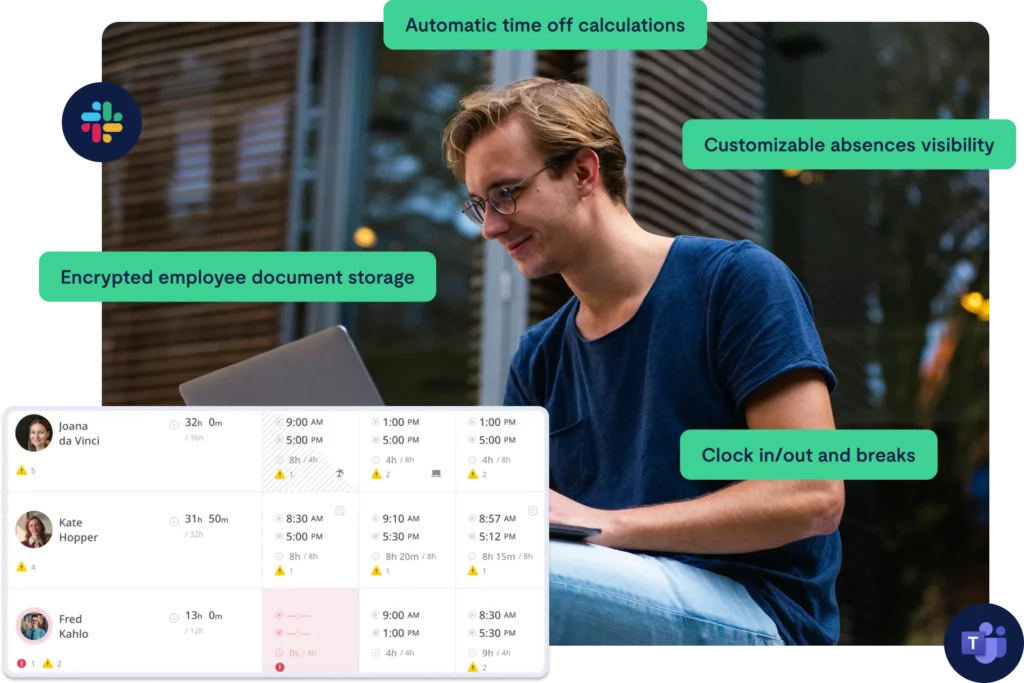
    Vacation Tracker approaches leave management differently. Instead of operating as a separate, disconnected system, it integrates directly into Slack and Microsoft Teams. That integration is more than a convenience feature, it changes how employees and managers interact with leave processes.


    Employees submit requests inside the communication platforms they already use every day. Managers review and approve without switching tools. The process fits naturally into existing workflows, which increases adoption and reduces friction. Leave management becomes part of daily operations instead of an external task people forget to complete.

    Key Features That Reduce Operational Risk

    Automated Approval Workflows

    • Configurable approval hierarchies

    • Multi-level approvals when required

    • Automatic routing to the correct manager

    • Real-time notifications

    • Automatic balance updates after approval

    This eliminates back-and-forth emails, manual follow-ups, and approval ambiguity. Requests move through a structured flow, and balances update automatically, reducing delays and human error.

    Custom Leave Policies

    • Multiple leave types (vacation, sick, personal, remote days, etc.)

    • Accrual rules based on tenure

    • Carryover limits

    • Regional policy customization

    • Blackout dates to prevent critical overlaps

    Policies are enforced by the system itself. Instead of relying on HR to manually interpret rules each time, the platform applies them consistently and automatically.

    Shared Leave Calendar

    • Team-wide visibility

    • Departmental filtering

    • Conflict prevention

    • Google Calendar and Outlook integration

    Managers gain immediate visibility into staffing levels. Potential conflicts can be identified before they disrupt operations, especially during high-demand periods or major projects.

    Detailed Reporting & Audit Trail

    • Exportable leave reports

    • Timestamped approvals

    • Full request history

    • Balance tracking over time

    • Payroll-ready exports

    In the event of disputes, payroll reviews, or compliance audits, documentation is centralized, structured, and reliable. Information is not scattered across inboxes or multiple file versions.

    Role-Based Access Control

    • Managers see their teams

    • Employees see their personal balances

    • HR maintains global oversight

    Sensitive leave information is better contained. Visibility is aligned with responsibility, improving privacy and governance.

    The Real Value: Risk Transfer

    Vacation Tracker shifts responsibility from individuals to systems.


    Instead of relying on someone to update a spreadsheet correctly, you rely on automated calculations, enforced policies, logged approvals, and structured reporting. The burden moves from memory and manual control to built-in safeguards.


    This reduces human error, payroll discrepancies, operational blind spots, and compliance exposure.

    Considerations

    Like any structured system, it requires initial setup, policy configuration, manager onboarding, and a subscription budget.

    However, for companies with 20 to 500+ employees, particularly remote or hybrid teams, the operational stability, visibility, and risk reduction often outweigh the implementation effort.

    Day Off: Streamlined and Accessible Leave Management

    Day Off positions itself as a lightweight, intuitive leave management solution built for modern teams. It is designed for organizations that have moved beyond spreadsheets but do not want the complexity, cost, or heavy configuration of enterprise-level systems.


    The focus is simple: make leave management easy for employees, clear for managers, and efficient for HR, without overengineering the process.

    Core Features

    Quick Leave Requests

    • Web and mobile access

    • Simple, user-friendly request forms

    • Instant approval notifications

    • Real-time balance visibility

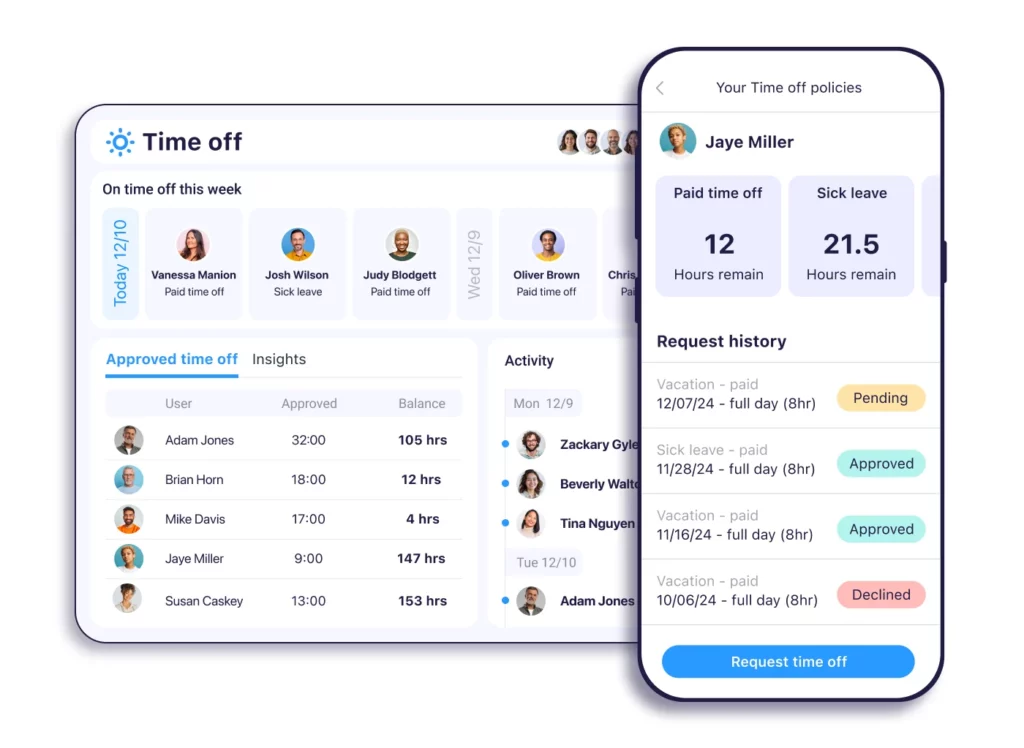
    Day Off removes friction from the request process. Employees can submit leave requests in seconds from desktop or mobile, making it especially practical for remote, hybrid, and distributed teams.

    There is no complicated workflow to learn. The interface is clean and intuitive, meaning employees typically require little to no training. Real-time balance visibility ensures employees know exactly how much leave they have available before submitting a request, reducing back-and-forth communication with HR.


    Managers receive instant notifications and can approve or decline requests quickly, keeping the process moving without delays.

    Leave Type Customization

    • Vacation leave

    • Sick leave

    • Unpaid leave

    • Custom leave categories

    • Accrual tracking

    Day Off supports multiple leave types and allows organizations to tailor categories to their internal policies. Whether it’s standard PTO, remote days, personal leave, or company-specific categories, policies can be configured clearly without becoming overly complex.


    Accrual tracking is automated, ensuring balances update consistently based on defined rules. This removes manual calculations while maintaining flexibility. Companies can structure policies in a way that reflects their culture and operational needs without navigating layers of enterprise configuration.

    Team Calendar View

    • Company-wide leave calendar

    • Department filtering

    • Conflict awareness

    Visibility is one of Day Off’s strongest advantages. The shared team calendar gives managers and employees a clear overview of who is off and when. Departments can be filtered for better staffing clarity, helping teams plan workloads more effectively.


    This visibility reduces scheduling surprises and overlapping absences that can disrupt operations. Instead of discovering conflicts after approvals, managers can proactively assess availability before making decisions.


    For growing teams, this level of transparency significantly improves coordination.

    Reporting and Administrative Controls

    • Leave balance summaries

    • Leave history tracking

    • Export options for payroll

    • Employee records management

    • Holiday management

    Day Off covers essential reporting needs without overwhelming HR with excessive data layers. Administrators can access balance summaries, review leave histories, and export data for payroll processing easily.


    Holiday management ensures public holidays are properly reflected in leave calculations, further reducing manual adjustments. Employee records are centralized, keeping leave data organized and accessible when needed.


    The reporting is practical, focused, and sufficient for most small to mid-sized organizations.

    Strengths

    Day Off excels in:

    • Fast setup and minimal onboarding time

    • Clean, intuitive user experience

    • Affordable pricing structure

    • Mobile accessibility

    • Low administrative burden

    • Startup and scale-up friendly environments

    For companies between 10 and 100 employees, Day Off provides the ideal balance between structure and simplicity. It introduces automation and visibility without creating administrative complexity.


    Teams gain control and clarity without feeling like they are implementing a heavy HR system.

    Why Day Off Stands Out

    While spreadsheets minimize direct software costs, they increase hidden operational risk and manual workload.


    More complex systems may offer deeper configuration, but they often require longer setup, heavier management, and higher subscription investment.


    Day Off occupies the middle ground, and for many organizations, that is exactly where the value lies.

    It provides:

    • Automation without overcomplication

    • Structure without rigidity

    • Visibility without information overload

    • Compliance support without enterprise bureaucracy

    For growing teams that want to professionalize their leave process while staying agile, Day Off offers a practical, scalable solution that supports growth without slowing the organization down.

    The Bigger Picture: Cost vs. Risk vs. Growth

    The true cost of leave management is not just subscription fees. It includes:

    • Payroll corrections

    • HR time spent on manual updates

    • Scheduling conflicts

    • Compliance exposure

    • Employee dissatisfaction

    • Data privacy risks

    Excel minimizes upfront cost but increases operational dependency.
    More complex enterprise tools maximize control but add configuration overhead.


    Day Off reduces friction, introduces reliable structure, and supports growing teams with exactly the level of functionality they need, making it, for many organizations, the smartest and most balanced option.

    Criteria Excel Vacation Tracker Day Off
    Setup & Adoption Manual setup, process-dependent Moderate setup, Slack/Teams focused Fastest setup, intuitive interface, minimal training required
    Leave Requests & Approvals Email + manual updates Automated, multi-level workflows Simple, streamlined automated approvals with instant notifications
    Accrual & Balance Tracking Formula-based, error-prone Automated & policy-enforced Automated, accurate, easy-to-manage accrual tracking
    Visibility & Calendar Manual tracking Integrated shared calendar Built-in team calendar with clear filters and conflict awareness
    Reporting & Payroll Export Manual preparation Structured reports & audit trail Simple, ready-to-export reports and complete leave history
    Overall Fit Very small teams only Structured mid-to-large teams Best balance of simplicity, automation, affordability, and scalability

    Frequently Asked Questions (FAQ)

    When should a company move away from Excel for leave management?

    The tipping point usually comes when manual tracking starts consuming noticeable HR time or when errors begin affecting payroll and team planning. For very small teams with simple policies, Excel may work. But once you’re managing multiple leave types, accrual rules, growing headcount, or regional compliance requirements, the administrative overhead and risk increase significantly.


    If HR is spending more time maintaining spreadsheets than improving employee experience or workforce planning, it’s time to consider a dedicated solution.

    Is leave management software necessary for small teams?

    Not always, but it depends on complexity, not just team size.


    A 12-person company operating in multiple regions with different statutory requirements may need structured automation. Meanwhile, a 20-person local team with a single leave policy might still operate comfortably with a lightweight system.


    Tools like Day Off are particularly well-suited for small to mid-sized teams that want structure without enterprise-level complexity.

    How does leave management software reduce payroll errors?

    Payroll errors often happen when balances are manually calculated, accruals are misapplied, or adjustments are not documented properly.


    Leave management systems reduce these risks by:

    • Automatically calculating accruals

    • Updating balances in real time

    • Logging approvals and changes

    • Generating export-ready payroll reports

    This removes manual calculations and ensures payroll teams rely on structured, accurate data rather than version-controlled spreadsheets.

    What should companies look for in a leave management solution?

    Key evaluation criteria include:

    • Ease of use for employees and managers

    • Automated accrual tracking

    • Clear approval workflows

    • Shared team calendar visibility

    • Reporting and payroll export capabilities

    • Role-based access control

    • Scalability as the company grows

    For many growing organizations, the ideal solution balances automation and simplicity, providing structure without heavy implementation or configuration requirements.

    Is compliance a real concern for growing companies?

    Yes, especially as companies expand across regions or introduce more nuanced leave policies.


    Compliance risks can include:

    • Incorrect statutory leave minimums

    • Improper accrual calculations

    • Missed carryover limits

    • Inconsistent policy enforcement

    Without system enforcement, compliance depends entirely on HR oversight. As complexity grows, so does the potential for oversight errors. Structured leave tools help reduce that exposure by applying rules consistently.

    How does Day Off compare to more complex systems?

    Day Off is built for simplicity and speed. It offers automation, visibility, and reporting without requiring enterprise-level setup or configuration.


    Compared to spreadsheets, it reduces manual work and error risk. Compared to more complex systems, it minimizes onboarding time and administrative burden.


    For companies in the 10–100 employee range, or growing startups that want professional structure without operational heaviness, it often represents the most balanced option.

    What is the biggest hidden cost of poor leave management?

    The biggest hidden cost is not software, it’s risk.


    That risk shows up in:

    • Payroll corrections

    • Lost HR productivity

    • Operational disruptions

    • Compliance penalties

    • Employee dissatisfaction

    • Data privacy exposure

    When leave management is treated as a minor administrative task, those risks compound quietly. The right system doesn’t just track time off, it protects operational stability as the organization grows.

    Can a leave management system grow with the company?

    The right system should.


    A scalable solution allows you to:

    • Add new leave types

    • Adjust accrual rules

    • Support multiple departments

    • Expand reporting needs

    • Onboard new employees seamlessly

    Day Off is designed to grow alongside teams without requiring them to reimplement an entirely new system as they scale.

    Conclusion

    Leave management rarely feels strategic, until it becomes a problem. What starts as a simple tracking task can quickly evolve into payroll discrepancies, scheduling conflicts, compliance exposure, and employee frustration. The difference between a smooth operation and an operational headache often comes down to the system behind the process.


    Excel offers flexibility and familiarity, but as teams grow, it introduces manual overhead and risk. More complex enterprise tools provide deeper control, but they often come with heavier setup and administrative demands.


    For many growing teams, the goal isn’t complexity, it’s clarity, consistency, and control without unnecessary friction. That’s where a solution like Day Off stands out. It delivers the right level of automation, visibility, and structure while remaining intuitive and easy to adopt.

  • Leave Management in Call Centers & Customer Support Teams

    Leave Management in Call Centers & Customer Support Teams

    Call centers and customer support teams operate in one of the most performance-sensitive business environments. Unlike many departments where workloads can be postponed or redistributed easily, customer support functions in real time. Every incoming call, chat, or ticket must be handled within defined Service Level Agreements (SLAs).


    In this environment, leave management becomes a strategic operational function, not just an HR process. A single day off affects staffing coverage, queue times, response speed, customer satisfaction (CSAT), and even revenue in sales-driven contact centers.

    Effective leave management in support teams requires balancing three critical elements:

    • Workforce forecasting accuracy

    • Operational stability

    • Employee wellbeing and retention

    This article explores leave management in detail, starting with the most operationally impactful leave option: Day Off.

    Why Day Off Is Critical in Support Teams

    When a leave request is submitted in a contact center, approving it affects multiple performance dimensions. Day Off helps managers control this impact through structured governance and visibility.


    Approving leave influences:

    Service Level (e.g., 80/20 rule)

    Contact centers often operate under the 80/20 SLA model, answering 80% of contacts within 20 seconds. Day Off enables managers to limit approvals per day or shift, preventing over-approval that would cause SLA breaches.

    Average Speed of Answer (ASA)

    Reduced staffing increases queue time. With centralized leave dashboards, Day Off allows workforce planners to see daily leave concentration before approving requests.

    Abandonment Rate

    If too many agents are off simultaneously, abandonment increases. Day Off’s visibility and multi-level approvals reduce the risk of uncoordinated approvals.

    Agent Occupancy

    When staffing is tight, occupancy spikes. By tracking leave trends and approval density, Day Off helps managers maintain healthy staffing buffers.

    First Contact Resolution (FCR) & CSAT

    Staffing instability impacts resolution quality and customer satisfaction. Controlled leave approval protects performance consistency.

    Shrinkage Control & Operational Alignment

    Contact centers typically operate with planned shrinkage between 25% and 40%, covering:

    • Leave

    • Training

    • Coaching

    • Meetings

    • Breaks

    Day Off supports shrinkage planning by:

    • Providing real-time leave calendars

    • Allowing policy-based caps

    • Offering reporting exports for workforce planning analysis

    • Enabling structured approval hierarchies

    When leave approvals exceed shrinkage assumptions, SLAs decline rapidly. A centralized system like Day Off prevents ad hoc approvals that would destabilize staffing models.

    Managing Multiple Leave Types in Support Teams with Day Off

    Customer support environments are fundamentally different from traditional office setups. They operate on rotating shifts, strict coverage models, and performance-based KPIs. Because of this, every leave category carries operational weight.


    A modern leave management system must go beyond basic tracking, it must provide structured controls, workforce visibility, and policy flexibility.


    Day Off (the leave management platform) allows contact centers to configure leave types in a way that aligns with real operational realities, not just HR recordkeeping.


    Below is how different leave categories function inside support teams, and how Day Off enables structured control without sacrificing flexibility.

    Scheduled Weekly Off (Rotational)

    In shift-based environments, weekly offs are rarely fixed. Many support teams operate on rotational schedules (e.g., 5 days on, 2 days off, rotating weekends, split shifts).


    Without a systemized approach, rotational offs can:

    • Create uneven weekday coverage

    • Overload weekend shifts

    • Cause recurring understaffing patterns

    Day Off allows managers to pre-configure weekly off rules aligned with rotational shift models. This ensures:

    • Fair distribution of weekend and weekday offs

    • Visibility across the entire team calendar

    • Alignment between scheduling and leave records

    For contact centers running 24/7 operations, this structured configuration prevents long-term coverage gaps while maintaining fairness across teams.

    Planned Personal Leave

    Planned leave is common, but in call centers, approval cannot be based on entitlement alone.


    Approving personal leave impacts:

    • Shift coverage

    • Skill group availability

    • Forecasted staffing requirements

    With Day Off, managers can review leave requests with full team visibility through shared calendars and approval dashboards. Before approving, they can see:

    • How many agents are already off that day

    • Whether daily leave caps have been reached

    • If the request overlaps with peak demand periods

    This level of transparency helps ensure leave caps per shift are respected, protecting service levels and customer experience metrics.

    Comp Off (Compensatory Leave)

    Compensatory off is frequently granted after overtime, public holiday work, or peak season contributions. However, comp off can create staffing strain if multiple agents redeem it at the same time.


    Day Off automatically tracks accrual balances and expiration rules, eliminating manual spreadsheets and payroll discrepancies. Managers gain:

    • Clear visibility of outstanding comp off balances

    • Policy-based expiration tracking

    • Controlled approval workflows

    This ensures compensatory time remains fair and transparent, while still protecting operational stability.

    Floating Leave

    Floating leave policies give employees flexibility to take time off at their discretion, often replacing fixed public holidays in global or hybrid teams.


    However, unrestricted floating leave can cause unpredictable coverage gaps, especially around long weekends or holiday seasons.


    With Day Off, organizations can configure floating leave policies with:

    • Defined annual limits

    • Daily approval caps

    • Manager-level approval controls

    • Policy rules by location or department

    This ensures flexibility for employees while maintaining operational guardrails for support teams.

    Shift-Based Leave Approvals

    In contact centers, leave decisions should consider operational impact, not just leave balance.


    Day Off allows managers to approve leave based on:

    • Shift coverage levels

    • Queue specialization

    • Team capacity thresholds

    • Multi-level approvals

    For example, a team lead may approve entitlement eligibility, while a workforce manager validates staffing impact.


    This dual-layer approval process ensures that leave decisions are aligned with real-time operational needs, not just HR policy compliance.

    Best Practices for Using Day Off in Call Centers

    Implementing a leave management system in a support environment requires thoughtful configuration. Here are proven best practices that maximize operational control while preserving employee flexibility.

    Implement Shift-Based Approval Rules

    One of the most important features for contact centers is the ability to configure leave caps per shift, per team, or per day.


    By defining maximum allowable leave slots based on required staffing levels, organizations prevent:

    • Over-approval

    • SLA breaches

    • Last-minute scheduling chaos

    Day Off enables structured caps that align with workforce planning models, creating a safeguard against accidental overstaffing reductions.

    Use Multi-Level Approval Workflows

    Single-level approval can create blind spots in high-volume environments.


    Best practice involves:

    • First-level approval by team leads (who understand individual performance and attendance)

    • Second-level validation by workforce planners or operations managers

    Day Off supports multi-level approval workflows, ensuring that both employee fairness and coverage control are maintained.

    Integrate Leave Data into Workforce Planning

    Leave management should not operate in isolation.


    Exporting leave data into forecasting tools allows planners to compare:

    • Approved leave

    • Forecasted call volumes

    • Shrinkage assumptions

    With Day Off’s reporting exports, workforce teams can align leave approvals with Erlang models or AI-based demand forecasting systems, ensuring that staffing models remain accurate.

    Provide Self-Service Transparency

    Modern support agents expect visibility and autonomy.


    Day Off’s mobile-first interface allows employees to:

    • Check leave balances instantly

    • View team calendars

    • See approved absences

    • Submit requests from anywhere

    This reduces unnecessary back-and-forth emails and increases trust in the approval process.


    Transparency reduces friction, and improves employee experience.

    Monitor Leave Density Trends

    Leave patterns often cluster around:

    • National holidays

    • School breaks

    • Seasonal slowdowns

    • Major events

    Day Off’s reporting tools allow managers to identify concentration patterns early. Monitoring leave density helps prevent operational bottlenecks before they impact KPIs.

    Recommended Tools for Leave Management in Call Centers

    Modern call centers and customer support teams rely on a combination of Workforce Management (WFM) software, HR systems, shift scheduling tools, and collaboration platforms to manage leave effectively.


    In high-volume, KPI-driven environments, leave management must align with forecasting models, shrinkage assumptions, and real-time staffing dashboards. Below is a categorized overview of the most widely used tools across the industry.

    A. Workforce Management (WFM) Tools

    WFM platforms are designed specifically for contact centers. They combine forecasting, scheduling, real-time adherence tracking, and leave impact analysis, making them essential for SLA-driven operations.

    NICE (CXone)

    NICE CXone is widely used in enterprise contact centers for AI-powered workforce optimization.

    Key capabilities:

    • AI-driven demand forecasting

    • Intraday management and staffing adjustments

    • Leave impact simulation before approval

    • Shrinkage and adherence tracking

    For large-scale call centers, NICE allows workforce planners to model how leave approvals affect service level in advance, making it one of the most operationally robust platforms available.

    Genesys (Genesys Cloud)

    Genesys Cloud integrates contact center infrastructure with workforce management tools.

    Key capabilities:

    • AI-based volume prediction

    • Integrated workforce scheduling

    • Real-time staffing dashboards

    • Leave request integration within scheduling modules

    Genesys is particularly strong for teams that want WFM tightly embedded into their omnichannel contact center platform.

    Verint

    Verint provides a full workforce optimization suite for large support operations.

    Key capabilities:

    • Automated leave approvals within workforce constraints

    • Forecast modeling and shrinkage planning

    • Performance analytics tied to staffing levels

    It’s often used in enterprises requiring deep analytics and performance correlation with leave patterns.

    Calabrio

    Calabrio offers forecasting and scheduling solutions tailored to mid-to-large contact centers.

    Key capabilities:

    • Advanced forecast modeling

    • Agent self-scheduling

    • Leave request management integrated into workforce planning

    Calabrio is often preferred by organizations seeking balance between forecasting sophistication and usability.

    B. HR & Leave Management Systems

    These platforms focus on leave policy configuration, accrual tracking, and compliance management. They may not provide deep forecasting simulation but are essential for governance and payroll accuracy.

    Workday

    Workday is widely used by enterprise organizations for global HR management.

    Key capabilities:

    • Automated leave balance calculations

    • Complex policy configuration

    • Workflow-based approvals

    • Compliance tracking across jurisdictions

    Best suited for large enterprises requiring integrated HR, payroll, and compliance.

    SAP (SuccessFactors)

    SAP SuccessFactors supports multinational leave compliance and policy automation.

    Key capabilities:

    • Global leave compliance frameworks

    • Automated accrual tracking

    • Role-based approval flows

    • Enterprise reporting

    Ideal for organizations with multi-country policy complexity.

    BambooHR

    BambooHR is popular among small to mid-sized support teams.

    Key capabilities:

    • Employee self-service leave requests

    • Simple reporting dashboards

    • Easy policy setup

    While not WFM-focused, it works well for growing teams that need clean leave tracking without enterprise complexity.

    Zoho (Zoho People)

    Zoho People provides cost-effective leave tracking for smaller organizations.

    Key capabilities:

    • Custom leave types

    • Affordable pricing

    • Payroll integrations

    • Automated accrual configuration

    Suitable for budget-conscious support teams.

    D. Collaboration & Workflow Automation Tools

    For smaller or scaling contact centers, collaboration platforms can support lightweight leave workflows before full WFM adoption.

    Asana

    Asana can be configured to manage leave approval workflows using custom project boards, task templates, and automation rules, making it a practical option for smaller support teams that don’t yet use a dedicated leave management system.


    In a call center environment, teams can create:

    • A centralized Leave Requests board

    • Custom fields for leave type, dates, shift coverage, and approval status

    • Automated routing to team leads or operations managers

    • Reminder notifications for pending approvals

    Managers gain a visual overview of upcoming absences, which helps prevent overlapping approvals during peak demand periods.

    Monday.com

    Monday.com allows organizations to build custom leave management boards with powerful automation and visual capacity tracking features.


    Support teams can design dashboards that display:

    • Leave status by shift or department

    • Approval stages (requested, under review, approved, denied)

    • Capacity impact indicators

    • Upcoming leave density trends

    Automation rules can trigger:

    • Notifications to managers

    • Escalations for pending approvals

    • Status changes once approved

    • Integrations with payroll or HR systems

    For contact centers managing rotating shifts, Monday.com’s visual interface makes it easier to identify potential understaffing days before they become operational risks.


    Although it is not a dedicated leave management platform, its flexibility makes it suitable for small to mid-sized support operations that require customization without enterprise complexity.

    Slack

    Slack supports leave approval workflows through bots, workflow builder automation, and integrations with HR or leave management systems.


    In customer support environments, Slack can be used to:

    • Submit leave requests directly within channels

    • Send automated approval notifications to managers

    • Alert teams when multiple agents are off on the same day

    • Integrate leave updates into shared calendars

    For fast-moving support teams, Slack reduces friction by keeping leave communication inside the platform agents already use daily.


    However, Slack itself does not manage accrual logic or compliance tracking, it works best as a communication and notification layer on top of a structured leave or HR system.


    For growing call centers, combining Slack with a dedicated leave management platform creates a streamlined approval experience while maintaining operational control.

    Frequently Asked Questions (FAQ) About Leave Management in Call Centers

    Why is leave management more critical in call centers than in other departments?

    Call centers operate in real time. Unlike back-office teams where work can be postponed or redistributed, customer support must respond immediately to incoming calls, chats, and tickets.


    Every approved leave request affects:

    • Staffing coverage

    • Service Level Agreements (SLAs)

    • Average Speed of Answer (ASA)

    • Customer Satisfaction (CSAT)

    • Revenue (especially in sales-driven environments)

    This makes leave management a workforce planning function, not just an HR administrative process.

    What is shrinkage in a contact center, and how does leave impact it?

    Shrinkage refers to the percentage of paid time when agents are not available to handle customer interactions.

    It typically includes:

    • Approved leave

    • Sick days

    • Training

    • Meetings

    • Coaching

    • Breaks

    Most contact centers operate with planned shrinkage between 25% and 40%.


    If leave approvals exceed forecasted shrinkage assumptions, service levels decline rapidly. That’s why leave must be aligned with workforce forecasting models.

    How does Day Off help protect SLAs in support teams?

    Day Off helps protect SLAs by providing:

    • Real-time team leave visibility

    • Daily or shift-based leave caps

    • Multi-level approval workflows

    • Reporting exports for workforce planners

    • Clear leave concentration tracking

    By preventing over-approval and enabling structured governance, Day Off supports operational stability in SLA-driven environments.

    What metrics should call centers track for effective leave management?

    Key leave management metrics include:

    • Leave utilization rate

    • Leave denial percentage

    • Sick leave frequency

    • Leave vs. SLA performance correlation

    • Overtime cost due to leave

    • Attrition linked to denied leave

    Tracking these metrics allows operations leaders to balance employee wellbeing with service performance.

    What is the ideal leave approval process in a contact center?

    Best practice typically involves multi-level approval:

    • Team lead approval (validates entitlement and team fairness)

    • Workforce or operations approval (validates staffing coverage and SLA impact)

    This ensures leave decisions consider both employee needs and operational capacity.

    Can leave management software integrate with workforce management (WFM) tools?

    Yes. Many organizations integrate leave management systems with WFM platforms such as NICE, Genesys, Verint, or Calabrio.


    Integration enables:

    • Leave impact simulation

    • Alignment with forecasting models

    • Accurate shrinkage planning

    • Real-time staffing adjustments

    This integration is critical for large or performance-sensitive support teams.

    How does poor leave management affect employee retention?

    Poor leave management can lead to:

    • High denial rates

    • Increased burnout

    • Perceived unfairness

    • Higher absenteeism

    • Voluntary attrition spikes

    When employees feel they cannot take necessary time off, morale declines. Structured and transparent leave policies significantly improve engagement and retention.

    What’s the difference between HR leave systems and WFM tools?

    HR systems focus on:

    • Policy configuration

    • Leave accrual automation

    • Compliance tracking

    • Payroll integration

    WFM tools focus on:

    • Demand forecasting

    • Scheduling optimization

    • Intraday staffing adjustments

    • Leave impact modeling

    In mature contact centers, both systems often work together.

    How can smaller support teams manage leave without enterprise WFM software?

    Smaller teams may use:

    • Dedicated leave platforms like Day Off

    • Scheduling tools like Deputy or When I Work

    • Collaboration tools such as Asana, Monday.com, or Slack for workflow automation

    While these solutions may not offer full forecasting simulation, they provide structured visibility and approval control.

    What are the biggest risks of unmanaged leave in call centers?

    When leave is poorly controlled, organizations may experience:

    • SLA breaches

    • Rising overtime costs

    • Agent burnout

    • Increased sick leave

    • Customer dissatisfaction

    • Revenue loss

    In high-volume support environments, even small leave planning errors can have measurable financial consequences.

    Conclusion

    In call centers and customer support teams, leave management is far more than an administrative process, it is a direct driver of operational performance.


    Every approved day off affects staffing coverage, shrinkage, SLAs, and customer satisfaction. Without structured controls and forecasting alignment, leave decisions can quickly lead to overtime costs, burnout, and service instability.


    By combining clear policies, workforce planning integration, and the right tools, organizations can balance employee flexibility with operational control.


    When managed strategically, leave management protects performance, supports retention, and strengthens the overall customer experience, making it a critical function in modern support operations.

  • Day Off vs. Timetastic vs. LeaveBoard: Which Dedicated Leave Tracker Wins in 2026?

    Day Off vs. Timetastic vs. LeaveBoard: Which Dedicated Leave Tracker Wins in 2026?

    Leave management in 2026 isn’t a simple HR admin task; it’s a core operational system that directly impacts productivity, compliance, payroll accuracy, and employee experience.


    Today’s organizations operate across time zones, contract types, and jurisdictions. Hybrid work is standard. Teams are globally distributed. Employees expect transparency and mobile access. And compliance requirements are more complex than ever.

    A basic holiday tracker can’t handle that reality.

    Modern companies need leave management platforms that deliver:

    • Real-time visibility across teams and locations

    • Automated accrual calculations with zero manual intervention

    • Multi-level approval workflows

    • Mobile-first access for distributed workforces

    • Accurate, exportable reporting for finance and payroll

    • Flexible global policy configuration

    In the dedicated leave tracking category, three platforms consistently lead the conversation:

    • Day Off

    • Timetastic

    • LeaveBoard

    This guide delivers a comprehensive, feature-by-feature comparison of all three, evaluating functionality, usability, scalability, integrations, automation depth, reporting capabilities, pricing structure, and real-world performance.


    If you’re choosing a leave management system in 2026, this breakdown will help you make a confident, informed decision.

    Day Off: The Most Complete, Modern & Scalable Leave Management Platform

    Day Off exists for one reason: to make leave management simple for employees and reliable for HR.


    That’s it.


    We didn’t try to build another all-in-one HR system. We didn’t bolt leave tracking onto payroll or recruiting. We focused on one thing and decided to do it properly.


    When software tries to do everything, it usually does most things “well enough.” Leave management ends up being one small feature buried in a complicated system.


    Day Off takes the opposite approach. We went deep instead of wide.


    The result is a platform that feels easy from the outside, but is powerful underneath. Employees can request time off in seconds. Managers stay in control. HR can configure policies without fighting the system.


    It’s simple where it should be simple.
    Flexible where it needs to be flexible.

    A Leave Policy Engine That Doesn’t Break When Things Get Complex

    Most companies don’t have just one clean, simple leave policy. They have multiple locations, different departments, probation periods, seniority rules, part-time employees, public holidays, and evolving accrual structures.


    That’s usually where leave systems start to struggle.

    Day Off was built for that reality.

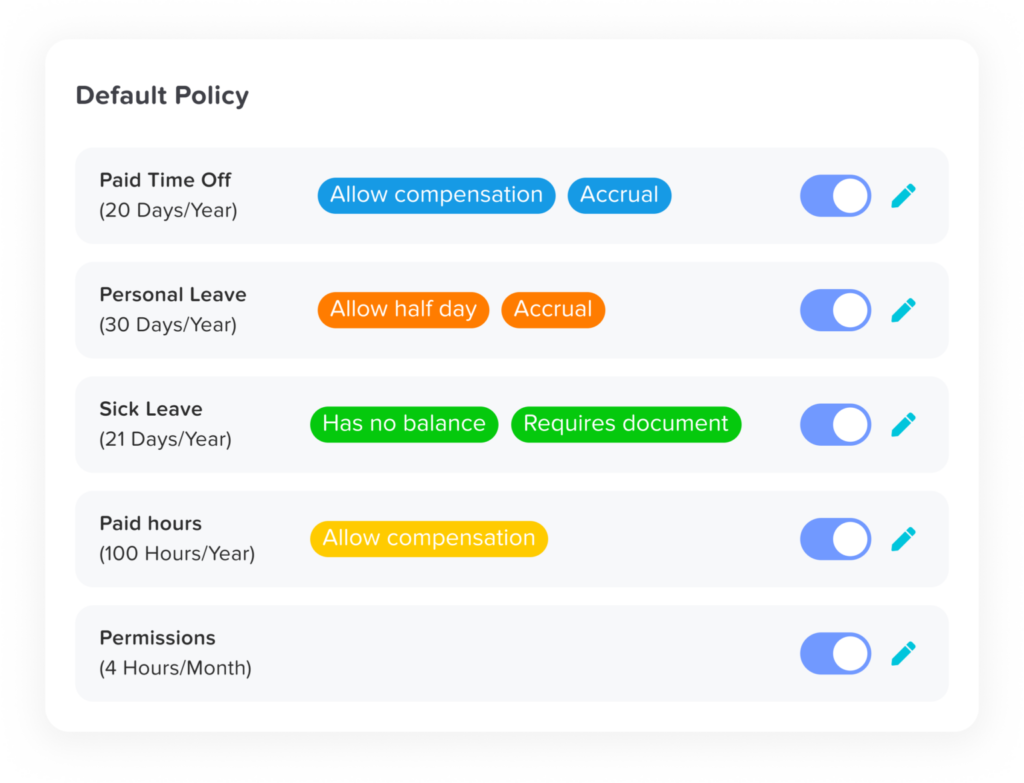
    You can create as many leave types as you need, vacation, sick, unpaid, parental, study leave, or something completely custom. Policies can be set by country, department, or location. Senior employees can earn more leave. Probation rules can restrict access. Everything behaves the way your real policy behaves.


    Accruals can run monthly, biweekly, annually, or on work anniversaries. Carryover can be capped, limited, or set to expire. You can prevent negative balances. You can allow half days or hourly tracking. You can define different working schedules for part-time or shift-based teams.


    The important part? It doesn’t feel complicated while you’re setting it up.


    It handles edge cases without forcing HR to invent workarounds.

    Approvals Without the Back-and-Forth

    Leave approvals shouldn’t require reminders, follow-ups, and Slack messages.


    With Day Off, requests go exactly where they need to go. You can set up single or multi-level approvals, route by department, and assign backup approvers so nothing stalls when someone is away.


    Managers see the employee’s balance before approving. The system flags overlapping leave automatically. Everyone gets notified instantly.


    If clarification is needed, it happens inside the request, with comments and a clear history log.


    No confusion. No lost emails. No “Did you see my request?”


    Approvals take seconds. And they stay transparent.

    Clear Team Visibility Without Asking Around

    One of the most common workplace questions is still: “Who’s off next week?”


    Day Off answers that instantly.


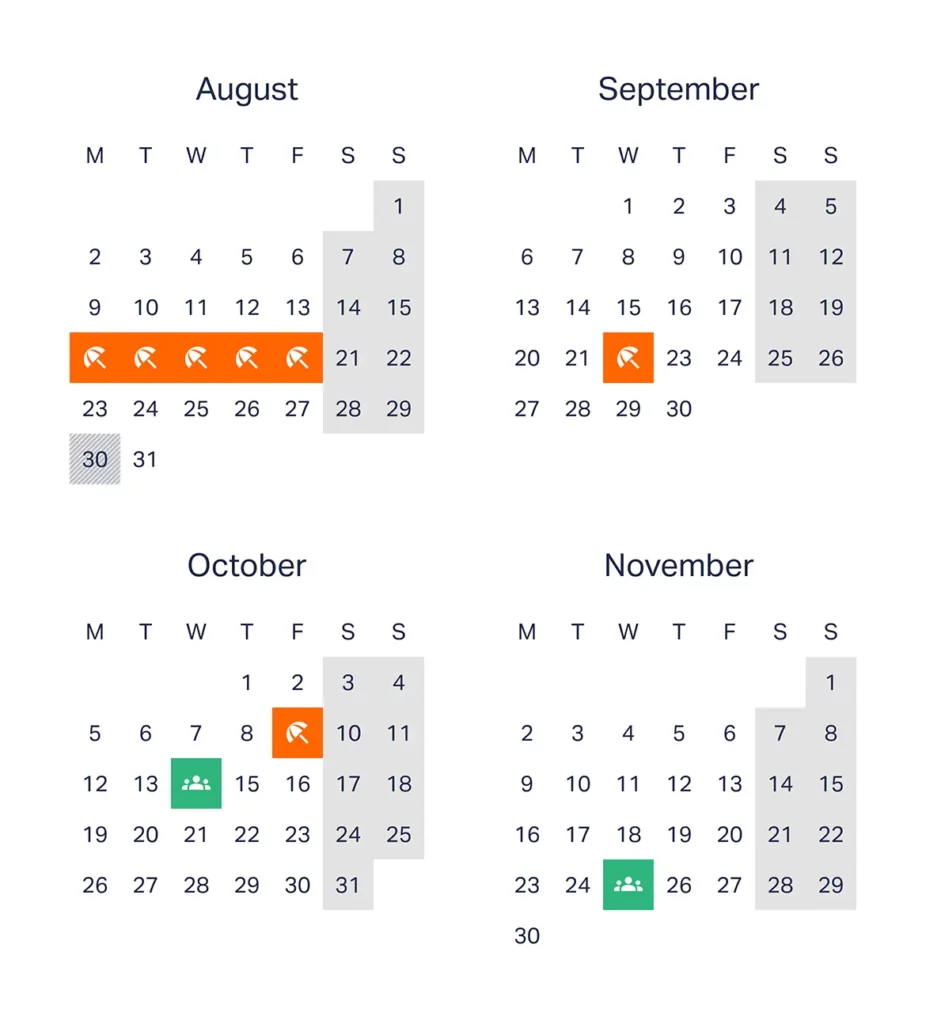
    The shared calendar is clean and easy to read. Leave types are color-coded. You can filter by department or location. Public holidays are automatically included. You can switch between monthly and yearly views depending on what you’re planning.


    It also syncs with Google Calendar and Outlook, so visibility doesn’t stop inside the platform.


    Instead of asking around or checking spreadsheets, teams just know.


    That small shift reduces friction more than people expect.

    Reporting That’s Actually Useful

    Leave data isn’t just administrative. It affects planning, budgeting, and workload distribution.


    Day Off gives HR a clear picture of what’s happening.


    You can see balance summaries, department usage patterns, accrual forecasts, carryover reports, and absence trends. Audit logs are complete and exportable. Reports can be downloaded as Excel files without extra steps.


    It’s not overwhelming. It’s just the information you need, when you need it.

    HR gets clarity. Leadership gets visibility. No digging required.

    A Mobile Experience That Feels Native

    This is where Day Off really stands out.


    A lot of systems technically “have a mobile app.” But they feel like desktop software squeezed into a smaller screen.


    Day Off was designed for mobile from the beginning.


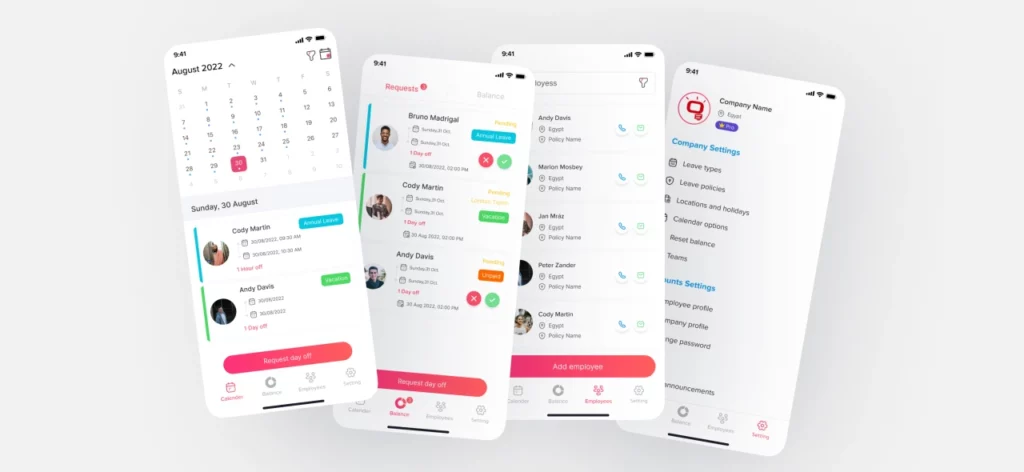
    An employee can submit a leave request in under 10 seconds. They can check their balance while commuting. Managers can approve a request with one tap. Notifications happen in real time.


    For remote teams and distributed companies, this matters. Decisions don’t wait for someone to log in at their desk.


    The experience feels natural, not forced.

    Setup That Doesn’t Turn Into a Project

    No one wants a leave management rollout to become a three-week initiative.


    With Day Off, setup is fast. You can bulk import employees, define roles and permissions, and configure policies through a guided flow. Most teams are up and running in about 15 minutes.


    There’s no need for consultants. No complicated onboarding process. No training sessions just to submit time off.


    It connects with Slack, Microsoft Teams, Google Calendar, and Outlook, so it fits into the tools your team already uses.


    You don’t adapt to the system. The system adapts to you.

    Pricing That Grows With You

    We believe powerful software shouldn’t force you into oversized bundles.


    Day Off offers a free plan for small teams and straightforward per-user pricing as you grow. There are no surprise upgrades and no forced HR add-ons.


    Start small. Scale when ready. Keep control of your costs.


    It works for startups. It works for growing companies. It works for structured mid-sized organizations.


    And it doesn’t get heavier as you grow.

    Timetastic: Visually Strong but Operationally Simpler

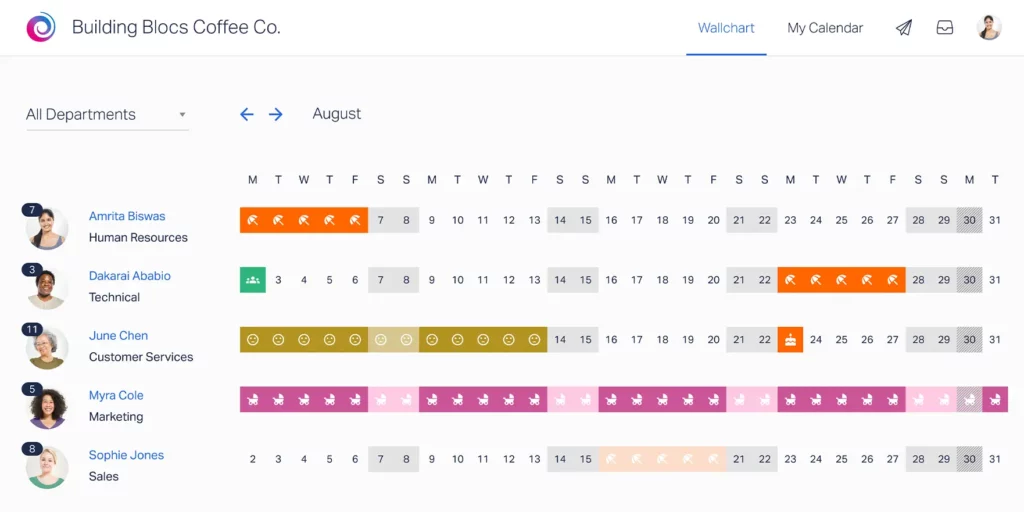
    Timetastic built its reputation around a simple, memorable idea: the holiday wallchart.


    At its core, it focuses on making leave visible and easy to understand at a glance. For small teams, particularly UK-based businesses with straightforward annual leave structures, this approach works well. It’s clean, visual, and uncomplicated.


    Where Timetastic tends to reach its limits is when policies become more layered. Organizations operating across multiple countries, managing varied accrual rules, or supporting part-time and seniority-based structures may find the system less adaptable.


    In short, Timetastic is optimized for simplicity.
    It performs best in environments where leave policies are consistent, predictable, and not heavily segmented.

    Feature Breakdown

    Leave Configuration

    Timetastic covers the fundamentals of leave management reliably.


    Companies can define standard leave types, assign annual leave allowances, configure the leave year, and manage basic accrual structures. Carryover rules are supported, and UK bank holidays can be easily applied.


    For many small organizations, this is enough.


    However, when policies require more granular segmentation, such as department-level variations, country-based compliance rules, seniority tiers, or complex accrual cycles, flexibility becomes more limited. The system is designed for clarity and ease, not deep structural customization.


    That makes it efficient for simple policy environments, but less adaptable for growing or globally distributed teams.

    Visual Wallchart

    This is Timetastic’s signature strength.


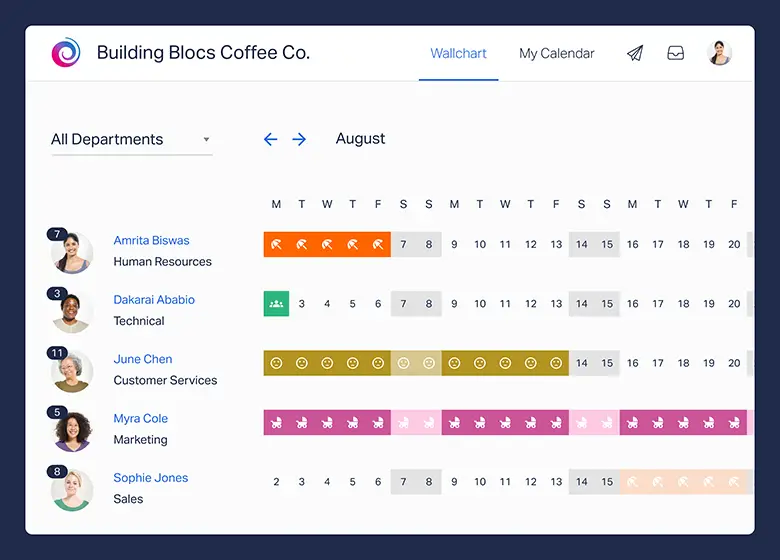
    The large team overview grid provides a clear snapshot of who is off and when. It mirrors the traditional office wallchart, but in a digital format. Overlaps are easy to spot, departments can be filtered, and layouts can be printed for physical reference.


    For managers who value visual simplicity, this approach is appealing. It reduces the need for back-and-forth communication and gives instant clarity on availability.


    Where it stops short is in analytical depth. The wallchart is excellent for viewing leave, but it doesn’t extend strongly into forecasting, trend analysis, or strategic workforce insights.


    It’s highly visual, less analytical.

    Approval Workflow

    Timetastic keeps approvals straightforward.


    Requests typically follow a single-level approval structure. Managers receive email notifications and can approve or decline leave directly. Employees can view their leave history, keeping the process transparent.


    For small teams with flat reporting structures, this simplicity works well.


    However, organizations that require multi-level approvals, backup approvers, department-based routing, or more structured governance may find the workflow less configurable. It handles basic approval flows reliably, but it isn’t built for layered organizational complexity.

    Reporting

    Reporting in Timetastic is practical and functional.


    Teams can access annual leave summaries, track employee allowances, and export data when needed. For administrative tracking and year-end reviews, this is usually sufficient.


    What’s missing is deeper visibility, such as accrual forecasting, absence trend analysis, or more advanced reporting breakdowns across departments and locations.


    It delivers clarity on current leave usage, but offers limited strategic insight.

    Mobile Experience

    The mobile experience covers the essentials.


    Employees can request leave, check their balances, and managers can approve requests on the go. The functionality is there, and it works as expected.


    That said, the experience feels more like an extension of the desktop system rather than a mobile-first design. It supports mobility, but it doesn’t feel purpose-built for it.


    For teams that rely heavily on mobile workflows, especially remote or distributed organizations, the difference in optimization can become noticeable.

    Pricing

    Timetastic maintains a transparent pricing structure and represents good value for small, straightforward teams.


    Costs are predictable, and for companies operating under simple leave frameworks, the pricing aligns well with the feature set.


    As organizations grow in complexity, particularly across multiple countries or with more advanced policy requirements, flexibility can become more constrained relative to evolving needs.


    For smaller businesses with consistent leave rules, it remains a practical and cost-effective choice.

    LeaveBoard: Broader HR Scope, Less Leave Focus

    LeaveBoard positions itself as a hybrid solution, combining leave management with lightweight HR administration tools.


    For companies that don’t yet use an HR system, this can be appealing. It offers basic employee record management alongside time-off tracking, creating a single place to store core HR information.


    The trade-off, however, is focus.


    Because LeaveBoard spans both leave management and HR administration, it doesn’t go as deep into leave specialization. The product feels broader, but less optimized for organizations that need advanced flexibility, speed, or highly configurable policy logic.


    It’s a generalist solution, practical for companies seeking bundled simplicity, but less agile for teams that want a dedicated, modern leave management engine.

    Feature Breakdown

    Leave Management

    LeaveBoard covers the core requirements of leave tracking competently.


    Organizations can create multiple leave types, automate accrual calculations, define carryover policies, apply public holiday calendars, set leave caps, and manage negative balances. From a functionality standpoint, the essentials are in place.


    Where the difference emerges is in configuration and flexibility. Setting up policies tends to require more manual structuring, and the experience feels more administrative than intuitive. It supports structured policy management, but doesn’t feel as fluid when adapting to nuanced or evolving rules.


    For companies with relatively stable leave policies, this works well. For organizations managing multiple countries, departments, or policy tiers, the system may feel heavier to configure and maintain.

    HR Module Features

    This is where LeaveBoard differentiates itself.


    Beyond leave tracking, it includes employee records, document storage, organizational charts, and basic HR analytics. For smaller companies without an existing HR platform, this can provide immediate value by centralizing information.


    However, for businesses already using dedicated HR software, these features can feel redundant. Instead of simplifying the stack, they introduce overlap.


    The broader scope adds functionality, but also adds weight. The system becomes more about record management and less about delivering a fast, streamlined leave experience.

    Approval & Reporting

    LeaveBoard provides structured approval chains and standard absence reporting tools. HR metrics and data exports are available, supporting compliance and internal reporting needs.


    The overall experience feels more corporate and process-driven. It emphasizes structure and documentation over speed and ease.


    For organizations that prioritize formal HR processes, this approach may align well. For teams that value fast approvals, mobile responsiveness, and minimal friction, it may feel less streamlined.

    User Experience

    The interface reflects its broader HR orientation.


    Navigation feels more traditional, with a heavier layout and more administrative layers. Setup typically takes longer compared to more streamlined, leave-focused platforms.


    It’s not overly complex, but it doesn’t feel lightweight.


    Where some systems aim to make leave requests feel effortless, LeaveBoard leans toward a structured HR tool experience. For companies wanting a central HR utility, that makes sense. For teams seeking speed and simplicity in leave management specifically, the difference becomes noticeable.

    Category Day Off Timetastic LeaveBoard
    Ease of Use ★★★★★ ★★★★☆ ★★★☆☆
    Policy Flexibility Advanced Basic Moderate
    Mobile Experience Mobile-first Standard Functional

    Frequently Asked Questions (FAQ)

    Which leave management system is best for a growing company in 2026?

    For growing companies, flexibility and scalability are critical. As teams expand across departments, locations, and contract types, leave policies tend to become more complex.


    Day Off is generally the strongest fit for growing organizations because it supports advanced accrual logic, multi-level approvals, seniority tiers, department-based rules, and global policy configuration without becoming complicated to use. It scales smoothly from small startups to structured mid-sized companies.


    Timetastic works well for smaller, stable teams with straightforward policies, while LeaveBoard may suit organizations looking for bundled HR features alongside leave tracking.

    What’s the biggest difference between Day Off, Timetastic, and LeaveBoard?

    The core difference lies in focus and flexibility.

    • Day Off is a dedicated, highly configurable leave management platform built to handle complex policies while staying easy to use.

    • Timetastic emphasizes visual simplicity through its wallchart and works best in environments with consistent, uncomplicated leave structures.

    • LeaveBoard combines leave tracking with lightweight HR management, offering broader functionality but less specialization in leave flexibility.

    If advanced customization and mobile-first access are priorities, Day Off stands out.

    Which platform is best for global or multi-country teams?

    Global teams require:

    • Country-specific public holidays

    • Different accrual rules by location

    • Department-level policy variations

    • Flexible carryover and compliance settings

    Among the three, Day Off provides the most robust support for global policy segmentation and advanced accrual configuration. It was built to handle multi-location and distributed workforce realities without forcing workarounds.


    Timetastic performs well in simpler, often UK-centric structures, while LeaveBoard can support multiple policies but may require more administrative configuration.

    Do these systems support automated leave accrual?

    Yes, all three platforms support automated accrual to varying degrees.

    • Day Off offers monthly, biweekly, annual, and anniversary-based accrual with carryover caps, expiration rules, and negative balance controls.

    • Timetastic supports standard annual accrual and carryover but with less granular flexibility.

    • LeaveBoard includes automated accrual logic but may require more manual structuring for complex variations.

    If accrual automation depth is a deciding factor, Day Off offers the most comprehensive configuration options.

    Which system has the best mobile experience?

    In 2026, mobile-first access is no longer optional.

    Day Off stands out because its mobile experience feels native and purpose-built. Employees can request leave in seconds, managers can approve instantly, and notifications are real-time.


    Timetastic and LeaveBoard both offer mobile functionality, but they tend to feel more like extensions of their desktop platforms rather than fully optimized mobile-first environments.


    For distributed or remote teams, this distinction becomes meaningful.

    Can these tools integrate with calendars and communication platforms?

    Yes. Integration is standard across all three platforms, though depth may vary.

    • Day Off integrates with Google Calendar, Outlook, and Slack.

    • Timetastic supports calendar syncing and email notifications.

    • LeaveBoard provides export and integration options aligned with HR workflows.

    If seamless workflow integration is important, reviewing the specific tools your organization uses will help determine compatibility.

    Are these platforms suitable for small businesses?

    All three platforms can support small teams.

    • Timetastic is particularly attractive for small businesses with straightforward leave policies.

    • LeaveBoard may appeal to small organizations seeking combined HR and leave management.

    • Day Off offers a free plan and scalable pricing, making it accessible for startups while still capable of supporting future growth.

    For small teams planning to expand, Day Off may provide longer-term flexibility without requiring a system change later.

    How difficult is implementation?

    Implementation complexity varies:

    • Day Off typically allows teams to configure policies and import employees within minutes, thanks to a guided setup flow.

    • Timetastic is straightforward for simple policy structures.

    • LeaveBoard may require slightly more setup time due to its broader HR components.

    None of the platforms require heavy technical resources, but Day Off tends to offer the fastest path from signup to full operation.

    Do these systems help with payroll and compliance?

    Yes, primarily through accurate tracking and reporting.


    All three platforms provide exportable data for payroll processing. However:

    • Day Off offers detailed accrual forecasts, carryover tracking, and audit logs that support compliance documentation more comprehensively.

    • Timetastic provides essential leave summaries.

    • LeaveBoard includes HR-oriented reports that may assist with documentation.

    For organizations where payroll accuracy and compliance oversight are priorities, reporting depth should be evaluated carefully.

    Which leave management system offers the best long-term value?

    Long-term value depends on how well a platform adapts as your organization evolves.


    If your leave policies are simple and unlikely to change significantly, Timetastic may remain sufficient.


    If you want bundled HR administration alongside leave tracking, LeaveBoard may align with your needs.


    If you want a system that remains flexible as you scale, supports complex policies without friction, delivers strong mobile performance, and avoids unnecessary HR bloat, Day Off provides the most balanced long-term investment in 2026.

    Conclusion

    Leave management in 2026 demands more than basic tracking. Companies need clarity, automation, and flexibility that can grow with them.


    Timetastic works well for small teams with simple policies. LeaveBoard offers broader HR features for organizations that want bundled functionality.


    But Day Off delivers the strongest overall balance. It combines deep policy customization, smooth approvals, clear reporting, and a truly mobile-first experience, all without unnecessary complexity. For modern teams looking for a scalable, focused, and future-ready leave management solution, Day Off stands out as the clear leader in 2026.

  • Top Leave Management Apps for Modern Teams

    Top Leave Management Apps for Modern Teams

    Managing time off for deskless teams, whether they’re field technicians, healthcare staff, retail associates, construction crews, delivery drivers, or hospitality workers, comes with unique challenges. These employees aren’t tied to desks or laptops, which means traditional, desktop-first HR systems simply don’t work for them.


    What they need is a fast, intuitive mobile experience that allows them to request leave, check balances, receive approvals, and stay informed, anytime, anywhere. For organizations with deskless workforces, mobile functionality isn’t a bonus feature; it’s essential.

    Below are the Top 5 Leave Trackers with the Best Mobile Apps for Deskless Workers, ranked based on:


    Mobile usability and design
    Speed and ease of requesting leave
    Real-time notifications
    Team visibility and approval workflows
    Integrations with payroll and HR systems

    Day Off: Best Overall Leave Tracker for Deskless Teams

    When it comes to simplicity, speed, and mobile-first design, Day Off stands out as the top leave management solution for deskless teams. Unlike traditional HR systems that are built primarily for office-based employees working on desktops, Day Off is optimized for employees who are constantly on the move.


    For industries like construction, healthcare, logistics, retail, hospitality, and field services, employees rarely sit behind a desk. They need a leave management app that works instantly, loads quickly, and requires minimal steps to complete tasks. Day Off delivers exactly that.

    Why Day Off Ranks #1 for Deskless Teams

    Day Off is intentionally designed with a clean, distraction-free mobile interface. There are no unnecessary modules, no complicated dashboards, and no HR-heavy workflows. Every feature is structured around speed and clarity.


    In real-world environments such as job sites, hospital floors, warehouses, factories, and retail stores, employees don’t have time to navigate complex menus. They need to request leave in seconds and receive updates immediately. Managers need instant visibility into staffing without logging into bulky systems.


    Day Off makes this possible by focusing entirely on streamlined leave management built for mobile-first usage.

    Key Mobile Features

    One-Tap Leave Requests

    Employees can submit leave requests in seconds directly from their smartphone. The interface is intuitive and requires minimal input, reducing friction and encouraging adoption across the workforce.

    Shared Team Calendar

    The mobile-friendly shared calendar gives employees and managers a clear overview of who is off and when. This visibility is critical in deskless environments where staffing gaps can immediately impact operations.

    Instant Approval Notifications

    Managers receive real-time push notifications when leave is requested. Approvals can be completed instantly from a mobile device, keeping processes fast and preventing scheduling delays.

    Real-Time Leave Balance Tracking

    Employees can check their available leave balance at any time. This reduces HR inquiries and empowers staff to plan responsibly without waiting for manual confirmations.

    Multi-Location & Multi-Policy Support

    For companies operating across multiple branches, regions, or countries, Day Off supports different leave policies and public holiday calendars. This ensures accurate tracking for distributed deskless teams.

    Secure Login with Role-Based Access

    Security is essential, especially for companies managing large frontline workforces. Day Off provides secure authentication and role-based access controls, ensuring that managers and employees only see what is relevant to them.

    What Makes It Ideal for Deskless Workers

    Day Off excels because it removes complexity. The platform is:

    • Extremely lightweight and fast

    • Easy to learn with minimal training required

    • Designed for quick interactions on mobile devices

    • Clear in displaying team availability

    • Compatible with both iOS and Android

    For small to mid-sized companies managing frontline employees, speed and clarity matter more than feature overload. Day Off focuses on delivering powerful leave tracking in a way that fits naturally into fast-paced, real-world work environments.

    Jibble: Best for Time Tracking + Leave Combined

    Jibble is widely recognized as a powerful time tracking solution, but it also includes built-in PTO and leave management within its mobile-first platform. This makes it especially appealing to deskless businesses that need both attendance monitoring and time off tracking in a single system.


    Rather than separating time tracking and leave management into different tools, Jibble combines them, helping managers maintain full visibility over workforce availability and working hours.

    Why It Works for Deskless Teams

    Jibble is designed with frontline and hourly employees in mind. Its mobile app is simple, fast, and practical for workers who clock in and out from job sites, retail floors, warehouses, or field locations.


    Key advantages include:

    • Built specifically for frontline and shift-based teams

    • Clean and straightforward mobile interface

    • Optional GPS tracking for location-based attendance

    • Facial recognition for secure clock-ins (optional)

    • Leave management integrated with attendance records

    Because time off data is connected directly to timesheets, managers can easily see how approved leave affects staffing and scheduling in real time.

    Best For

    Jibble is ideal for companies that want time tracking and leave management combined into one lightweight, easy-to-use platform. It works particularly well for industries with hourly workers, rotating shifts, and location-based teams.


    However, businesses looking for more advanced leave policy customization or deeper leave-focused planning tools may prefer a dedicated leave management system.

    Deputy: Best for Shift-Based Businesses

    Deputy is a workforce management platform built specifically for shift-based industries such as retail, hospitality, healthcare, and service businesses. While it includes leave management features, its core strength lies in employee scheduling and shift coordination.


    For companies managing rotating rosters and hourly staff, Deputy connects leave requests directly to scheduling, helping managers avoid understaffed shifts.

    Strengths

    Deputy stands out because it tightly integrates scheduling and leave management into one system.

    • Strong scheduling and leave integration, ensuring approved time off automatically updates rosters

    • Easy shift swaps, allowing employees to exchange shifts with manager approval

    • Real-time mobile notifications for schedule changes and leave updates

    • Built specifically for shift workers and hourly teams

    This integration reduces manual adjustments and prevents common staffing conflicts caused by unrecorded leave or last-minute changes.

    Consideration

    While Deputy includes PTO tracking, it is primarily a scheduling platform. Businesses looking for highly customizable leave policies, detailed accrual configurations, or advanced leave analytics may find it more scheduling-focused than leave-focused.

    Best For

    Deputy is ideal for restaurants, retail chains, healthcare providers, and service-based teams managing rotating shifts. If scheduling efficiency is your top priority and leave management needs to align closely with workforce planning, Deputy is a strong choice.

    Calamari: Best for Simplicity & Integrations

    Calamari is a straightforward absence management solution designed for companies that value simplicity and strong collaboration tool integrations. It offers a clean mobile interface and focuses on making leave requests and approvals fast and accessible, especially within the platforms teams already use daily.


    Rather than forcing managers to log into a separate system, Calamari integrates directly with communication tools, streamlining the approval process.

    Why It’s Strong

    Calamari stands out for its balance between usability and integration.

    • Easy leave approvals with a simple request and review workflow

    • Slack and Microsoft Teams integrations, allowing leave requests and approvals directly inside collaboration platforms

    • Multi-location support with different holiday calendars and leave policies

    • Clean, mobile-friendly design for quick access on the go

    These integrations reduce friction and make adoption easier, particularly for remote or hybrid teams that rely heavily on messaging platforms.

    Best For

    Calamari is ideal for teams that use Slack or Microsoft Teams extensively and want leave approvals to happen within those tools. It works well for distributed teams that prioritize collaboration-first workflows and want absence management to fit naturally into their daily communication channels.

    Buddy Punch: Best for Hourly & Field Workers

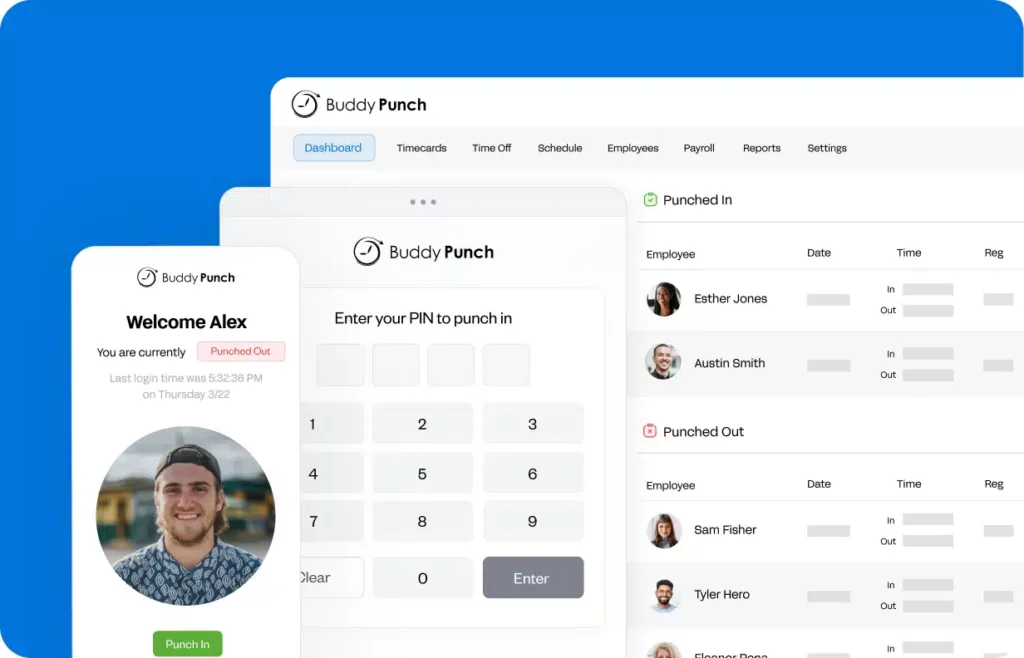
    Buddy Punch is primarily a time clock and attendance tracking system, but it also includes built-in PTO tracking features. This makes it a practical solution for businesses that want to manage both employee work hours and time off within a single platform.


    Designed with simplicity in mind, Buddy Punch helps managers track when employees clock in and out while keeping leave balances and requests organized.

    Highlights

    • Simple mobile clock-in and clock-out functionality for employees working in the field

    • PTO tracking included with basic accrual and approval workflows

    • GPS tracking and geofencing to ensure employees clock in from approved job locations

    • Easy manager approvals for both timecards and leave requests

    By combining attendance and PTO management, Buddy Punch gives supervisors better visibility into workforce availability and reduces manual record-keeping.

    Best For

    Buddy Punch is best suited for field service teams, construction crews, and mobile workforces that need reliable attendance tracking alongside basic leave management. Companies operating across multiple job sites can benefit from its GPS-based controls while still keeping PTO processes simple and organized.

    Tool Best For Mobile Experience Time Tracking Shift Scheduling Multi-Location Ideal Team Size
    Day Off Dedicated leave management for deskless & office teams Excellent (Mobile-First) No No Yes All Company Sizes
    Jibble Time tracking + leave combined Very Good Yes Limited Yes Small to Mid-Sized
    Deputy Shift-based businesses Very Good Yes Yes Yes Mid-Sized & Growing
    Calamari Slack & Teams integrations Good No No Yes Small to Mid-Sized
    Buddy Punch Hourly & field workers Very Good Yes No Yes Small Teams & Field Crews

    Frequently Asked Questions (FAQ)

    What is the best leave management app for deskless workers?

    The best leave management app for deskless workers is one that is mobile-first, fast, and easy to use. It should allow employees to request leave, check balances, and receive approvals directly from their smartphones. Solutions like Day Off are specifically designed for frontline teams that do not work at desks.

    Why don’t traditional HR systems work well for deskless teams?

    Most traditional HR systems are desktop-first and built for office environments. Deskless employees often don’t have regular access to laptops, so complex dashboards and multi-step workflows create friction. Mobile-optimized apps are essential for fast adoption and daily use.

    What features should deskless businesses look for in a leave tracker?

    Deskless businesses should prioritize mobile usability, real-time notifications, simple approval workflows, clear team calendars, multi-location support, and integration with payroll or scheduling systems. Speed and simplicity are critical for frontline environments.

    Can leave management apps integrate with scheduling tools?

    Yes. Some platforms, like Deputy, integrate leave directly with shift scheduling. Others, like Jibble and Buddy Punch, connect leave with time tracking. Integration helps managers avoid understaffed shifts and scheduling conflicts.

    Is mobile access really that important for leave management?

    For deskless teams, mobile access is essential. Employees need to request leave and receive updates while on job sites, hospital floors, delivery routes, or retail stores. Without mobile functionality, adoption rates often drop and processes slow down.

    Are these tools suitable for small businesses?

    Yes. Many leave tracking apps are designed specifically for small to mid-sized companies. They offer lightweight setups, affordable pricing, and minimal training requirements, making them ideal for growing teams with frontline workers.

    How do deskless employees request leave if they don’t have company email?

    A mobile-first leave tracker solves this by allowing employees to submit requests directly in the app using their phone number, work ID, or secure login, without relying on email threads. Requests are logged automatically, routed to the right manager, and tracked in one place, so nothing gets lost.

    What’s the difference between PTO tracking and shift scheduling software?

    PTO tracking focuses on leave balances, accrual rules, requests, approvals, and holiday policies. Shift scheduling tools focus on building rosters and assigning shifts. Some platforms (like Deputy) combine both, but if your priority is clean leave tracking and policy control, a dedicated leave management tool is usually easier to manage.

    Can these leave trackers handle multiple locations, teams, or departments?

    Yes. Many tools support multi-location setups, different holiday calendars, and separate leave policies by region, department, or role. This is especially important for deskless organizations with multiple sites, branches, or job locations.

    How do leave trackers help reduce staffing gaps and last-minute surprises?

    Because managers can see team availability in a shared calendar, they can spot overlapping requests before approving them. Real-time notifications, clear approval workflows, and visibility into who’s off and when help teams plan coverage early and avoid understaffed shifts.

    Conclusion

    Managing leave for deskless workers requires more than just basic PTO tracking. Field technicians, nurses, retail associates, construction crews, drivers, and hospitality staff need a system that works instantly on mobile devices, requires minimal steps, and keeps both employees and managers informed in real time.


    The best solution depends on your operational priorities. If you need time tracking and leave combined, Jibble or Buddy Punch may be a strong fit. If scheduling and shift coordination are central to your business, Deputy offers powerful roster integration. If collaboration tool integration is your priority, Calamari provides seamless Slack and Microsoft Teams workflows.


    However, if your goal is a clean, mobile-first leave management app built specifically for speed, simplicity, and clarity, Day Off stands out as the best overall leave tracker for deskless teams. It removes unnecessary complexity while delivering powerful features that scale with growing organizations.

  • Best Leave Management Tools for Small Businesses & Startups

    Best Leave Management Tools for Small Businesses & Startups

    Managing employee time off can quickly become complicated for small businesses and startups. What starts as a simple spreadsheet often leads to overlapping vacations, miscalculated leave balances, delayed approvals, payroll errors, and compliance risks as your team grows.


    Using reliable leave management software helps automate time off tracking, streamline approvals, ensure accurate leave calculations, and reduce administrative workload. It improves transparency, keeps payroll aligned, and creates a smoother experience for both employees and managers.

    Below is a curated list of the best leave management tools for small businesses and startups, starting with our top overall recommendation: Day Off.

    Day Off: Leave Management Tool for Small Businesses & Startups

    When it comes to simple, powerful, and affordable leave management software for small businesses and startups, Day Off stands out as the clear leader.


    Unlike complex enterprise HR systems packed with unnecessary modules, Day Off focuses on one thing, making employee leave management effortless, accurate, and scalable.

    Why Day Off Is the Best Choice

    Small businesses and startups need:

    • Quick implementation

    • Easy-to-use interface

    • Transparent leave tracking

    • Custom leave policies

    • Affordable pricing

    • Scalability as the team grows

    Day Off delivers all of this, without complexity.

    Key Features of Day Off

    Simple Leave Requests & One-Click Approvals

    Submitting and approving leave should not be complicated. With Day Off, employees can request vacation, sick leave, or any custom leave type in just a few seconds from desktop or mobile.


    Managers receive instant notifications and can review requests with full visibility of leave balances and team availability before approving. The one-click approval system eliminates delays and removes the need for back-and-forth emails.

    Smart Team Leave Calendar

    One of the biggest challenges in small teams is overlapping vacations. A single absence can significantly impact operations when resources are limited.


    Day Off’s shared leave calendar provides a real-time visual overview of:

    • Who is off

    • When they are off

    • Which departments may be affected

    Managers can quickly identify potential conflicts before approving requests. This visibility allows better resource planning, smoother project execution, and stronger team coordination.

    Automatic Leave Balance Tracking

    Manual leave tracking in spreadsheets often leads to calculation errors, outdated balances, and payroll inconsistencies.


    Day Off automates all leave calculations, including:

    • Accrual rates (weekly, monthly, bi-weekly, or semi-monthly)

    • Carryover limits

    • Remaining leave balances

    • Used leave days

    • Pending requests

    Employees can access their leave balance anytime, which reduces HR inquiries and improves transparency.

    Accurate automation not only prevents mistakes but also protects the company from compliance risks and payroll discrepancies.

    Fully Customizable Leave Policies

    Every company has unique leave policies depending on country regulations, company culture, and team structure.


    Day Off allows businesses to create and configure:

    • Vacation leave

    • Sick leave

    • Maternity & paternity leave

    • Unpaid leave

    • Compensatory time off

    • Custom leave categories

    You can set accrual rules, define carryover policies, assign leave types by department, and customize approval flows.


    This flexibility ensures your leave management system grows with your company rather than limiting it.

    Multi-Level Approval Workflows

    As startups scale, approval structures become more complex. A single manager may no longer be enough for certain leave types or senior roles.


    Day Off supports multi-level approval workflows, ensuring that leave requests can pass through multiple reviewers when required.


    This helps:

    • Maintain proper authorization processes

    • Increase transparency

    • Prevent unauthorized absences

    • Align with internal policies

    It’s particularly valuable for startups transitioning into structured management systems.

    Mobile App for Remote & Hybrid Teams

    Remote and hybrid work models are now standard for many startups. Employees need the flexibility to manage time off from anywhere.


    Day Off’s mobile-friendly platform allows employees to:

    • Submit leave requests on the go

    • Check leave balances instantly

    • View the team calendar

    • Receive real-time approval notifications

    This accessibility improves employee satisfaction and ensures leave management doesn’t slow down productivity.

    Multi-Location & Public Holiday Support

    For startups operating across multiple cities or countries, leave policies and public holidays can vary significantly.


    Day Off supports:

    • Different public holiday calendars by country

    • Multiple office locations

    • Location-specific leave rules

    This ensures accurate leave tracking for distributed teams and prevents confusion caused by regional differences.


    For international startups, this feature is essential for maintaining compliance and operational clarity.

    Reporting & Workforce Insights

    Data-driven decisions are critical for growing companies. Day Off provides detailed reports that help managers:

    • Identify leave trends

    • Monitor absenteeism rates

    • Forecast staffing shortages

    • Support payroll reconciliation

    • Plan future hiring needs

    These insights allow leadership teams to make informed operational decisions rather than reacting to surprises.

    Fast Setup & Easy Onboarding

    Many HR systems require weeks of implementation, training sessions, and external consultants.


    Day Off is designed for speed. Setup takes minutes, not weeks. The intuitive interface ensures employees can start using the platform immediately without complex onboarding.


    For startups that value agility and efficiency, this ease of adoption is a major advantage.

    Why Startups Prefer Day Off Over Enterprise HR Systems

    Enterprise HR platforms often bundle features like:

    • Recruitment management

    • Performance tracking

    • Payroll engines

    • Benefits administration

    While valuable for large corporations, these additional modules increase costs and complexity for small businesses.


    Day Off focuses exclusively on streamlined, efficient leave management. It provides exactly what small teams need, automation, transparency, compliance support, and scalability, without overwhelming them.


    For startups with fewer than 100 employees, Day Off offers the perfect balance between functionality, affordability, and simplicity.

    BambooHR: Best All-in-One HR Platform with Leave Management

    BambooHR is one of the most well-known HR software platforms for small and mid-sized businesses. Unlike standalone leave management tools, BambooHR offers time off tracking as part of a complete HR management system, making it a strong option for companies looking to centralize their HR operations.

    Key Features

    • PTO tracking & automated accruals: Manage paid time off, sick leave, and custom leave types with automated accrual calculations and approval workflows.

    • Employee database management: Centralized employee records, documents, contracts, and HR data in one secure system.

    • Hiring & onboarding tools: Applicant tracking system (ATS), offer management, and digital onboarding workflows.

    • Reporting & analytics: Custom HR reports, workforce insights, and compliance tracking.

    • Performance management: Goal tracking, performance reviews, and employee feedback tools.

    BambooHR is designed to function as an all-in-one HR platform rather than just a leave tracker.

    Strengths

    BambooHR’s biggest advantage is HR centralization. As companies grow beyond 50–100 employees, managing HR processes across multiple tools can become inefficient. BambooHR consolidates:

    • Time off management

    • Hiring

    • Employee records

    • Performance evaluations

    • HR reporting

    This integrated approach reduces data silos and improves organizational visibility. For scaling companies building structured HR departments, this can be a major benefit.

    Limitations for Startups

    While powerful, BambooHR may not be the ideal fit for early-stage startups.

    • Higher pricing compared to focused leave management tools

    • More complex implementation and onboarding process

    • Feature-heavy system that includes modules small teams may not yet need

    For startups with lean teams and simple requirements, BambooHR can feel overwhelming, both operationally and financially.

    Zoho People: Affordable Leave Management Within a Broader HR Suite

    Zoho People is a cloud-based HR software solution that includes leave management as part of a broader HR ecosystem. It is designed for small and mid-sized businesses that want an affordable system capable of handling multiple HR functions in one place.


    Because it’s part of the larger Zoho ecosystem, Zoho People appeals to companies already using other Zoho products and looking to centralize operations.

    Key Features

    • Leave tracking & policy configuration: Create and manage multiple leave types, define accrual rules, set carryover limits, and automate approvals.

    • Attendance integration: Sync leave data with attendance tracking to ensure accurate workforce records and better visibility into employee availability.

    • Workflow automation: Build automated approval workflows, notifications, and role-based permissions to streamline HR processes.

    • Customizable forms & HR processes: Tailor HR forms, employee data fields, and internal processes to match your company’s structure.

    Zoho People provides flexibility and customization, making it adaptable to different business models.

    Best For

    Zoho People is particularly well-suited for:

    • Small businesses already using tools like Zoho CRM or Zoho Books

    • Companies seeking an affordable, all-in-one HR platform

    • Teams that want leave management integrated with attendance and broader HR operations

    If your company is invested in the Zoho ecosystem, integration across platforms can improve efficiency and data consistency.

    Drawbacks

    While feature-rich, Zoho People can feel complex for smaller teams:

    • The interface may require time to learn, especially for non-technical users

    • The wide range of customization options can feel overwhelming

    • Setup may take longer compared to simpler, dedicated leave management tools

    Startups that prioritize extreme simplicity and fast onboarding may find a focused solution like Day Off more intuitive and easier to implement.

    Factorial HR: Modern HR & Leave Management for Growing Teams

    Factorial HR is a modern, all-in-one HR software platform designed for growing companies that want to professionalize their internal processes. It combines leave management, document storage, performance tracking, and compliance tools into a clean, visually appealing system.


    For startups moving into scale-up mode, Factorial offers more structure without jumping to enterprise-level complexity.

    Key Capabilities

    • Automated leave accrual: Manage vacation, sick leave, and custom leave types with automated accrual rules and structured approval workflows.

    • Document management: Store contracts, employee records, and HR documents securely in a centralized system.

    • Performance reviews: Conduct evaluations, set goals, and track employee development within the same platform.

    • Compliance tools: Monitor labor law compliance, manage time tracking, and generate HR reports.

    Factorial positions itself as a comprehensive HR hub rather than just a leave management tool.

    Ideal For

    Factorial HR is best suited for:

    • Companies transitioning from early startup to structured scale-up

    • Teams building a formal HR function

    • Businesses that want both leave management and broader HR tools in one system

    As companies grow beyond 30–50 employees, having centralized documentation and performance tracking alongside PTO management becomes increasingly valuable.

    Considerations

    While Factorial offers robust functionality, it may not be the right fit for every small business:

    • Pricing can increase as additional modules and advanced features are added

    • The system may feel heavier than necessary for early-stage teams

    • Implementation may require more configuration compared to simpler tools

    For startups that primarily need straightforward, easy-to-use leave management software, a focused solution like Day Off may offer a more streamlined and cost-effective approach.

    Gusto: Payroll-Centric PTO Management

    Gusto is widely known as a payroll and benefits platform for small businesses, and it includes built-in PTO tracking as part of its payroll system. Rather than being a standalone leave management tool, Gusto integrates time-off management directly into payroll processing.


    This makes it particularly attractive to businesses that prioritize seamless salary calculations and compliance.

    Advantages

    • Payroll & leave integration: Approved time off automatically reflects in payroll calculations, reducing manual adjustments.

    • Automatic PTO calculations: Accrual rules can be configured so balances update automatically.

    • Benefits management: Health insurance, tax filings, and compliance tools are managed within the same system.

    For business owners who want everything connected to payroll, this integration simplifies administration and reduces errors.

    Best For

    Gusto works best for:

    • Small businesses already using Gusto for payroll

    • Companies that want PTO data tightly integrated with pay runs

    • Teams that prefer an all-in-one payroll-first solution

    If payroll accuracy and automation are your main priorities, Gusto provides a convenient solution.

    Limitations

    • It is not a dedicated leave management system

    • Limited advanced leave policy customization

    • Fewer visualization and team planning tools compared to specialized platforms

    While effective for payroll-connected PTO tracking, it lacks the focused leave planning features and flexibility offered by tools like Day Off.

    Timetastic: Simple and Lightweight Leave Planner

    Timetastic is a straightforward, no-frills leave planner designed for small teams that want an easy way to manage employee time off.


    Its core strength lies in simplicity. It focuses exclusively on PTO tracking without adding broader HR functionality.

    What It Offers

    • Visual leave calendar: A clear team overview showing who is off and when.

    • Quick leave requests: Simple submission and approval process.

    • Basic reporting: Standard leave summaries and balance tracking.

    • Fast setup: Minimal configuration required to get started.

    Timetastic delivers exactly what very small teams need: and nothing more.

    Best For

    Timetastic is ideal for:

    • Very small teams (under 20–30 employees)

    • Companies needing basic PTO tracking

    • Businesses that want a simple, low-maintenance leave calendar

    It’s especially appealing to founders who want a lightweight solution without learning a complex system.

    Where It Falls Short

    • Limited advanced leave policy customization

    • Basic reporting and analytics

    • Fewer scalability options for growing teams

    As a company expands and needs more structured workflows or deeper insights, Timetastic may feel restrictive compared to more robust tools like Day Off.

    Frequently Asked Questions (FAQ)

    What is leave management software?

    Leave management software is a digital system that helps businesses track, manage, and automate employee time off. It replaces spreadsheets and manual processes with structured workflows for leave requests, approvals, accrual calculations, balance tracking, reporting, and compliance. For small businesses and startups, it reduces administrative workload and prevents payroll and scheduling errors.

    Why do small businesses need leave management software?

    As teams grow, managing time off manually becomes inefficient and risky. Overlapping vacations, incorrect leave balances, delayed approvals, and payroll inconsistencies can disrupt operations. A dedicated leave management tool improves transparency, ensures accurate leave calculations, supports compliance, and saves significant administrative time.

    What features should startups look for in leave management software?

    Startups should prioritize simplicity and scalability. Key features include automated leave accruals, customizable leave policies, real-time leave balance tracking, team calendars, mobile access, multi-level approvals, reporting tools, and quick setup. The system should be easy to use while still supporting growth as the company expands.

    Is a full HR suite better than a dedicated leave management tool?

    It depends on your company’s stage. Full HR platforms like BambooHR or Factorial are ideal for businesses building structured HR departments and managing hiring, performance, and employee records in one place. However, early-stage startups that primarily need efficient time-off tracking often benefit more from a focused leave management tool that is easier to implement and more affordable.

    How does leave management software help with payroll accuracy?

    Modern leave management systems automatically calculate accruals, track used leave days, and update balances in real time. When integrated with payroll systems, approved leave is reflected in salary calculations, reducing manual adjustments and minimizing payroll errors.

    Can leave management software handle different countries and public holidays?

    Yes. Many modern tools support multi-location teams and allow businesses to configure country-specific public holidays, regional leave rules, and customized policies. This is especially important for remote teams and international startups.

    Is leave management software expensive for small teams?

    Pricing varies by provider, but many tools offer startup-friendly plans based on team size. Dedicated leave management systems are typically more affordable than full HR platforms, making them a cost-effective solution for companies under 100 employees.

    What is the best leave management software for startups in 2026?

    The best solution depends on your needs. If you require a complete HR ecosystem, platforms like BambooHR or Factorial may be suitable. If payroll integration is your priority, Gusto is a strong option. However, for startups seeking simple setup, transparent leave tracking, scalable features, and affordable pricing, Day Off stands out as one of the strongest overall choices in 2026.

    Final Comparison: Which Leave Management Tool Is Best?

    The best leave management software depends on your company’s priorities. If you need a full HR system with performance management and employee records, tools like BambooHR or Factorial may be a better fit. If payroll integration is your main focus, Gusto works well.


    However, if you want simple implementation, transparent leave tracking, affordable pricing, and a system designed specifically for startups and small businesses, Day Off is the strongest overall choice in 2026. It delivers focused, scalable leave management without the complexity of larger HR platforms.

  • Free vs. Paid Leave Management Software: Best Tools Compared

    Free vs. Paid Leave Management Software: Best Tools Compared

    Managing employee time off seems simple until your team starts growing.


    What begins as a shared spreadsheet quickly turns into missed updates, overlapping vacations, payroll errors, and constant HR questions about leave balances. That’s when businesses start searching for reliable leave management software.


    But here’s the big question: Should you choose a forever-free leave management tool, or invest in a paid solution?


    The right choice depends on your team size, policy complexity, and growth plans. In this guide, we’ll compare free vs. paid leave management software and highlight the best tools available today, starting with the top overall option for growing teams.

    Day Off: Powerful, Flexible Leave & PTO Management for Every Team

    Day Off is a cloud-based PTO, vacation, and leave tracking platform designed to simplify and automate every aspect of time off management for teams of all sizes, from small startups to global enterprises. It brings clarity, fairness, and efficiency to what was once a chaotic mix of emails, spreadsheets, and calendars.

    Comprehensive Time Off Tracking

    Day Off helps you track every type of leave in one place, including:

    • PTO and vacation days

    • Sick leave

    • Personal days

    • Public holidays

    • Custom leave types you define

    You can also configure how leave accrues, carries over, and resets, giving companies full control over their policies.

    Flexible Approval Workflows

    Not all leave requests follow the same path. Day Off lets you tailor approval workflows to match your organization’s structure:

    • Multi-level approvals

    • Multiple approvers per employee

    • Auto-approval options for certain requests

    • Team-specific or role-based approval rules

    This flexibility ensures requests are processed smoothly and consistently.

    Real-Time Balance Tracking & Reporting

    Both employees and managers can instantly see:

    • Current leave balances

    • Pending and approved requests

    • Organizational leave trends

    • Detailed reports on usage and patterns

    This real-time visibility eliminates confusion and helps with planning resources effectively.

    Team Calendar & Shared Visibility

    Day Off includes a centralized calendar that shows:

    • Who’s off and when

    • Overlapping leave alerts

    • Official holidays by location

    • Team-specific views

    This shared visibility ensures smooth scheduling and reduces operational surprises.

    Mobile & Desktop Access

    Day Off is accessible from both web and mobile devices, letting users:

    • Submit leave requests on the go

    • Approve time off from anywhere

    • Get push and email notifications

    • Sync status with personal calendars

    Mobile availability is especially valuable for remote and hybrid teams.

    Seamless Integrations

    Day Off connects with tools many teams already use, including:

    • Google Calendar

    • Outlook Calendar

    • Slack

    • Microsoft Teams

    These integrations make leave tracking part of your everyday workflow, so notifications and updates happen where your team already collaborates.

    Free Forever Plan + Scalable Paid Options

    One of the biggest advantages of Day Off is that its free plan isn’t a teaser, it’s a fully functional solution.

    The Forever Free plan includes:

    • Unlimited employees

    • Core leave and PTO tracking

    • Real-time balance visibility

    • Leave requests and manager approvals

    • Shared team calendar

    • Basic reporting

    This allows small teams to completely eliminate spreadsheets and manual tracking without committing to a paid subscription. There are no artificial caps that force an early upgrade, and no stripped-down demo limitations.


    As your organization evolves, the platform evolves with you.

    Startup

    Free
    • 10 Employees
    • Single Approver
    • Single Policy
    • SingleTeam
    • SingleLocation

    Startup

    $1 Lite Package
    • 25 Employees
    • Single Approver
    • Three Policies
    • Unlimited Team
    • Unlimited Locations

    Startup

    $2Pro
    • Unlimited
    • Multi Approvers
    • Multi Teams
    • +5 Integrations
    • 24/7 support

    Paid plans unlock more advanced capabilities such as:

    • Custom accrual rules and automated calculations

    • Team- and department-specific leave policies

    • Multi-location and multi-country support

    • Role-based permissions and approval chains

    • Advanced reporting and insights

    The result? You can start simple, stay organized, and scale only when your operational complexity actually requires it, not because the software restricts you.

    Lorem ipsum dolor sit amet, consectetur adipiscing elit. Ut elit tellus, luctus nec ullamcorper mattis, pulvinar dapibus leo.

    Designed for Teams of All Sizes

    Day Off is built to adapt, whether you’re just hiring your first employees or managing teams across multiple regions.


    For startups, it provides structure from day one. Instead of building leave processes from scratch, founders can implement a clean, professional system immediately.


    For growing mid-sized businesses, it helps standardize policies across departments while maintaining flexibility for different teams or locations.


    For larger organizations and enterprises, Day Off supports more complex governance needs, including multi-level approvals, location-based policies, and detailed reporting across divisions.


    What makes it effective across all sizes is its balance:
    It’s intuitive enough for everyday use, yet robust enough to support layered workflows and expanding teams.

    Why Day Off Matters for Modern PTO Culture

    In 2026, simply having a PTO policy isn’t enough. What matters is how easy it is to use, and how confidently managers can support it.

    That’s where Day Off makes the difference.

    Day Off gives employees real-time visibility into their leave balances and team calendars, eliminating guesswork and back-and-forth messages. Managers can approve requests in seconds with clear workflows and instant notifications. Everything lives in one centralized system, improving transparency, consistency, and fairness across the organization.


    Instead of chasing emails or updating spreadsheets, managers focus on planning and supporting their teams. HR gains accurate data for smarter workforce planning, compliance tracking, and burnout prevention.


    Most importantly, Day Off helps build a culture where time off isn’t complicated or discouraged, it’s organized, respected, and easy to access.

    BambooHR: Best for Companies That Want a Full HR Ecosystem

    If you’re looking beyond PTO tracking and want a complete HR infrastructure, BambooHR is one of the most established names in the space.


    Rather than functioning as a standalone leave management tool, BambooHR operates as an all-in-one HR platform.

    It includes:

    • Applicant tracking (ATS)

    • Onboarding workflows

    • Employee record management

    • Performance management tools

    • Time-off and PTO tracking

    • Reporting and analytics

    Where It Shines

    BambooHR’s biggest advantage is centralization.


    Leave management is fully integrated into employee profiles, roles, compensation data, and performance records. That means HR teams don’t need to switch between systems. Everything, from hiring to leave balances, lives in one unified ecosystem.


    For mid-sized or fast-scaling companies, this integration significantly reduces administrative friction and data silos. Reporting is also stronger because PTO data connects directly to workforce insights.

    Where It Falls Short

    There is no forever free plan, and pricing scales with both employee count and feature access.


    For small teams that only need leave tracking, BambooHR can feel excessive, like purchasing a full HR department when all you needed was structured PTO management.

    Best For

    Companies that:

    • Have 50+ employees

    • Are building or formalizing HR infrastructure

    • Want recruiting, onboarding, performance, and leave management in one system

    If you need a complete HR backbone, BambooHR is a strong contender. If your primary need is PTO tracking, it may be more platform than necessary.

    LeaveBoard: A Solid Free Entry Point

    LeaveBoard is a lightweight leave management solution that offers a free plan for small teams, making it an accessible entry point for organizations transitioning away from spreadsheets.

    What It Does Well

    LeaveBoard covers the fundamentals effectively:

    • PTO balance tracking

    • Team calendar visibility

    • Basic accrual policies

    • Simple reporting

    • Public holiday management

    It provides enough structure for teams that primarily need clarity around who is off and how many days remain.


    For small organizations with straightforward leave policies, it can be a practical first step into digital leave management.

    Where It Feels Limited

    As teams grow, customization and automation needs tend to increase. Some advanced features require upgrading, and the interface may feel less modern compared to newer competitors.


    For organizations managing multiple departments or more complex policies, scalability can become a challenge.

    Best For

    Small teams that:

    • Need a clear alternative to spreadsheets

    • Have simple leave policies

    • Want a low-cost starting point

    It’s a practical solution, especially at the early stages, but may require reevaluation as complexity grows.

    Zoho People: Ideal for Teams Already Using Zoho

    If your company already relies on the Zoho ecosystem, Zoho People can be a natural extension of your existing tech stack.


    Zoho People is part of a broader HR management suite that integrates with tools like Zoho CRM, Zoho Projects, and Zoho Payroll.

    Why It Works

    Its biggest advantage is integration.


    If your operations already run on Zoho products, adding leave management within the same environment reduces system fragmentation. You benefit from shared data, synchronized reporting, and consistent workflows.


    Zoho People also offers:

    • Customizable leave policies

    • Attendance tracking

    • Workflow automation

    • Multi-level approvals

    • HR document management

    Where It Gets Complicated

    Because it’s part of a larger HR system, the interface can feel dense, especially for teams that only need leave tracking. Initial setup requires more configuration compared to specialized PTO tools.


    It’s powerful, but not minimalist.

    Best For

    Businesses already committed to Zoho that want to centralize HR functions within one ecosystem, rather than adopting separate niche tools.

    Factorial HR: Strong on Compliance and Documentation

    Factorial HR is designed for growing companies that need structured HR systems, particularly those operating in regulated or multi-country environments.


    It goes beyond basic leave management and leans heavily into compliance and documentation.

    Strengths

    Factorial offers:

    • Advanced reporting and workforce analytics

    • Compliance-focused tools

    • Digital document storage

    • Policy configuration and automation

    • Time tracking and payroll integrations

    It is especially popular among European companies navigating labor law requirements, where documentation and policy structure are critical.

    Limitations

    There is no forever free plan, and like other full-suite HR platforms, it can feel heavy if your only priority is leave tracking.


    The system is robust, but with robustness comes complexity.

    Best For

    Mid-sized companies managing:

    • Multi-country compliance

    • Regulated industries

    • Formal HR processes and documentation

    If compliance and structure are top priorities, Factorial HR is a strong solution. If simplicity is your main goal, it may be more comprehensive than necessary.

    Free vs. Paid Leave Management: What’s the Real Difference?

    At first glance, the difference between free and paid leave management software seems obvious: paid plans have more features.


    But in reality, the real difference isn’t just features, it’s complexity.


    Free tools are typically designed for clarity and simplicity. Paid tools are designed for scale, customization, and policy control. The right choice depends less on budget and more on how complex your organization has become.

    What Free Plans Usually Cover

    A strong free leave management plan typically includes:

    • Basic PTO balance tracking

    • Standard leave request workflows

    • Manager approvals

    • Shared team calendar visibility

    • Simple reporting dashboards

    For early-stage companies, this covers the vast majority of operational needs.

    If your team:

    • Has fewer than 25 employees

    • Operates in a single country

    • Uses one standard PTO policy for everyone

    • Doesn’t require payroll or accounting integrations

    • Has straightforward approval workflows

    Then a well-built free plan can realistically cover 80–90% of what you need.


    At this stage, leave management is primarily about visibility and organization. You want to eliminate spreadsheets, avoid scheduling conflicts, and give employees clarity around their balances.


    You don’t necessarily need advanced automation, you need structure.


    For many startups and small businesses, that’s enough.

    What Paid Plans Unlock

    As companies grow, leave management shifts from simple tracking to structured governance.


    This is where paid plans begin to make sense.

    Paid solutions typically unlock:

    • Automated accrual formulas (monthly, biweekly, anniversary-based)

    • Carry-over rules and expiration settings

    • Custom leave categories for different roles or regions

    • Department-based permissions and approval chains

    • Payroll and HR system integrations

    • Advanced analytics and workforce planning reports

    At this stage, you’re not just tracking days off, you’re managing fairness, compliance, and operational forecasting.

    For example:

    • Different countries may require different leave entitlements.

    • Senior employees may have different accrual rates.

    • Certain departments may need layered approvals.

    • Finance teams may require PTO data synced with payroll.

    Paid plans are built to handle this complexity without manual oversight.


    The bigger your organization becomes, the more policy nuance matters.

    So… Is a “Forever Free” Plan Enough?

    For many teams, absolutely.


    The key question isn’t whether paid software is more powerful.


    The key question is: Has your organization outgrown simplicity?

    If you are:

    • A startup building foundational HR processes

    • A remote-first company with a lean structure

    • A small team scaling gradually

    • Operating under a single, consistent PTO policy

    A forever free solution like Day Off can handle your needs effectively, without unnecessary cost or complexity.

    However, if you are:

    • Managing multiple regions with different labor laws

    • Handling compliance-heavy environments

    • Needing deep HR analytics and reporting

    • Integrating leave data with payroll or performance systems

    Then eventually, a paid solution may become necessary to maintain operational control.


    Growth introduces nuance, and nuance requires configuration.

    Leave Management Software Comparison

    Feature / Tool Day Off BambooHR LeaveBoard Zoho People Factorial HR
    Forever Free Plan ✅ Unlimited Employees ✅ Limited ❌ Trial Only
    Core PTO Tracking
    Mobile App ✅ iOS & Android ⚠️ Limited
    Custom Leave Policies ✅ Paid Plans ⚠️ Limited
    Multi-Location Support ✅ Paid Plans ⚠️ Limited
    Full HR Suite ❌ Leave-Focused
    Payroll Integration ⚠️ Via Integrations
    Best For Team Size 5–500+ 50+ 5–25 25+ 50+
    Ease of Setup ⭐ Very Easy Moderate Easy Moderate Moderate
    Scalability ⭐ High High Moderate High High

    Frequently Asked Questions (FAQ) About Leave Management Software

    What Is Leave Management Software?

    Leave management software is a digital tool that helps businesses track employee time off, including PTO, vacation, sick leave, and public holidays. It replaces spreadsheets and manual approvals with automated tracking, balance calculations, and structured workflows.


    The goal is to improve transparency, reduce errors, and simplify HR operations as teams grow.

    When Should a Company Stop Using Spreadsheets for PTO?

    Spreadsheets usually work for very small teams. However, once you experience:

    • Overlapping vacations

    • Incorrect leave balances

    • Manual approval bottlenecks

    • Payroll inconsistencies

    • Frequent employee questions about remaining PTO

    It’s time to move to a dedicated leave management system.


    Most teams outgrow spreadsheets between 8–20 employees.

    Is a Free Leave Management Tool Enough for Small Teams?

    In many cases, yes.


    If your company:

    • Has fewer than 25 employees

    • Operates in one country

    • Uses a simple PTO policy

    • Doesn’t require payroll integration

    A strong forever-free solution like Day Off can handle your needs effectively without unnecessary cost.


    The key is choosing a free plan that offers real functionality, not just a limited trial.

    What Features Should I Look for in Leave Management Software?

    At minimum, your system should include:

    • PTO balance tracking

    • Leave request and approval workflows

    • Shared team calendar visibility

    • Reporting capabilities

    • Role-based permissions

    As your company grows, you may also need:

    • Automated accrual rules

    • Carry-over settings

    • Multi-location support

    • Payroll integration

    • Advanced analytics

    Your choice should match your current complexity, not just future assumptions.

    How Does Leave Management Software Improve Productivity?

    Leave management tools reduce administrative overhead and prevent scheduling conflicts.


    Instead of manually updating spreadsheets or responding to repetitive questions, HR and managers can:

    • Approve requests instantly

    • View team availability in real time

    • Avoid overlapping critical absences

    • Plan resources more effectively

    Clear visibility improves operational planning and reduces stress across the organization.

    What’s the Difference Between Leave Management Software and Full HR Software?

    Leave management software focuses specifically on PTO tracking and approvals.


    Full HR suites like BambooHR, Zoho People, and Factorial HR include additional features such as:

    • Recruiting and applicant tracking

    • Onboarding workflows

    • Performance management

    • Payroll integration

    • Document management

    If you only need PTO tracking, a dedicated leave tool is often simpler and more cost-effective.

    Can Leave Management Software Help With Compliance?

    Yes, especially paid platforms designed for multi-country operations.


    Advanced systems can:

    • Automate accrual calculations

    • Enforce carry-over limits

    • Track region-specific public holidays

    • Maintain documentation for audits

    For companies operating in regulated environments, this reduces legal and payroll risks significantly.

    How Much Does Leave Management Software Typically Cost?

    Pricing varies depending on:

    • Number of employees

    • Feature access

    • Integration requirements

    • Level of customization

    Some tools offer forever-free plans (like Day Off), while full HR suites typically charge per employee per month.


    The right investment depends on your size and policy complexity.

    Is Leave Management Software Worth It for Remote Teams?

    Absolutely.


    Remote and hybrid teams rely heavily on clear visibility and communication. Leave management software ensures:

    • Everyone knows who is off and when

    • Managers can plan across time zones

    • PTO balances are transparent

    • Notifications are automated

    It removes guesswork, which is critical in distributed teams.

    What’s the Best Leave Management Software Overall?

    The best option depends on your needs.

    • If you want a powerful, scalable solution with a true forever-free plan → Day Off

    • If you want a full HR ecosystem → BambooHR

    • If you’re already using Zoho tools → Zoho People

    • If compliance and documentation are your top priority → Factorial HR

    For most growing teams, starting simple and upgrading only when necessary is the smartest approach.

    Final Thoughts: Choosing the Right Leave Management Software for Your Team

    Choosing the right leave management software isn’t about picking the most advanced platform, it’s about choosing the one that fits your current needs.


    For small and growing teams, a strong forever-free solution like Day Off can eliminate spreadsheets, reduce confusion, and bring structure to PTO management without unnecessary cost. As your organization becomes more complex, paid tools or full HR systems may offer the automation and compliance support you need.


    Start simple. Stay organized. Upgrade only when growth truly requires it.

  • 2026 PTO Trends: What’s Changing in Time Off Culture

    2026 PTO Trends: What’s Changing in Time Off Culture

    For years, paid time off was treated as a line item in an HR handbook, something offered, tracked, and approved. But in 2026, PTO is no longer just a benefit. It has become a reflection of company culture, leadership philosophy, and long-term business strategy.


    The conversation around time off has shifted dramatically. Employees are more vocal about burnout. Leaders are more aware of retention risks. And organizations are realizing that rest is not the opposite of productivity, it’s a driver of it.


    Here’s a closer look at how PTO culture is evolving in 2026, and why it matters more than ever.

    From “Unlimited PTO” to “Intentional PTO”

    A few years ago, unlimited PTO was seen as progressive and modern. It signaled trust and flexibility. But over time, companies discovered a surprising reality: when there’s no structure, many employees hesitate to take time off at all.


    In 2026, organizations are moving away from vague unlimited policies toward something more intentional.


    Instead of simply saying, “Take what you need,” companies are now:

    • Setting recommended minimums (e.g., at least 15 days per year)

    • Encouraging employees to take at least one full week completely offline

    • Monitoring unused PTO as a potential burnout indicator

    • Training managers to actively check in about vacation plans

    The insight is simple but powerful: flexibility without guidance can create uncertainty. Structure, when designed thoughtfully, actually empowers people to rest.

    Burnout Prevention Is Now Proactive, Not Reactive

    The burnout wave of the early 2020s changed how organizations think about employee wellbeing. In 2026, forward-thinking companies don’t wait for employees to reach exhaustion before stepping in.

    Instead, they build rest into the system.

    We’re seeing more:

    • Company-wide shutdown weeks (often during slower seasons)

    • “Focus Fridays” with no internal meetings

    • Quarterly reset days where the entire organization pauses

    • Encouragement of digital detox during leave (no Slack, no emails, no “quick check-ins”)

    What’s changed is the tone. Time off is no longer framed as something employees must “earn” after pushing through intense periods. It’s framed as necessary maintenance, like servicing a high-performance engine.

    Mental Health Days Are Fully Legitimate

    In 2026, mental health days are not whispered about or hidden under sick leave. They are explicitly recognized.


    This shift matters culturally, when employees feel comfortable saying, “I need a mental health day,” it reduces stigma and builds trust. Companies are backing this up by:

    • Including mental health days in official policies

    • Communicating leadership support openly

    • Offering wellness resources alongside PTO

    • Encouraging managers to normalize conversations about stress

    The result is a healthier work environment where employees don’t feel pressured to pretend everything is fine.

    Micro-Breaks and Flexible Time Off Are Rising

    Not everyone needs a two-week vacation to reset. Sometimes what people need is:

    • A half-day to decompress

    • A long weekend without explanation

    • A mid-week break after a high-pressure project

    In 2026, PTO policies are adapting to real life. Flexibility is becoming more granular. Employees are increasingly allowed to:

    • Split days into smaller segments

    • Take spontaneous short breaks

    • Adjust schedules seasonally

    This is especially important in hybrid and remote settings, where traditional “office absence” norms no longer apply.

    Flexibility isn’t about less accountability, it’s about aligning work with human rhythms.

    PTO as a Competitive Hiring Advantage

    In today’s competitive talent market, salary alone is no longer enough. Candidates are evaluating companies more holistically, and PTO has become a powerful differentiator.


    Job seekers are asking sharper, more intentional questions during interviews:

    • How much time off do employees actually take, not just what’s written in the policy?

    • Do managers genuinely respect work-life balance?

    • Are employees truly offline during vacation?

    • Is burnout common across teams?

    PTO Is Now Part of Employer Branding Strategy

    These questions reveal something important: candidates are no longer impressed by generous PTO numbers on paper. They want evidence of a healthy time off culture.


    In response, forward-thinking companies are elevating PTO in their employer branding strategies. They’re highlighting:

    • Clear minimum leave requirements

    • Additional anniversary or loyalty days

    • Paid sabbaticals tied to tenure

    • Expanded parental leave policies

    • “Recharge stipends” that encourage employees to disconnect

    In 2026, PTO isn’t buried in the offer letter, it’s part of the recruitment narrative. Strong paid time off policies signal stability, trust, and long-term thinking, all critical factors in employee retention.

    Sabbaticals Are Becoming Mainstream

    Sabbaticals were once associated almost exclusively with academia. Today, they are becoming a key component of modern PTO trends in 2026.


    Organizations across industries are introducing structured long-term leave programs, including:

    • 4–12 weeks of paid sabbatical leave after five or more years of service

    • Partially paid extended leave options

    • Career breaks that do not negatively impact advancement

    Long-Term Leave as a Retention Strategy

    This shift reflects a deeper understanding of retention strategy. Replacing experienced employees is expensive, financially and culturally. Offering extended leave often costs far less than turnover.


    Sabbaticals also reinforce an important cultural message: career longevity matters. Growth should be sustainable. Rest does not signal disengagement, it supports long-term performance.


    In 2026, sabbatical leave is increasingly seen as a retention investment rather than a luxury benefit.

    Data-Driven PTO Management

    PTO management has evolved significantly. It is no longer just about administrative tracking, it’s about strategic workforce planning.


    Modern HR systems now help companies:

    • Identify employees who haven’t taken adequate time off

    • Detect early signs of burnout

    • Forecast leave distribution during peak seasons

    • Maintain fairness across teams and departments

    From Tracking Time to Protecting Wellbeing

    This shift toward data-driven PTO management allows organizations to prevent problems before they escalate.


    When leadership sees that an employee hasn’t taken meaningful leave in months, it’s an opportunity to have a proactive conversation about workload and well-being.


    In 2026, PTO analytics are becoming a key part of burnout prevention strategies and employee engagement planning.

    The Evolution of “Workcations”

    Remote and hybrid work models continue to shape time off culture in 2026. As flexibility matures, employees are blending travel and work in more structured ways.


    Rather than resisting workcations, companies are formalizing them with clear policies around:

    • Time zone alignment and availability expectations

    • Defined working hours

    • Performance benchmarks

    • Data security compliance

    Output Over Location: A Cultural Shift

    The focus has shifted from physical presence to measurable outcomes.


    Workcations are no longer informal arrangements. They are supported by remote work policies that balance flexibility with accountability. For many organizations, this hybrid approach enhances employee satisfaction without sacrificing productivity.

    Expanding Definitions of Leave

    The definition of paid time off is expanding to reflect real-world complexities.


    In 2026, companies are broadening their leave policies to include:

    • Caregiver leave

    • Pet bereavement leave

    • Fertility and reproductive health leave

    • Personal development or education leave

    • Volunteer and community service days

    Recognizing the Whole Employee

    This evolution signals empathy and awareness. Employees are not just workers, they are caregivers, parents, learners, and community members.


    By modernizing PTO categories, companies strengthen trust and foster a more inclusive work environment. Flexible leave policies now play a central role in improving employee wellbeing and satisfaction.

    Leadership Modeling Is Critical

    No PTO policy succeeds without leadership support.


    In 2026, organizations recognize that leadership behavior directly influences time off culture. If executives never disconnect, employees feel pressured to stay available.

    Culture Is Built Through Behavior, Not Documents

    That’s why companies are actively coaching managers to:

    • Publicly communicate when they are offline

    • Avoid sending non-urgent communications during leave

    • Delegate effectively before vacations

    • Respect team boundaries consistently

    Leadership modeling reinforces that work-life balance is not just encouraged, it is expected. A healthy PTO culture starts at the top and spreads through consistent example.

    PTO Transparency Is Increasing

    Transparency has become a defining trend in modern HR practices.

    Employees want clear answers to important PTO questions:

    • How does paid time off accrue?

    • Can unused days roll over?

    • Are payouts offered upon resignation?

    • Does taking extended leave affect promotions?

    Clear Communication Reduces Workplace Friction

    Ambiguity creates stress and mistrust. Transparent leave policies build confidence and reduce HR disputes.

    In 2026, companies that communicate PTO rules clearly and openly see higher engagement, stronger workplace trust, and fewer misunderstandings.

    Rest Is Becoming a Performance Strategy

    Perhaps the most significant PTO trend of 2026 is philosophical.


    High-performing organizations now view time off as a performance driver, not a productivity threat.

    Well-rested employees:

    • Make stronger strategic decisions

    • Collaborate more effectively

    • Demonstrate greater creativity

    • Maintain emotional resilience

    • Stay with organizations longer

    Sustainable Productivity Requires Recovery

    Rest fuels sustainable performance. Companies that embed recovery into their culture see measurable gains in retention and engagement.


    The narrative has shifted. Paid time off is no longer indulgent, it is strategic. In 2026, the most successful organizations are not those that demand constant availability, they are those that design for sustainability.

    What This Means for Employers

    How Organizations Can Strengthen PTO Culture in 2026

    By 2026, PTO is no longer just an administrative function handled quietly by HR. It’s a cultural signal. It communicates whether a company truly values sustainability, or simply talks about it.


    Organizations that want to remain competitive, resilient, and attractive to top talent need to go beyond offering time off. They need to create an environment where taking that time is normal, supported, and protected.

    Move Beyond Policy, Examine Real Behavior

    It’s easy to publish a generous PTO policy. What’s harder is ensuring employees feel safe using it.


    Forward-thinking companies are now analyzing actual usage patterns. Are certain departments consistently underutilizing leave? Are high performers avoiding vacations? Are managers modeling healthy time off?


    Looking at behavior, not just policy wording, reveals whether the culture truly supports rest. If employees aren’t taking time off, the issue isn’t policy. It’s pressure.

    Equip Managers to Protect Boundaries

    Managers are the gatekeepers of PTO culture.


    If they subtly discourage leave during busy seasons, employees will hesitate. If they reward constant availability, teams will mirror it.


    In 2026, organizations are investing in leadership training focused on:

    • Preventing burnout before it escalates

    • Planning workloads realistically around vacation schedules

    • Respecting time off without “just one quick question” interruptions

    • Encouraging team members to disconnect fully

    Boundary-respecting leadership isn’t soft, it’s strategic. Teams that feel protected perform better over time.

    Encourage and Normalize Minimum Vacation Usage

    Some companies are introducing minimum vacation expectations, not maximum limits. That shift is powerful.


    Encouraging employees to take at least one full week off per year, or a certain number of consecutive days, ensures that rest is meaningful, not fragmented into long weekends that barely scratch the surface of recovery.


    When leadership openly celebrates people for taking time off, rather than quietly resenting their absence, it changes the tone across the organization.

    Use Leave Data Proactively

    Modern leave management systems allow organizations to spot patterns early. If someone hasn’t taken a break in ten months, that’s not dedication, it may be a warning sign.


    Proactive conversations about workload and capacity help prevent disengagement before it leads to resignation.


    Data, when used responsibly, becomes a tool for care, not control.

    Balance Flexibility with Accountability

    Flexibility is essential in modern work culture, but it must coexist with clarity. Clear expectations about handovers, communication boundaries, and performance metrics ensure that PTO doesn’t create operational stress.


    When flexibility and accountability are balanced well, employees feel trusted, and teams remain stable.


    Companies that ignore PTO culture risk something subtle but damaging: quiet burnout, reduced creativity, and gradual turnover.


    Organizations that embrace it, on the other hand, build resilience into their systems.

    What This Means for Employees

    Employees in 2026 have more visibility and voice than ever before. But with that flexibility comes responsibility, particularly when it comes to managing personal energy.


    Time off only delivers its full benefit when it’s used intentionally. 

    Plan Breaks With Purpose

    Rather than waiting until exhaustion forces a break, high-performing professionals are planning recovery into their calendars.


    Spacing vacations strategically throughout the year, especially after major projects or peak seasons, helps maintain consistent performance. Recovery works best when it’s proactive, not reactive.


    Even scheduling smaller reset days can make a difference when done deliberately.

    Disconnect to Truly Recharge

    One of the biggest challenges of modern work is psychological detachment. Checking emails “just in case” may feel harmless, but it prevents the nervous system from fully resetting.


    Whenever possible, professionals should:

    • Set clear out-of-office messages

    • Delegate responsibilities before leaving

    • Resist monitoring team chats

    • Allow themselves to be unavailable

    Real rest requires mental space, not just physical absence.

    Take at Least One Meaningful Extended Break

    Short breaks are helpful, but extended time away creates deeper recovery. Taking a full week, or longer, allows stress levels to normalize and creativity to return.


    Many professionals notice that their best ideas surface after genuine time away from daily demands.


    Longer breaks also reinforce an important mindset: stepping away does not make you replaceable, it proves your systems are sustainable.

    Let Go of Guilt

    One of the lingering cultural habits many professionals still carry is guilt around taking time off. But rest is not something that must be justified by exhaustion.


    It is part of maintaining professional longevity.


    Employees who treat PTO as a strategic investment in their performance, rather than a reward, tend to sustain higher energy over the long term.

    Advocate for Your Recovery

    Even in progressive workplaces, communication matters. If workloads consistently prevent you from taking leave, that’s a conversation worth having.


    Respectful advocacy, asking for coverage planning, workload redistribution, or clearer expectations, benefits both the individual and the team.


    Sustainable careers are built over decades, not quarters. Protecting your recovery time protects your future output.

    How Day Off Supports Modern PTO Culture in 2026

    As PTO policies become more strategic and data-driven, organizations need tools that support this shift. Managing time off through spreadsheets or scattered systems no longer aligns with the complexity of modern work environments.


    This is where Day Off becomes especially valuable.


    Day Off helps companies streamline PTO tracking, improve transparency, and encourage healthier leave habits, all without adding administrative burden. Instead of simply recording time off, it provides visibility into usage patterns, balances, and team availability.

    With a structured leave management system, organizations can:

    • Monitor PTO usage trends to prevent burnout

    • Ensure fair distribution of leave across teams

    • Plan workloads more effectively during peak seasons

    • Encourage employees to take their allocated time off

    • Simplify approvals and reduce manual errors

    For managers, it creates clarity. For employees, it builds confidence. Everyone knows how much time is available, how to request it, and how it impacts team scheduling.


    In a workplace where sustainable productivity is becoming the standard, tools like Day Off help turn PTO policies into practical, everyday habits.


    Because in 2026, supporting time off isn’t just about offering it, it’s about managing it intelligently.

    Frequently Asked Questions (FAQ) About PTO Trends in 2026

    What Is the Difference Between PTO and Traditional Leave Policies?

    Paid Time Off (PTO) typically combines vacation days, personal days, and sometimes sick leave into a single bank of days employees can use at their discretion. Traditional leave policies separate categories like vacation, sick leave, and personal leave.


    In 2026, many companies are moving toward hybrid models, offering flexible PTO banks while still reserving specific protections for sick leave, parental leave, or mental health days. The goal is flexibility without losing clarity.

    Is Unlimited PTO Still a Good Idea in 2026?

    Unlimited PTO can work, but only if supported by strong cultural norms and leadership modeling.


    Without guidance, employees often take less time off because they’re unsure what’s “acceptable.” That’s why many companies are adding minimum usage expectations, clearer manager training, and cultural reinforcement around taking leave.


    Unlimited PTO isn’t automatically progressive. Execution matters more than the policy itself.

    How Much PTO Should Employees Ideally Take Per Year?

    While it varies by country and industry, many experts suggest that employees should take at least:

    • 2–3 weeks of vacation annually

    • At least one uninterrupted full week

    • Additional short breaks spaced throughout the year

    The key isn’t just the number of days, it’s the quality of disconnection. Recovery requires mental detachment from work responsibilities.

    Can Taking Too Much PTO Hurt Career Growth?

    In healthy organizations, no.


    In fact, in 2026, consistently avoiding PTO may raise more concerns than using it. Employees who never disconnect are at higher risk of burnout, decision fatigue, and reduced creativity, all of which impact long-term performance.


    However, transparency and planning matter. Communicating leave early, ensuring proper handovers, and maintaining accountability protect both productivity and professional reputation.

    How Can Small Businesses Implement Strong PTO Culture Without Disrupting Operations?

    Small teams often worry that time off creates operational strain. The solution isn’t restricting PTO, it’s building redundancy and planning systems.


    Best practices include:

    • Cross-training employees

    • Staggering vacation schedules

    • Setting clear coverage plans

    • Documenting workflows for temporary handovers

    Even small organizations can create healthy PTO cultures when planning is intentional.

    What Role Does Technology Play in Modern PTO Management?

    In 2026, PTO management tools go beyond tracking balances. They help:

    • Visualize team-wide leave calendars

    • Identify burnout risk through underused PTO

    • Automate approval workflows

    • Integrate with payroll and HR systems

    Smart technology reduces administrative friction and gives leadership clearer visibility into workforce wellbeing.

    Are Global PTO Standards Becoming More Aligned?

    There is growing pressure for multinational companies to offer more equitable PTO policies across regions.


    While legal minimums still vary significantly between countries, many global organizations are setting internal minimum standards to reduce disparities and improve employer branding.


    Candidates increasingly compare international benefits when evaluating remote or global roles.

    How Can Employees Overcome Guilt When Taking Time Off?

    Guilt often stems from cultural conditioning rather than actual workplace expectations.


    To reduce guilt:

    • Plan handovers clearly

    • Communicate availability boundaries in advance

    • Remind yourself that rest improves performance

    • Avoid checking messages unless truly necessary

    Time off is not a reward for burnout, it is part of sustainable productivity.

    What Is the Future of PTO Beyond 2026?

    Several emerging trends may shape the next phase of time off culture:

    • Four-day workweeks

    • Mandatory minimum vacation laws in more regions

    • AI-assisted workload balancing to prevent burnout

    • More personalized leave categories

    The direction is clear: work is becoming more flexible, and recovery is becoming more structured.

    How Can Organizations Measure Whether Their PTO Culture Is Healthy?

    Beyond policy documentation, organizations should look at:

    • Average PTO usage per employee

    • Percentage of employees taking at least one consecutive week off

    • Employee engagement survey feedback

    • Turnover and burnout indicators

    • Manager compliance with boundary norms

    A healthy PTO culture shows up in behavior, not just in HR manuals.

    Conclusion: The New Era of PTO in 2026

    In 2026, paid time off is no longer just a policy, it’s a reflection of workplace culture and long-term business strategy. Companies that actively support healthy PTO usage see stronger retention, better engagement, and more sustainable productivity.


    For employees, taking time off is no longer a luxury. It’s essential for maintaining performance, creativity, and overall wellbeing.


    As work continues to evolve, one thing is clear: organizations that treat PTO as a strategic investment, not just a benefit, will be better positioned to thrive.

  • Top 5 Best PTO Apps for 2026 (Ranked by G2 & Capterra Reviews)

    Top 5 Best PTO Apps for 2026 (Ranked by G2 & Capterra Reviews)

    Managing paid time off used to be a back-office task handled in spreadsheets or email threads. In 2026, it’s something much bigger.


    Today’s companies are distributed, fast-moving, and deeply focused on employee experience. PTO management is no longer just about tracking vacation days, it’s about transparency, fairness, compliance, and team coordination. When someone requests time off, managers want clarity. HR wants automation. Employees want instant answers. Leadership wants visibility.

    To identify the strongest PTO platforms this year, we looked at top-rated tools recognized by:

    • G2

    • Capterra

    Both platforms rank software based on verified user reviews, usability scores, feature depth, implementation experience, and overall satisfaction. The tools below consistently appear among the highest performers in PTO and leave management categories for 2026.

    After comparing features, usability, flexibility, and real-world practicality, one solution stands clearly ahead for most modern teams: Day Off.


    Let’s take a closer look.

    Day Off: The Most Practical & User-Friendly PTO App of 2026

    What separates Day Off from the rest of the PTO software market in 2026 isn’t aggressive marketing or an endless list of features. It’s focus.


    While many platforms try to position themselves as full HR ecosystems, layering payroll, recruiting, performance reviews, and compliance tools into one large system, Day Off takes a different path. It concentrates entirely on leave management and refines that experience until it feels effortless.


    That clarity of purpose shows up immediately when teams start using it.

    Users frequently highlight:

    • An intuitive interface that requires little to no training

    • Same-day setup for most small and mid-sized teams

    • Clear, automatically calculated leave balances

    • Approval workflows that are structured but not complicated

    • Reliable mobile apps that feel as smooth as the desktop version

    In a category that often feels bloated and overly technical, Day Off feels direct and practical. It solves the specific problem it was built to solve, and avoids unnecessary distractions.

    What It Does Exceptionally Well

    Multi-Policy Flexibility Without Complexity

    Modern organizations rarely operate under a single leave policy. Teams may have different accrual rates based on location, role, or tenure. Some companies offer unlimited PTO alongside structured sick leave policies. Others manage parental leave, remote work days, and unpaid leave separately.


    Day Off handles this diversity without overwhelming administrators. Multiple policies can be configured and managed from one clean dashboard. HR teams retain control, but the system remains easy to navigate.


    Instead of feeling like a compliance engine, it feels like a practical tool designed for real operations.

    Real-Time Transparency Across the Organization

    Visibility reduces friction.


    Employees can instantly check their available balances without contacting HR. Managers can view team availability through a shared calendar before approving requests. HR teams can export accurate reports for payroll processing within seconds.


    This level of transparency minimizes misunderstandings and reduces back-and-forth communication. It also builds trust. When balances update automatically and approvals are clearly documented, there is less room for confusion or disputes.

    Approval Workflows That Reflect How Teams Actually Work

    Approval processes should support teams, not slow them down.


    Day Off offers structured workflows that are customizable but easy to understand. There are no buried configuration layers or overly technical rule builders. Managers can approve requests quickly, and companies can add multiple approval levels if needed.


    The system mirrors how organizations function in reality, rather than forcing teams to adapt to rigid software logic.

    A Truly Mobile-First Experience

    In 2026, many employees submit leave requests from their phones. Managers review approvals between meetings or while traveling. A PTO system that only works well on desktop is no longer sufficient.


    Day Off’s mobile experience is not secondary to the product, it is central to it. The mobile interface is clean, responsive, and fully functional. Employees can request leave, check balances, and view calendars without limitations.


    This mobility supports remote teams and distributed workforces naturally.

    Seamless Integrations With Daily Workflows

    Work happens inside communication platforms. That is where employees already spend their time.


    Day Off integrates smoothly with tools like Slack and Microsoft Teams, allowing leave notifications and approvals to fit into existing workflows. Instead of forcing employees to log into yet another system repeatedly, it meets them where they already operate.


    This integration reduces friction and increases adoption across the organization.

    Who It’s Best For

    Day Off is not limited to one type of organization. Its flexibility and pricing structure make it suitable across a wide spectrum of company sizes and leadership styles.

    It is particularly well suited for:

    Startups and fast-growing companies

    Early-stage teams need systems that can scale without locking them into expensive enterprise contracts. Day Off allows startups to implement professional leave tracking from day one, then expand smoothly as headcount increases, without sudden pricing jumps.

    Entrepreneurs and founder-led businesses

    Entrepreneurs often manage multiple operational priorities at once. They need tools that work immediately, without weeks of onboarding or configuration. Day Off provides clarity and control without adding administrative burden, allowing founders to focus on growth rather than HR logistics.

    Remote-first and distributed teams

    With employees spread across cities or countries, visibility becomes essential. Day Off supports multi-location policies, shared calendars, and mobile access, making it ideal for teams that rarely share a physical office.

    Small and mid-sized businesses (SMBs)

    SMBs often need structure but not the complexity of a full HR suite. Day Off delivers professional-grade PTO management without bundling recruiting, payroll, or performance modules that inflate costs.

    Large organizations seeking simplicity

    Even larger companies benefit from dedicated tools. Enterprises that already use separate payroll or HR systems can integrate Day Off as a focused leave management solution. Its clarity and predictable per-user pricing make it attractive even at higher headcounts.

    Across all these segments, the common thread is the desire for efficiency without unnecessary complexity.

    Why It Comes First

    For most organizations, PTO management does not need to be elaborate. It needs to be:

    Accurate
    Transparent
    Reliable
    Cost-efficient


    Day Off achieves this balance better than many competitors in 2026.


    It delivers essential leave management functionality without expanding into unrelated HR territories. Companies are not forced into bundled enterprise ecosystems. They are not paying for modules they rarely use. Instead, they receive a focused system designed to solve one operational problem exceptionally well.


    Its pricing remains competitive at scale. Its interface encourages fast adoption. Its workflows reflect how teams actually operate.


    In a market crowded with feature-heavy platforms attempting to do everything, Day Off succeeds by doing one thing with precision.


    That clarity of purpose, combined with affordability and scalability, is why it ranks first.

    BambooHR: Strong HR Ecosystem with PTO Built In

    Where It Shines

    BambooHR is widely known as a full HR platform rather than just a PTO tool. Its time-off functionality is part of a broader system that includes recruiting, onboarding, employee records, and performance management.


    For companies already using BambooHR, the PTO module feels like a natural extension of the HR ecosystem.

    Strengths include:

    • Structured accrual rules

    • Employee self-service portal

    • Comprehensive reporting

    • Solid compliance support

    Where It Falls Short for PTO-Focused Teams

    Because it’s part of a larger system, PTO management isn’t its sole focus. Setup can be more involved. Pricing is higher than standalone solutions. Smaller companies that only need leave tracking may feel like they’re paying for features they don’t use.

    Best Fit

    Mid-sized organizations that want PTO tightly connected to broader HR processes.

    Rippling: Automation-Driven Workforce Management

    A Deeply Integrated, Tech-Forward Approach

    Rippling isn’t just a PTO tool, it’s a workforce operating system. What makes it stand out in 2026 is how tightly leave management connects to payroll, benefits administration, compliance, and even IT provisioning.


    When an employee submits a PTO request in Rippling, that action doesn’t sit in isolation. Approved leave can automatically sync with payroll calculations, adjust benefits deductions, and reflect in workforce reports without manual input. For companies operating across states or countries, that level of automation reduces administrative errors and compliance risks.


    Rippling’s philosophy is clear: eliminate repetitive HR tasks through automation. PTO is simply one part of a broader ecosystem designed to centralize employee lifecycle management.

    Where Rippling Excels

    Advanced Automation
    Policies can trigger workflows automatically. For example, accrual adjustments, carryover rules, or regional leave laws can be programmed into the system so HR doesn’t have to intervene manually.


    Payroll-Connected Accuracy
    Time off flows directly into payroll runs, reducing discrepancies and end-of-month surprises.


    Global Workforce Support
    Rippling handles international compliance rules and localized leave policies, a major advantage for distributed companies.


    Custom Policy Logic
    Organizations can create detailed, rule-based policies tailored to departments, locations, or employment types.

    Where It Can Be Challenging

    Rippling’s strength, its depth, can also be its complexity. Smaller teams may find the configuration process overwhelming, especially if they don’t need the broader HR and IT functionality.


    Implementation may require more planning compared to lightweight PTO-only platforms. Pricing can also scale quickly depending on selected modules.

    Best Fit

    Rippling is ideal for tech-savvy, mid-to-large organizations that want HR, payroll, IT, and PTO fully unified. If your goal is operational automation across the entire employee lifecycle, Rippling delivers powerful infrastructure.

    Workday: Enterprise-Grade Leave Management

    Built for Scale and Complexity

    Workday has long been associated with large enterprises, and its PTO capabilities reflect that scale. In 2026, it remains one of the most comprehensive workforce management systems available.


    Its leave management module is designed for organizations operating across multiple countries, each with distinct labor laws, public holidays, and compliance requirements. The system can handle intricate accrual formulas, seniority-based benefits, and complex reporting structures.


    For enterprises with thousands of employees, Workday provides a centralized, standardized system that ensures consistency across global operations.

    Where Workday Stands Out

    Global Policy Management
    Organizations can configure leave rules by country, region, or business unit, all within one structured framework.


    Advanced Analytics & Forecasting
    Workday offers deep reporting tools, helping leadership analyze leave trends, absenteeism patterns, and workforce capacity planning.


    Enterprise-Level Security
    With strict role-based access controls and audit trails, Workday meets the high compliance standards required by large corporations.


    Highly Configurable Accrual Rules
    Complex PTO structures, such as tiered accrual rates, tenure-based increases, or union-specific agreements, can be implemented accurately.

    Limitations to Consider

    Workday’s power comes with significant implementation requirements. It typically involves dedicated HR teams, IT collaboration, and sometimes external consultants. Setup can take weeks or months.


    For small and mid-sized businesses, this level of complexity may be unnecessary, both financially and operationally.

    Best Fit

    Workday is best suited for multinational enterprises with layered organizational structures and strict compliance demands. It’s not built for simplicity, it’s built for scale.

    Deputy: Ideal for Shift-Based Scheduling Teams

    A Scheduling-First Solution with PTO Built In

    Deputy approaches PTO from an operational perspective. While many platforms start with HR policy logic, Deputy starts with the schedule.


    In industries like retail, hospitality, healthcare, and manufacturing, coverage is everything. When someone takes time off, shifts must be reassigned quickly to avoid service disruptions. Deputy integrates PTO requests directly into scheduling workflows, making it easy for managers to see how absences affect staffing in real time.


    The platform’s design reflects real-world operational needs rather than purely administrative ones.

    Strengths That Matter on the Ground

    Shift-Based Coordination
    Managers can instantly visualize how leave impacts rosters and fill open shifts accordingly.


    Strong Mobile Experience
    Frontline workers can request leave, swap shifts, and receive updates directly from their phones.


    Clear Operational Adjustments
    Deputy simplifies reassigning shifts when time-off requests are approved, reducing last-minute confusion.


    Real-Time Visibility
    Supervisors get immediate insight into staffing gaps and labor costs.

    Where It May Not Be Ideal

    For office-based or remote teams without shift structures, Deputy’s scheduling-heavy interface may feel unnecessary. Companies focused purely on PTO tracking rather than workforce coverage may prefer a more streamlined leave-first solution.

    Best Fit

    Deputy is best for operational teams where daily staffing coverage directly affects revenue and service delivery. If your workforce runs on shifts, Deputy’s integrated approach to scheduling and PTO can be a strong advantage.

    Why Day Off Is the First Choice in 2026

    When you step back and look at what most companies actually need from a PTO system, the requirements are surprisingly straightforward. Organizations are not searching for dozens of overlapping HR modules. They are looking for clarity, accuracy, speed, and reasonable pricing.

    Day Off ranks first in 2026 because it delivers exactly that, without unnecessary complexity.

    Clear Visibility Across the Organization

    One of the biggest pain points in leave management is simply not knowing who is off and when.


    Day Off provides shared calendars and real-time balance tracking so that employees, managers, and HR all see the same information. There are no conflicting spreadsheets, no separate email threads, and no confusion about available days. Visibility is immediate and transparent.


    That clarity alone eliminates a large percentage of common PTO-related issues.

    Fast, Frictionless Approvals

    Time off requests should not require multiple follow-ups or buried approval chains.


    With Day Off, managers can review availability, approve requests, and move on within seconds. The workflow is structured enough to maintain control, but simple enough to avoid delays. For fast-moving teams, this speed matters.


    Approvals become part of the workflow instead of a bottleneck.

    Accurate, Automated Accrual Tracking

    Manual accrual calculations are one of the most frequent sources of payroll discrepancies.


    Day Off automates accruals based on predefined policies. Balances update automatically. Carryovers and caps are handled within the system. HR teams no longer need to reconcile numbers manually at the end of each month.


    Accuracy builds trust, both internally and financially.

    Reporting That Actually Saves Time

    When payroll processing begins, the last thing HR needs is manual data cleanup.


    Day Off allows quick exports of leave data, making reporting straightforward and reliable. Instead of spending hours adjusting spreadsheets, HR teams can generate what they need in minutes.


    This reduces administrative overhead and prevents costly mistakes.

    Affordable, Predictable Pricing

    Cost becomes increasingly important as companies scale.


    Day Off maintains a transparent per-user pricing structure without forcing upgrades into broader HR suites. Companies pay for leave management, nothing more. As headcount grows, costs remain predictable.


    This pricing discipline makes it especially attractive to startups, entrepreneurs, SMBs, and even larger organizations looking to control recurring software expenses.

    Minimal Training and Easy Adoption

    Software only works if people actually use it.


    Day Off’s interface is intuitive from the start. Employees understand how to request leave immediately. Managers navigate approvals naturally. HR administrators configure policies without technical complexity.


    The system does not require weeks of onboarding or process redesign. It fits into how teams already operate.

    Built for Modern Teams

    In 2026, teams are hybrid, distributed, and constantly moving. The best software is not the loudest or the most feature-heavy. It is the one that integrates quietly into daily operations and performs reliably in the background.


    Day Off does not attempt to replace every HR function. It simply makes time-off management accurate, transparent, and effortless.


    That focus, combined with affordability and scalability, is why it remains the first choice in 2026.

    Frequently Asked Questions (FAQ)

    What is the difference between a dedicated PTO tracker and a full HR system?

    A dedicated PTO tracker focuses exclusively on leave management, handling accruals, approvals, balances, and reporting without bundling recruiting, payroll, or performance management tools. Full HR systems include PTO as one module within a much larger platform. If leave tracking is your primary need, a focused tool like Day Off is often more cost-effective and easier to implement.

    How do I choose the right PTO software for my company size?

    Start by evaluating complexity, not just headcount.
    Small teams may prioritize ease of use and quick setup. Growing companies should look at scalability and pricing predictability. Larger organizations may need multi-location policies and stronger reporting controls. The best choice aligns with your structure, not just your size.

    Can PTO software integrate with payroll systems?

    Yes. Many modern PTO tools either integrate directly with payroll providers or allow easy export of leave data for payroll processing. Integration reduces discrepancies between approved time off and payroll calculations, helping avoid costly errors.

    Is PTO software necessary for small teams?

    Even small teams benefit from structured leave tracking. Once a company passes 10–15 employees, manual tracking often leads to overlapping absences, inconsistent accrual calculations, and confusion about balances. Implementing a lightweight PTO system early prevents operational friction later.

    How does PTO software improve employee experience?

    Transparency plays a major role in employee satisfaction. When employees can instantly check balances, submit requests easily, and receive timely approvals, it creates a sense of fairness and clarity. Automated tracking also ensures policies are applied consistently across the organization.

    What should I look for in terms of scalability?

    Look for transparent per-user pricing, multi-policy support, role-based permissions, and reporting capabilities that can handle growth. A system should scale without forcing you into expensive enterprise bundles as headcount increases.

    Can PTO systems support remote and hybrid teams?

    Yes. Most leading platforms are designed with distributed workforces in mind. Shared calendars, mobile apps, location-based holiday tracking, and real-time notifications make them especially useful for remote and hybrid environments.

    Does implementing PTO software require IT involvement?

    In many cases, no. Dedicated PTO platforms are typically cloud-based and designed for quick deployment. HR teams can often configure policies and launch the system without heavy IT support, especially when using streamlined solutions.

    What are the hidden costs of not using PTO software?

    Without a centralized system, companies risk payroll discrepancies, compliance issues, overlapping absences, and wasted administrative time. Over time, manual tracking can become more expensive than a subscription-based solution due to inefficiencies and errors.

    Why is Day Off ranked first among 2026 PTO tools?

    Day Off ranks first because it combines affordability, simplicity, and scalability without adding unnecessary HR complexity. It delivers core leave management functionality cleanly and predictably, making it suitable for startups, entrepreneurs, SMBs, and even larger organizations seeking focused efficiency.

    Conclusion

    Choosing the right PTO software is about more than tracking vacation days, it’s about creating clarity, consistency, and operational efficiency. As teams grow, manual processes often lead to errors, confusion, and unnecessary administrative work.


    The best solution aligns with your company’s complexity, not just its size. Small teams need simplicity, growing businesses need scalability, and larger organizations require stronger controls and reporting.


    If leave management is your primary focus, a dedicated tool like Day Off offers a streamlined, cost-effective way to manage time off without the weight of a full HR system. Investing in the right PTO platform ultimately supports smoother operations and a better employee experience.

  • Best Affordable PTO Software: A Real Cost-Per-User Comparison

    Best Affordable PTO Software: A Real Cost-Per-User Comparison

    Paid time off management rarely feels urgent, until it becomes a problem.


    At first, a spreadsheet works. Then your team grows. Requests overlap. Accrual policies get complicated. Someone’s balance is wrong. Payroll has different numbers than HR. Managers approve time off in Slack, but nothing is recorded centrally.


    By 2026, most companies have realized that proper PTO tracking is not a luxury. It is operational infrastructure.


    The real question is no longer whether you need a PTO tracker. It is how much you should pay for one.


    In this guide, we take a deep look at the most affordable PTO tracking software options available in 2026, compare their cost per user, evaluate what you actually get for that price, and explain why one platform stands out clearly above the rest.

    What “Affordable” Really Means in 2026

    Affordability is not just about the lowest sticker price. It is about:

    • Cost per employee per month

    • What features are included at the base price

    • How pricing scales as your team grows

    • Whether you are paying for unnecessary HR modules

    • How much time the system saves

    Many HR platforms advertise low starting rates, but once you add required modules, reporting features, or integrations, the cost per user climbs quickly.


    For companies with 50, 100, or 300 employees, even a difference of two or three dollars per user per month can mean thousands of dollars annually.


    That is why this comparison focuses specifically on dedicated PTO tracking value.

    Day Off: The Most Cost-Efficient PTO Tracker in 2026

    When businesses evaluate leave management software, the real comparison isn’t just about price; it’s about cost per user relative to functionality delivered. In that equation, Day Off consistently comes out ahead.


    Many HR platforms bundle leave tracking into broader systems filled with features companies may never use. While those platforms can be powerful, they often come with significantly higher per-user costs and added complexity.


    Day Off takes a different approach: it focuses exclusively on leave management, and it does it exceptionally well.

    Pricing Overview

    Day Off typically starts at around $1–$2 per user per month, with a free plan available for smaller teams.


    In 2026, that positions it as one of the most affordable dedicated PTO and leave management systems on the market.


    Instead of inflating pricing through bundled HR modules, Day Off maintains a focused feature set centered entirely on time-off management. That specialization allows the product to stay:

    • Clean and intuitive

    • Operationally efficient

    • Cost-effective at every stage of growth

    Companies aren’t paying for recruiting modules, payroll add-ons, or performance systems they don’t need. They’re paying only for what they use, a robust leave management solution.

    What You Actually Get

    Affordability does not mean compromise.


    Even at its lower price point, Day Off includes a comprehensive set of features designed to handle real-world operational needs:

    • Automated leave accrual tracking

    • Custom leave types (PTO, sick leave, parental leave, unpaid leave, etc.)

    • Flexible, multi-level approval workflows

    • Shared team calendar visibility to prevent scheduling conflicts

    • Holiday management across regions and offices

    • Slack and Microsoft Teams integrations

    • Mobile apps for managers and employees

    • Multi-location and multi-policy support

    Importantly, it does not feel like a stripped-down or “lite” version of a larger platform. The system feels complete, purposeful, and refined, built specifically for leave management rather than adapted from a broader HR tool.

    Ease of Use and Implementation

    One of the most overlooked costs in software adoption is time.


    Complex systems often require:

    • Lengthy onboarding

    • Training sessions

    • Process redesign

    • Ongoing support from HR

    Those indirect costs can easily exceed the subscription fee itself.

    Day Off minimizes this entirely.

    Most teams can fully implement the system in a single afternoon. Employees intuitively understand how to request leave immediately. Managers can review and approve requests in seconds. HR teams can generate reports instantly, without manipulating spreadsheets or building custom exports.


    This simplicity reduces operational friction and shortens the path to full adoption. In practical terms, that ease of use directly contributes to the platform’s overall affordability.

    Scalability Without Pricing Surprises

    Day Off scales smoothly from small teams of 10 employees to organizations of 300 or more.

    Because pricing is structured on a straightforward per-user model, companies avoid being pushed into expensive enterprise bundles as they grow. Costs remain predictable and transparent.

    This makes it particularly attractive for:

    • Startups

    • Remote and distributed teams

    • Growing companies expanding across regions

    • Organizations that want a focused PTO system without investing in full HR infrastructure

    Calamari: Structured, Compliance-Ready, But Higher Total Cost

    Calamari has built a strong reputation as a structured HR solution, particularly for companies operating across multiple countries with complex compliance requirements.

    Pricing Overview

    Calamari’s leave management module typically starts at $2–$3 per user per month, which appears competitive at first glance.

    However, the platform follows a modular pricing model. Companies frequently add:

    • Attendance tracking

    • Time tracking

    • Additional integrations

    As more modules are activated, the effective per-user cost increases. Over time, many businesses find that their actual spend exceeds the initial advertised rate.

    Strengths

    Calamari excels in areas such as:

    • Multi-country leave compliance

    • Advanced policy configuration

    • Payroll and HR system integrations

    • Structured reporting

    For organizations managing employees across jurisdictions with varying labor laws, this compliance focus is particularly valuable.

    Where It Falls Behind in Cost Efficiency

    For companies that only require PTO tracking, Calamari can feel more structured, and more complex, than necessary.


    While pricing is fair for the functionality offered, it does not lead the market in affordability. When comparing pure cost per user for leave management alone, it does not outperform Day Off.

    Buddy Punch: Strong for Hourly and Field-Based Teams

    Buddy Punch is fundamentally a time tracking platform that includes PTO functionality as part of its broader workforce management system.

    Pricing Overview

    Plans typically start around $3–$4 per user per month.

    The PTO features are integrated within the time tracking system rather than offered as a standalone leave solution.

    Best Use Case

    Buddy Punch is especially well suited for:

    • Construction companies

    • Field service teams

    • Hourly or shift-based workforces

    • Businesses requiring GPS tracking or clock-in/clock-out functionality

    For operational environments where time tracking is mission-critical, Buddy Punch delivers strong value.

    Cost Consideration

    If your organization already needs robust time tracking, the bundled PTO functionality can be efficient.


    However, if PTO management is your primary requirement, you are effectively paying for features, such as GPS monitoring and advanced time clocks, that may not be necessary.


    From a strict cost-per-user perspective for leave tracking alone, it sits at a higher price tier.

    Vacation Tracker: Optimized for Slack and Teams Workflows

    Vacation Tracker is designed around communication platforms, embedding leave management directly into Slack and Microsoft Teams environments.

    Pricing Overview

    Pricing generally falls between $3–$5 per user per month, positioning it toward the higher end of the dedicated PTO category.

    What Makes It Appealing

    Its strongest advantages include:

    • Leave requests submitted directly within Slack

    • Approvals completed inside chat

    • Minimal setup and fast deployment

    For companies operating heavily inside Slack or Microsoft Teams, this approach feels seamless and intuitive.

    Limitations

    Because the product is centered around chat integrations, standalone dashboards, advanced reporting, and deep customization may feel lighter compared to dedicated PTO systems.


    From a pure cost-per-user standpoint, it is noticeably more expensive than Day Off for comparable core leave management functionality.

    Connecteam: Broad Workforce Platform, Not PTO-Focused

    Connecteam offers a wide workforce management suite, including:

    • Scheduling

    • Employee communication

    • Task management

    • HR documentation

    • PTO tracking

    Pricing Overview

    PTO tracking is bundled within larger packages, with effective per-user pricing typically starting at $4 or more per month.

    When It Makes Sense

    Connecteam provides value when a company needs an all-in-one operational platform, especially for deskless or distributed teams.

    If your organization requires:

    • Shift scheduling

    • Internal communication tools

    • Task management

    • Centralized HR documentation

    Connecteam can consolidate multiple systems into one.

    Cost Efficiency Analysis

    However, for companies seeking only PTO tracking, Connecteam is not the most cost-efficient option. You are investing in a comprehensive workforce suite rather than a focused leave solution.

    Long-Term Cost Comparison at Scale

    Why Small Pricing Differences Become Big Financial Decisions

    At first glance, a difference of two or three dollars per user per month may not seem significant. For a small team of 10 employees, it barely registers in the monthly budget. But as organizations grow, that gap widens quickly and becomes a meaningful financial consideration.


    For a 200-employee company:

    • $2 per user per month = $4,800 per year

    • $4 per user per month = $9,600 per year

    • $5 per user per month = $12,000 per year

    The gap between $2 and $5 per user equals $7,200 annually.


    Over five years, that difference grows to $36,000.


    For leadership teams managing tight operational budgets, $36,000 is not minor. It could fund new equipment, support a marketing initiative, contribute to salary increases, or offset rising software costs elsewhere in the business.

    The Compounding Effect of Growth

    The financial impact becomes even more pronounced when factoring in headcount growth. A company planning to scale from 200 to 400 employees within a few years effectively doubles the pricing gap.


    What looks affordable today may become disproportionately expensive tomorrow.


    This is why cost-per-user efficiency must be evaluated not only at current size, but at projected scale. Subscription software compounds quietly over time. Even small pricing inefficiencies multiply.

    Similar Core Functionality, Different Long-Term Cost

    Another critical consideration is feature parity. Many PTO systems offer similar foundational capabilities: leave requests, approval workflows, balance tracking, and reporting.


    If core functionality is largely comparable across platforms, long-term subscription cost becomes a decisive differentiator.


    This is where Day Off stands out. Its lower per-user pricing creates predictability and protects companies from unnecessary budget expansion as they grow. The savings are not just theoretical, they accumulate year after year.

    Key Features Every Affordable PTO Tracker Should Include

    Affordability should never mean sacrificing functionality. A system that costs less but creates operational inefficiencies is not truly economical. Hidden time costs, manual corrections, and payroll errors can quickly erase subscription savings.


    Below are the essential features that define a truly cost-effective PTO solution.

    Automated Accrual Calculations

    Accrual tracking is one of the most error-prone aspects of leave management. Employees accrue time at different rates. Policies may vary by tenure, location, or employment type. Some plans include rollover limits or annual caps.


    Without automation, HR teams are forced to track balances, often using spreadsheets manually. This increases the risk of miscalculations and compliance issues.


    A modern PTO tracker must automatically calculate accruals based on predefined policy rules. Automation reduces administrative workload and protects the organization from costly errors.

    Custom Leave Policies

    Organizations rarely operate under a single, simple leave structure. Some employees may have unlimited PTO. Others accrue leave monthly. Executives may operate under different policies than hourly staff.


    A capable system should allow full customization of leave types and rules. Companies should not have to redesign internal policies to match software limitations.


    Flexibility ensures the tool supports the organization’s structure, not the other way around.

    Multi-Location Holiday Management

    Distributed teams are now standard. Many organizations operate across multiple states or countries with distinct public holidays.


    Without location-specific holiday calendars, leave balances can become inaccurate. Employees may accidentally request leave on official public holidays, or managers may struggle to understand regional scheduling differences.


    A reliable PTO tracker should automatically account for holidays based on employee location. This reduces confusion and ensures fair, accurate tracking across regions.

    Structured Approval Workflows

    As companies grow, informal approval methods no longer work. Email threads and chat messages create ambiguity. It becomes difficult to verify who approved what and when.


    Structured approval workflows introduce accountability and clarity. Managers can review team calendars before approving leave, preventing staffing conflicts. HR retains visibility for auditing purposes.


    A well-designed workflow system prevents overlapping absences and protects operational continuity.

    Real-Time Balance Transparency

    Employees should have immediate access to their leave balances. Requiring HR to respond to balance inquiries wastes time and slows planning.


    Real-time balance visibility empowers employees to plan responsibly while reducing administrative burden.


    Transparency also builds trust. When balances are clearly displayed and automatically updated, disputes become rare.

    Exportable and Audit-Ready Reporting

    PTO data is not just operational, it is financial. Leave balances impact payroll, budgeting, and liability calculations.


    An affordable PTO tracker must generate exportable reports compatible with payroll and accounting systems. Without seamless reporting, HR teams may resort to manual data transfers, increasing error risk.


    Reporting functionality is essential for long-term efficiency.

    Mobile Accessibility and Remote Access

    Modern workforces are mobile. Managers approve requests between meetings. Employees submit leave from home or while traveling.


    A PTO system without reliable mobile functionality restricts usability and slows approvals.


    Mobile accessibility ensures that leave management continues smoothly, regardless of location.


    When evaluating affordability, companies must assess whether these features are included at the base price. A low subscription cost without essential capabilities creates indirect costs elsewhere.


    Day Off includes all of these core features within its competitive pricing model, which reinforces its value position in the 2026 market.

    Dedicated PTO Software vs. Full HR Platforms: The 2026 Strategic Shift

    The Rise of Specialized Tools

    In previous years, many companies gravitated toward comprehensive HR suites. The logic was simple: consolidate everything into one platform to improve efficiency.


    Over time, however, organizations realized that consolidation often meant paying for tools they rarely used.


    Common bundled modules include:

    • Performance management systems

    • Applicant tracking systems

    • Benefits administration tools

    • Payroll processing modules

    While these tools are valuable in certain contexts, they are not always necessary for every organization.

    The Hidden Cost of Bundled Platforms

    All-in-one HR platforms frequently bundle PTO tracking within broader pricing tiers. Even if a company only needs leave management, it may be forced to subscribe to a higher-tier package to unlock the necessary features.


    This structure increases overall subscription cost and reduces flexibility.


    Additionally, comprehensive platforms often require longer onboarding periods and more complex configuration, which translates into higher implementation effort.

    Why Focused Solutions Make Financial Sense

    Dedicated PTO software offers a different approach. By concentrating exclusively on leave management, these systems eliminate feature bloat and streamline user experience.


    The benefits include:

    • Faster implementation

    • Higher employee adoption rates

    • Reduced training requirements

    • Lower recurring subscription costs

    Organizations can integrate specialized PTO tools with existing payroll or HR systems without committing to an entire software ecosystem.

    The Competitive Advantage of Focus

    Day Off exemplifies this focused strategy. By specializing in PTO tracking rather than expanding into every HR function, it maintains simplicity and cost efficiency.


    Companies are not locked into unnecessary modules. They retain flexibility while keeping operational costs under control.


    In 2026, the shift toward specialization reflects a broader trend in business technology: efficiency through precision rather than expansion.

    For organizations prioritizing financial discipline, scalability, and operational clarity, dedicated PTO software represents a smarter long-term investment.

    Frequently Asked Questions (FAQ)

    How long does it take to implement a PTO tracking system?

    For most small and mid-sized teams, implementation takes anywhere from a few hours to a few days. If your leave policies are already clearly defined, setup is usually straightforward: upload employee data, configure policies, and activate approval workflows. Larger organizations with multiple locations or complex accrual rules may need slightly more time, but the process is still relatively fast compared to full HR systems.

    Is PTO tracking software secure enough for employee data?

    Yes, reputable PTO providers use encrypted data storage, secure authentication methods, and role-based access controls to protect employee information. While PTO systems primarily store leave balances and request history rather than highly sensitive payroll data, security standards still matter. It is always advisable to review a provider’s data protection policies before implementation.

    Can PTO software handle different countries, holidays, and leave laws?

    Most modern PTO platforms allow you to create separate leave policies for different countries, departments, or employee groups. This includes configuring regional public holidays, accrual structures, and carryover rules. Companies with international teams should ensure the system supports multi-location setups to avoid compliance or tracking issues.

    What happens to existing PTO balances when switching systems?

    Most providers allow bulk imports through spreadsheets or CSV files. You can upload current leave balances and, if needed, historical records to maintain continuity. A careful data migration ensures that employees start using the new system with accurate balances from day one.

    Is dedicated PTO software better than using an all-in-one HR platform?

    It depends on your organization’s needs. If you require payroll, recruiting, and performance management tools in one system, an all-in-one platform may make sense. However, if your primary goal is efficient and affordable leave management, a focused solution like Day Off can reduce costs and simplify operations without unnecessary complexity.

    Does affordable PTO software limit scalability?

    Not necessarily. Many dedicated PTO systems are built to scale from small teams to several hundred employees. The key is choosing a provider with a transparent per-user pricing model so costs remain predictable as your company grows.

    Conclusion

    Choosing a PTO tracking system in 2026 is no longer just an HR decision. It is a financial and operational one.


    As teams grow and workplaces become more distributed, leave management directly affects payroll accuracy, workforce planning, compliance, and employee satisfaction. What once felt like a minor administrative task has become core infrastructure.


    When comparing today’s most affordable PTO trackers, the differences are not just about features. They are about long-term cost efficiency, scalability, and simplicity. Many platforms offer solid functionality, but pricing structures vary significantly, especially as headcount increases.

  • Top PTO Systems for Construction Companies

    Top PTO Systems for Construction Companies

    Managing PTO in construction isn’t just an administrative task, it directly impacts schedules, costs, and project delivery.


    Unlike office environments where work can often be redistributed, construction roles are highly specialized. You can’t easily replace a certified crane operator, licensed electrician, or site supervisor without affecting timelines. Add multiple job sites and subcontractors into the equation, and even a single absence can create delays.


    That’s why visibility matters. Construction companies need PTO systems that provide clear oversight across projects, crews, and contractors, not just a basic leave tracker.


    Below is a comparison of the best PTO management tools for construction companies managing multiple contractors and job sites.

    Day Off: Best Dedicated PTO Tool for Construction Crews

    Day Off focuses on one thing: managing leave clearly and efficiently.


    That might sound basic, but in construction, simplicity is often what’s missing.


    Many construction companies don’t need a complex HR system with recruiting pipelines and performance tracking. What they need is:

    • A clean overview of who’s on-site and who’s off

    • A way to prevent overlapping absences in critical roles

    • Mobile access for supervisors

    • Automated accruals that reduce payroll disputes

    Day Off does exactly that without unnecessary features getting in the way.

    Real-World Advantages on Job Sites

    Clear Visibility Across All Projects

    In construction, the real problem isn’t PTO, it’s fragmented tracking.


    When each project manager handles time off separately using spreadsheets, text messages, or notebooks, leadership loses visibility across job sites. The result? Last-minute staffing gaps, delayed pours, and costly schedule changes.


    With Day Off:

    • All leave requests appear in one centralized calendar

    • Leadership can view absences across all projects instantly

    • Overlapping requests are flagged before they become problems

    • Workforce planning becomes proactive instead of reactive

    This is critical when certain roles can’t be easily replaced, licensed electricians, crane operators, site safety supervisors, heavy equipment operators, and specialty trades.


    Instead of discovering a labor shortage the morning concrete is scheduled to pour, you see conflicts weeks in advance and adjust accordingly.


    The impact: fewer delays, better crew coordination, and stronger project predictability.

    Mobile Access for Field Supervisors

    Construction leaders don’t sit behind desks. They’re walking sites, managing subcontractors, handling inspections, and coordinating deliveries.


    Day Off allows field supervisors to:

    • Approve or reject PTO requests directly from their phone

    • Check leave balances instantly

    • View team availability while standing on-site

    • Make staffing decisions in real time

    There’s no waiting to “get back to the office.” No email back-and-forth. No paperwork bottlenecks.


    The impact: faster decisions, smoother operations, and less administrative friction.

    Custom Leave Policies for Complex Workforces

    Construction companies rarely operate with a single type of employee.


    You may have:

    • Union workers with defined accrual structures

    • Seasonal laborers

    • Project-based hires

    • Subcontractors

    • Office staff under different policies

    Trying to manage all of this manually leads to errors, and payroll mistakes in construction can become expensive quickly.


    Day Off allows:

    • Custom leave types

    • Automated accrual rules

    • Policy-based permissions

    • Accurate tracking across different worker categories

    This reduces manual calculations and minimizes compliance and payroll confusion.


    The impact: fewer disputes, cleaner payroll processing, and improved workforce trust.

    Fast, Low-Disruption Implementation

    Many construction firms hesitate to adopt new software because they fear operational disruption.


    Day Off is intentionally lightweight. It doesn’t require months of setup, technical onboarding, or complicated integrations.

    Most companies can:

    • Set up teams quickly

    • Configure leave policies easily

    • Begin tracking immediately

    • Transition away from spreadsheets without downtime

    It works alongside your operations instead of interrupting them.


    The impact: immediate structure without operational slowdown.

    Where It May Not Be the Right Fit

    If your company is searching for a fully bundled HR ecosystem, payroll, recruiting, benefits, performance management, Day Off is intentionally not designed to be that.


    It focuses specifically on leave and PTO management.


    For construction firms that want a clean, dedicated solution without unnecessary complexity, that focus is often a strength.

    BambooHR: Best for Construction Firms Formalizing HR Operations

    BambooHR is a full-service HR platform that includes PTO tracking as part of a broader employee management system.


    For construction companies moving from informal, spreadsheet-based processes to a structured HR department, BambooHR often represents a major operational upgrade. It’s less about “just tracking time off” and more about centralizing employee infrastructure.


    As firms grow past 50–75 employees, manual processes start to create risk, compliance gaps, missing documentation, inconsistent policies, and reporting blind spots. BambooHR addresses those challenges.

    How It Helps Construction Firms

    Centralized Employee Records

    Construction companies manage far more than basic employee data. They often track:

    • Trade certifications

    • Equipment licenses

    • OSHA training records

    • Safety documentation

    • Expiration dates

    • Employment agreements

    BambooHR centralizes all of this alongside PTO data in digital employee files.


    This becomes especially valuable during:

    • Safety audits

    • Insurance reviews

    • Union checks

    • Compliance inspections

    Instead of searching through file cabinets or disconnected systems, leadership has everything in one place.


    Impact: Reduced compliance risk and stronger documentation control.

    Reporting & Workforce Planning

    As construction companies scale into the 75–200+ employee range, visibility becomes more complex.


    BambooHR offers reporting on:

    • Leave trends over time

    • Absenteeism patterns

    • Department-level or role-based availability

    • Workforce headcount analytics

    For firms bidding on long-term projects, this type of reporting supports better forecasting. Leadership can evaluate whether they have the capacity to take on additional contracts or need to hire ahead of schedule.


    Impact: More informed staffing decisions and improved long-term planning.

    Structured HR Processes

    Growing construction firms often begin formalizing:

    • Onboarding workflows

    • Performance review cycles

    • Digital document management

    • Standardized HR policies

    BambooHR supports those initiatives, helping companies transition from “project-based management” to structured workforce administration.


    This is particularly helpful for companies expanding into multiple regions or preparing for significant growth.

    Where It Can Feel Heavy

    For smaller contractors, BambooHR may feel like more system than necessary.

    • Implementation can take time

    • Costs are higher than dedicated PTO tools

    • PTO is not the core focus,  it’s one feature within a broader HR suite

    If your primary need is simply tracking leave across job sites, a specialized solution may be more efficient.

    Best For:

    • Growing construction companies

    • Firms formalizing HR departments

    • Organizations needing centralized employee records

    • Contractors preparing for scale

    Gusto: Best for Payroll-Focused Contractors

    Gusto is primarily a payroll platform with PTO tracking integrated directly into payroll processing.


    For small construction companies, the tight connection between leave tracking and payroll can simplify administration and reduce errors, especially where wage calculations are complex.


    Rather than managing PTO in one system and payroll in another, Gusto combines both.

    Where It Makes Sense in Construction

    Payroll Accuracy

    Construction payroll is rarely straightforward. Companies often deal with:

    • Overtime rules

    • Prevailing wage requirements

    • Seasonal staffing fluctuations

    • Variable pay rates by role or project

    • Multi-rate pay structures

    When PTO automatically syncs into payroll calculations, it reduces manual data entry and payroll mistakes.


    This is particularly helpful for small teams without dedicated payroll administrators.


    Impact: Cleaner payroll runs and fewer costly corrections.

    Compliance Support (US-Based Firms)

    For U.S. contractors, labor law compliance can be complicated.

    Gusto helps manage:

    • Tax filings

    • Labor compliance

    • Benefits administration

    • Worker classification documentation

    While it isn’t construction-specific, it provides a compliance backbone that many small firms lack.

    Limitations for Construction Environments

    Gusto is payroll-first, not field-first.

    • Limited visibility across multiple job sites

    • Not built around project-based workforce scheduling

    • Fewer tools for managing complex field operations

    • Less flexibility for multi-layered contractor structures

    It works best when payroll integration is your primary concern, not project coordination.

    Best For:

    • Small U.S.-based contractors

    • Teams under 50 employees

    • Firms prioritizing payroll accuracy over project scheduling

    • Companies consolidating payroll and PTO into one system

    Rippling: Best for Large Multi-State Construction Enterprises

    Rippling is a workforce management platform combining HR, payroll, compliance, and even IT systems into a centralized infrastructure.


    For large construction enterprises operating across multiple states, or even internationally, complexity increases dramatically. Rippling is designed to manage that scale.

    Why Large Construction Firms Choose It

    Multi-State Compliance Management

    Construction firms working across state lines must handle:

    • Different labor laws

    • Varying overtime rules

    • State-specific tax requirements

    • Regional compliance mandates

    Rippling helps centralize these differences in one system, reducing administrative burden.


    For enterprise operators, this reduces regulatory exposure and streamlines reporting.

    Enterprise-Level Reporting & Visibility

    At scale, executives need high-level oversight across regions and divisions.


    Rippling offers insights into:

    • Workforce capacity

    • Leave trends across regions

    • Department-level utilization

    • Compliance risks

    This level of analytics supports executive planning, acquisitions, and long-term expansion strategies.

    Scalability for Large Workforces

    Rippling is built for organizations managing hundreds or thousands of workers.


    As construction companies grow through mergers, acquisitions, or expansion into new states, the platform can scale accordingly.

    Trade-Offs

    For small or mid-sized contractors, Rippling may be excessive.

    • Higher cost

    • More complex onboarding

    • Requires structured internal processes

    • Overbuilt for smaller field teams

    It’s a strong enterprise solution, but not lightweight.

    Best For:

    • Enterprise construction firms

    • Multi-state operators

    • Companies centralizing HR, payroll, and compliance

    • Large organizations requiring executive-level reporting

    Procore: Best for Project-Centered Workforce Coordination

    Procore is not a PTO management platform. It is construction project management software designed to coordinate job site execution.


    However, in the context of workforce planning and PTO, it plays a critical supporting role.


    Construction doesn’t operate in isolation,  workforce availability directly impacts project timelines.

    Why It Matters in PTO Discussions

    Construction projects operate on tight, interdependent schedules.


    If one trade falls behind:

    • Concrete gets delayed

    • Steel installation shifts

    • Inspections are rescheduled

    • Downstream contractors lose productivity

    When PTO systems align or integrate with project scheduling tools like Procore, companies gain stronger coordination between workforce planning and project execution.


    This enables firms to:

    • Adjust timelines proactively

    • Reassign crews before delays occur

    • Communicate changes to subcontractors earlier

    • Protect milestone deadlines

    In complex builds, that coordination can protect margins.

    Important Clarification

    Procore does not replace a PTO management tool.


    It does not track leave balances, accrual policies, or approvals.


    Instead, it complements PTO software by connecting workforce availability to project schedules.


    For construction firms running multiple simultaneous builds, this alignment becomes critical.

    Frequently Asked Questions (FAQ)

    Why is PTO management more complex in construction than in other industries?

    Construction teams are project-based, role-specific, and often distributed across multiple job sites. Unlike office environments, you can’t easily redistribute highly specialized work when someone is absent.


    A missed day from a crane operator, foreman, or licensed electrician can impact inspections, sequencing, and downstream trades. That’s why construction companies need visibility across projects, not just a simple leave tracker.


    Tools like Day Off are especially effective here because they provide a centralized, real-time overview across all sites without unnecessary HR complexity.

    Can PTO software help reduce project delays?

    Yes, when used correctly.


    Delays often happen not because someone takes PTO, but because the absence wasn’t visible early enough. Modern PTO systems allow leadership to:

    • See upcoming absences weeks in advance

    • Prevent overlapping requests in critical roles

    • Adjust crew assignments proactively

    In construction, early visibility equals schedule protection. That’s one of the main reasons many contractors choose a focused solution like Day Off over spreadsheet tracking.

    How do PTO tools handle union rules and accrual differences?

    Most modern systems allow:

    • Custom leave types

    • Automated accrual policies

    • Different rules by employee group

    • Role-based permissions

    For construction firms with union employees, seasonal workers, and office staff under separate policies, flexibility is critical.

    Dedicated PTO platforms such as Day Off make it easier to configure multiple accrual structures without needing a full HR suite.

    Can PTO software manage subcontractors?

    It depends on the platform, many HR systems are built primarily for direct employees. However, construction firms often work with subcontractors, project-based hires, and temporary labor.


    The most practical approach is using PTO software for internal workforce visibility, while maintaining project alignment with tools like Procore. A lightweight system like Day Off works well for companies that need clear internal visibility without overcomplicating contractor structures.

    Is PTO software worth it for small construction companies?

    Yes, especially for companies replacing spreadsheets, even teams with 15–40 employees benefit from:

    • Clear absence tracking

    • Reduced payroll disputes

    • Faster approvals

    • Prevention of overlapping time off

    Small contractors often don’t need enterprise HR platforms. A focused tool like Day Off provides structure without unnecessary cost or complexity.

    How does PTO software impact payroll accuracy?

    When PTO balances and approvals are clearly tracked, payroll errors decrease significantly.


    Construction payroll is complex due to:

    • Overtime

    • Prevailing wages

    • Multi-rate pay

    • Seasonal staffing

    Accurate leave tracking reduces manual adjustments and prevents disputes. For payroll-heavy priorities, systems like Gusto integrate PTO directly into payroll processing. For visibility-first priorities, platforms like Day Off help ensure the right data flows into payroll correctly.

    What should construction companies look for in PTO software?

    Key features include:

    • Centralized calendar view across job sites

    • Mobile access for field supervisors

    • Customizable leave policies

    • Automated accrual tracking

    • Easy implementation

    • Clear reporting

    Construction companies rarely need recruiting or performance management bundled in. The best solution depends on whether you prioritize simplicity (like Day Off) or full HR centralization (like BambooHR or Rippling).

    Conclusion

    In construction, PTO management directly impacts project timelines, labor costs, and operational stability. The challenge isn’t time off itself, it’s visibility across crews, job sites, and specialized roles.


    For companies that need clear oversight without a complex HR system, Day Off offers a focused, field-friendly solution. Larger firms may benefit from broader platforms like BambooHR or Rippling, and payroll-first teams may prefer Gusto.


    But for contractors prioritizing simplicity, speed, and multi-site visibility, a dedicated PTO tool often delivers the most immediate value.

  • Holidays and Leave in NGOs: Building Smarter Leave Systems

    Holidays and Leave in NGOs: Building Smarter Leave Systems

    Non-Governmental Organizations (NGOs) are mission-driven by nature. Whether working in humanitarian response, education, environmental protection, or community development, NGOs depend heavily on the passion and commitment of their people. Staff members often go above and beyond, working long hours, navigating limited resources, and operating in emotionally demanding environments.

    Leave management is more than an administrative task. It directly affects staff wellbeing, legal compliance, and organizational stability. When handled poorly, it leads to burnout, payroll errors, and compliance risks. When managed well, it supports healthier teams and stronger programs.


    This article explores why leave management matters in NGOs and how digital tools like Day Off can help.

    Why Holidays and Leave Matter So Much in NGOs

    In many sectors, taking time off is simply part of professional life. In NGOs, however, it can feel more complicated. Staff members often feel personally invested in the mission. They may hesitate to take leave because “the work is too important” or “there is no one to cover.”

    Over time, this culture can quietly create exhaustion.

    NGO professionals frequently work in high-pressure settings: disaster zones, refugee camps, underserved communities, or under tight donor deadlines. The emotional weight of the work can be just as demanding as the physical workload. Without structured and encouraged leave:

    • Mental fatigue accumulates

    • Decision-making quality declines

    • Compassion fatigue increases

    • Team morale weakens

    A well-managed leave system sends a powerful message: rest is not a luxury, it is necessary for sustainable impact. When organizations make leave transparent and accessible, employees are more likely to take the breaks they need, return recharged, and maintain long-term commitment to the mission.

    Types of Leave Common in NGOs (In Practice)

    While many leave categories mirror those in the corporate world, NGOs often adapt them to fit their operational realities.

    Annual Leave (Vacation)

    Annual leave allows staff to disconnect fully from work. In NGOs, this can be particularly important for those who work in emotionally intense roles. Clear accrual policies, whether monthly or annually, prevent confusion and ensure fairness across teams.


    Well-structured annual leave policies also prevent year-end rushes where employees attempt to use accumulated days at once, which can disrupt programming.

    Public Holidays

    For NGOs operating internationally, public holidays are not straightforward. A team member in Kenya follows a different holiday calendar than a colleague in Germany or Nepal. Without a centralized system, managing these differences becomes chaotic.


    Organizations must respect national labor laws while also ensuring program continuity, a delicate balance that requires clarity and coordination.

    Sick Leave

    Illness is unpredictable, especially in field environments where healthcare access may vary. NGOs must create policies that are compassionate but structured. Clear guidelines about documentation, paid vs. unpaid sick leave, and return-to-work processes help avoid misunderstandings.


    When sick leave is handled informally or inconsistently, it can lead to perceived favoritism or payroll errors.

    Maternity and Paternity Leave

    Family leave policies are deeply influenced by national laws, cultural expectations, and organizational values. International NGOs may need to reconcile global HR standards with local labor requirements.


    Transparent parental leave policies demonstrate that the organization values family life, an important factor in attracting and retaining experienced professionals.

    Compassionate Leave

    NGO employees often work far from home or in cross-border contexts. When family emergencies arise, compassionate leave policies must be clear and humane. A thoughtful approach here reinforces a culture of empathy within the organization itself.

    Rest & Recuperation (R&R)

    This category is particularly relevant in humanitarian contexts. Staff working in hardship or high-risk locations may require structured rest breaks after a certain period of deployment. Managing R&R leave requires precision, both for staff wellbeing and operational planning.

    Unique Leave Challenges NGOs Face

    NGOs do not operate like traditional companies. Their structure, funding, and geographic spread introduce complexities that make leave management more demanding.

    Multi-Country Operations

    An NGO operating in several countries must navigate different labor laws, statutory leave requirements, and public holiday calendars. HR teams may need to manage:

    • Different annual leave entitlements

    • Varied sick leave regulations

    • Country-specific public holidays

    • Distinct payroll cycles

    Tracking all this manually, often in spreadsheets, is not only time-consuming but also risky.

    Donor Compliance and Audits

    Unlike many private companies, NGOs are accountable to donors who fund specific projects. During audits, organizations may need to demonstrate:

    • Staff time allocation

    • Leave balances

    • Alignment between payroll and HR records

    Incomplete or inconsistent leave documentation can raise red flags during donor reviews. Even small administrative mistakes can create unnecessary stress during reporting periods.

    Remote and Field-Based Teams

    Many NGO teams are decentralized. Staff may work in rural communities, remote regions, or from home. Traditional paper forms or in-office approval systems do not function effectively in these contexts.


    Without a centralized system, leave requests may get lost in email threads or messaging apps, creating confusion about approvals and balances.


    Lorem ipsum dolor sit amet, consectetur adipiscing elit. Ut elit tellus, luctus nec ullamcorper mattis, pulvinar dapibus leo.

    Limited HR Capacity

    Many NGOs intentionally maintain lean structures to maximize program funding. As a result, HR departments are often small. One HR officer may be responsible for contracts, payroll, recruitment, compliance, and leave management.


    Manual leave tracking consumes time that could be better spent on strategic HR initiatives like staff development and retention.

    Best Practices for Leave Management in NGOs

    An effective leave system is built on clarity, transparency, fairness, and ease of use. In mission-driven organizations, where teams are often stretched thin, a well-structured approach to leave is essential.

    Clear, written policies

    Leave policies should be simple, documented, and easily accessible. Staff need to understand how leave accrues, how to request it, approval timelines, carryover rules, and what happens to unused leave. Clarity prevents misunderstandings and ensures consistency across teams and locations.

    Transparency and visibility

    Employees should be able to check their leave balances at any time without relying on HR. Managers should have a clear view of team availability before approving requests. Shared visibility reduces friction, improves planning, and strengthens accountability.

    Automation to reduce risk

    Manual spreadsheets and email chains are prone to errors, version conflicts, and data loss. Automated systems reduce administrative burden, improve accuracy, and help ensure compliance with labor regulations and donor requirements.


    When leave management is structured, transparent, and reliable, it builds trust across the organization. Staff feel supported, managers can plan confidently, and leadership gains clearer oversight, all of which contribute to stronger, more sustainable impact.

    How Day Off Supports NGOs in a Practical Way

    Day Off is built to simplify leave management while remaining flexible enough to meet the realities of NGO operations, from multi-country teams to complex leave structures.


    Here’s how it supports NGOs in practice:

    Centralized Leave Tracking

    Instead of managing multiple spreadsheets across country offices, Day Off provides one centralized digital dashboard. HR teams and managers can view leave balances and upcoming absences in real time.


    This eliminates version confusion and ensures everyone works from a single, reliable source of truth.

    Customizable Leave Types

    NGOs rarely fit into rigid corporate categories. Day Off allows organizations to create fully customized leave types, such as:

    • R&R Leave

    • Deployment Leave

    • Study Leave

    • Donor-Specific Leave

    Each leave type can have its own rules, accrual rates, and approval flows, critical for organizations operating in complex humanitarian and donor-driven environments.

    Multi-Country Holiday Management

    For international NGOs, Day Off supports multiple holiday calendars based on location. This ensures compliance with local labor laws while maintaining centralized oversight.


    Managers no longer need to manually track public holidays across different countries.

    Structured Approval Workflows

    Day Off replaces informal email or messaging approvals with a formalized system:

    • Employees submit requests directly through the platform

    • Managers receive automatic notifications

    • Approvals or rejections are recorded instantly

    This creates accountability and maintains a clear audit trail for compliance and governance purposes.

    Reporting and Audit Readiness

    When donors request documentation, centralized and exportable leave data becomes invaluable. Day Off enables HR teams to generate clear reports quickly, reducing administrative stress and supporting transparency.

    Mobile Accessibility for Field Staff

    Many NGO employees are field-based and not desk-bound. With mobile access, staff can request leave from anywhere, ensuring inclusion, efficiency, and smoother coordination across dispersed teams.

    The Broader Organizational Impact

    Implementing a digital leave management system goes far beyond convenience. It creates ripple effects across the entire organization.

    • HR teams regain time to focus on strategic initiatives instead of administrative tracking.

    • Managers plan workloads more effectively, with clear visibility into team availability.

    • Employees feel informed and confident, knowing their leave balances and requests are handled transparently.

    • Donor compliance becomes smoother, supported by accurate, exportable records.

    • Burnout risks decrease, as taking leave becomes easier and more structured.

    In a sector where people are the primary asset, strengthening leave management directly strengthens mission delivery.

    Frequently Asked Questions (FAQ)

    How often should NGOs review their leave policies?

    Leave policies should ideally be reviewed at least once per year, or whenever there are changes in labor laws, donor requirements, or operational structures. For NGOs operating across multiple countries, periodic legal reviews are especially important to ensure continued compliance with local regulations.

    How can NGOs encourage staff to actually take their leave?

    Encouraging leave starts with leadership behavior. When managers model healthy boundaries and take their own leave, it signals that rest is accepted and supported. Organizations can also:

    • Monitor unused leave balances

    • Set reasonable carryover limits

    • Proactively remind employees to schedule time off

    • Integrate leave planning into annual performance discussions

    A culture that normalizes rest reduces burnout and improves retention.

    What should NGOs consider when aligning leave with donor-funded projects?

    When staff are funded by specific grants, NGOs should ensure that leave tracking aligns with project timelines and budget allocations. This may include:

    • Clear cost allocation rules

    • Transparent documentation for audits

    • Coordination between HR and finance teams

    Accurate leave records help prevent discrepancies during donor reporting.

    How do NGOs manage leave during emergency responses?

    In crisis or humanitarian response settings, leave planning can be challenging. NGOs should establish:

    • Rotation systems for high-intensity deployments

    • Mandatory rest periods for hardship locations

    • Backup staffing plans to maintain continuity

    Predefined emergency leave frameworks prevent exhaustion and operational disruption during peak response periods.

    What role does leadership play in effective leave management?

    Leadership sets the tone. If managers discourage leave, intentionally or unintentionally, employees may hesitate to take time off. Clear communication from leadership that wellbeing is a priority strengthens policy implementation and builds trust across teams.

    Can small NGOs benefit from digital leave systems?

    Yes. Even small organizations experience administrative strain when leave is tracked manually. Digital systems can:

    • Reduce HR workload

    • Minimize payroll errors

    • Improve transparency

    • Scale easily as the organization grows

    For lean NGOs, automation often delivers outsized value.

    How does effective leave management support staff retention?

    High turnover is costly for NGOs, especially in specialized roles. When employees feel that their wellbeing is respected and their leave is managed fairly, job satisfaction increases. Over time, this contributes to stronger retention, institutional memory, and program continuity.

    How should NGOs handle leave carryover and unused balances?

    NGOs should define clear carryover rules that balance flexibility with operational stability. Unlimited accumulation can create financial liabilities and staffing disruptions, while overly strict policies may feel punitive. A reasonable cap, combined with proactive reminders to use leave, helps maintain both compliance and staff wellbeing.

    What data protection considerations apply to digital leave systems?

    Leave data often includes sensitive personal information, such as medical leave or family-related absences. NGOs should ensure that any digital system complies with relevant data protection laws (such as GDPR where applicable), uses secure access controls, and limits visibility based on role. Protecting employee privacy is essential for maintaining trust.

    How can leave management support workforce planning and growth?

    Accurate leave data provides valuable insights beyond time off. Over time, organizations can identify patterns such as seasonal workload peaks, frequent burnout risks, or staffing gaps. This information supports better workforce planning, budgeting, and long-term organizational growth strategies.

    Conclusion

    In NGOs, people are the mission. The dedication, resilience, and expertise of staff members drive every program, every response, and every community partnership. Protecting that human capacity is not optional, it is essential.


    Leave management may seem administrative on the surface, but in reality, it sits at the intersection of wellbeing, compliance, operational continuity, and donor accountability. When systems are unclear or manual, the consequences ripple outward: burnout increases, errors multiply, and trust can erode. When leave is structured, transparent, and easy to manage, organizations create space for sustainability, both for their teams and their impact.


    By combining clear policies with practical digital tools like Day Off, NGOs can move beyond reactive administration and toward proactive workforce stewardship. The result is not just better record-keeping, but stronger teams, healthier cultures, and a more resilient organization capable of delivering long-term mission success.

  • Best Vacation Tracking Software for Remote Teams (2026 Guide)

    Best Vacation Tracking Software for Remote Teams (2026 Guide)

    Remote work has permanently changed how companies operate. Teams are no longer sitting in the same office, working the same hours, or even living in the same country. While this flexibility has unlocked access to global talent and improved work-life balance, it has also created new operational challenges.


    One of the most overlooked, yet critical, challenges is managing vacation time.


    In a distributed team, time off cannot rely on casual conversations, shared spreadsheets, or email threads. Without a proper system, visibility disappears, planning becomes reactive, and mistakes become expensive.

    In this comprehensive guide, we’ll explore:

    • Why vacation tracking is essential for remote teams

    • The real operational and cultural costs of poor leave management

    • What features matter most in remote-first environments

    • The best vacation tracking software for remote teams

    • How to choose the right tool for your organization

    Why Vacation Tracking Is Critical for Remote Teams

    The Visibility We Take for Granted in Offices

    In a traditional office, awareness happens naturally.

    You overhear someone mention they’ll be out next week. You notice a few empty desks. A manager walking past can quickly see who’s around and who isn’t. That ambient visibility quietly keeps teams aligned without anyone formally coordinating it.

    Remote Work Removes Ambient Awareness

    When teams are distributed across time zones, that natural visibility disappears.

    There are no hallway conversations. No visual cues. No casual reminders that three people will be offline at the same time. Availability becomes fragmented across emails, Slack messages, and personal calendars.

    The Hidden Risks of Poor Leave Coordination

    Without a clear system, problems surface quickly:

    • A manager approves leave without realizing multiple team members are already out.

    • A deadline slips because a key contributor is unavailable.

    • An employee hesitates to request time off because they’re unsure about coverage.

    • HR struggles to reconcile balances across spreadsheets and disconnected tools.

    These issues aren’t caused by poor management. They’re caused by a lack of shared visibility.

    Distributed Teams Need Intentional Systems

    In remote environments, transparency can’t be accidental. It has to be built into workflows.

    Teams need a simple, reliable way to see who is off, who is available, and how leave impacts coverage. That visibility shouldn’t depend on memory or manual updates, it should be automatic and accessible to everyone.

    Vacation Tracking as a Single Source of Truth

    Vacation tracking software provides that structure. It centralizes requests, approvals, calendars, and leave balances into one shared system.


    Employees can confidently plan time off. Managers can approve requests with full awareness of team capacity. HR can maintain accurate records without chasing information across platforms.


    This isn’t just about organization.

    It’s about maintaining operational stability, protecting deadlines, and giving people the confidence to take time off without disrupting the team.

    The Hidden Costs of Manual Leave Management

    At first glance, spreadsheets feel practical. They’re simple, familiar, and easy to set up. Many companies start there, and for a while, it works.


    But as teams grow and become more distributed, manual leave tracking starts to introduce quiet friction. What once felt manageable becomes a source of risk, confusion, and wasted time.

    Administrative Overload

    Manual tracking creates an invisible workload.


    HR teams spend hours updating spreadsheets, double-checking formulas, answering balance questions, and reconciling discrepancies. Managers send follow-up emails. Employees ask for confirmations.


    Individually, these tasks seem small. Collectively, they drain time that could be invested in strategic priorities like employee engagement, workforce planning, or talent development.

    Calculation Errors That Erode Trust

    Spreadsheets rely on formulas, and formulas break.


    One incorrect cell reference can miscalculate PTO balances for multiple employees. An outdated version can overwrite recent changes. A manual adjustment can create inconsistencies that are hard to trace.


    When leave balances are wrong, trust erodes. Employees question payroll accuracy. HR spends time fixing preventable mistakes. What should be straightforward becomes a credibility issue.

    No Real-Time Visibility

    Spreadsheets are rarely a live, shared source of truth.


    Managers may approve leave without seeing the full team calendar. Multiple employees might request overlapping time off without anyone realizing the impact on coverage.


    Without instant visibility, decisions are made in isolation, and operational gaps follow.

    Slow, Fragmented Approvals

    Email-based approvals add another layer of friction.


    Requests get buried in inboxes. Time zone differences delay responses. Follow-ups are required. There’s no clear record of status unless someone manually updates it.


    What should take minutes can stretch into days.

    Cultural Consequences

    Perhaps the most overlooked cost is cultural.


    When leave processes feel unclear, inconsistent, or difficult, employees hesitate to take time off. They worry about coverage. They’re unsure about their balance. They don’t want to create extra work.


    In remote environments, where burnout risk is already elevated, this hesitation becomes dangerous. Time off stops feeling like a supported benefit and starts feeling like a burden.

    A More Reliable Approach

    Vacation tracking software addresses these risks directly.


    It automates calculations to prevent errors. It centralizes requests and approvals in one system. It provides real-time visibility into team availability.


    The result isn’t just efficiency. It’s clarity, consistency, and confidence, for HR, for managers, and for employees who should be able to take time off without friction.

    Day Off Vacation Tracker

    Day Off is a streamlined PTO and leave management solution built for clarity and ease of use. Instead of overwhelming teams with heavy HR suites, it focuses on doing one thing exceptionally well: making time-off tracking simple, transparent, and reliable.

    Best for: Small to mid-sized remote teams that want a focused, easy-to-implement solution without enterprise complexity.

    Why It Works Especially Well for Remote Teams

    Remote teams need tools that are intuitive, accessible from anywhere, and fast to adopt. Day Off removes friction from leave management by centralizing everything in one clean, easy-to-navigate system.


    Because it’s purpose-built for PTO tracking, onboarding is fast. There’s no complicated configuration or unnecessary modules to work around.

    Core Features

    Simple Leave Requests & Fast Approvals

    Requesting time off shouldn’t feel formal or complicated. With Day Off, it’s straightforward. Employees choose their dates, select the type of leave, and submit. That’s it.


    Managers are notified right away and can quickly see the context around the request, who else is off, what the balance looks like, and how it might impact the team. Approving or declining takes seconds.


    The process feels natural and lightweight, which is especially important for distributed teams. When people work across time zones, delays add up fast. A clear, quick approval flow keeps things moving without unnecessary back-and-forth.

    Shared Team Calendar

    One of the biggest challenges in remote teams is simply knowing who’s available. The shared calendar solves that.


    Everyone can see upcoming time off in one place. Before submitting a request, employees can check whether teammates are already away. Managers can spot potential coverage gaps before they become problems.


    It removes guesswork and reduces awkward conversations. Instead of asking around or scrolling through Slack threads, the answer is right there.

    Real-Time PTO Balance Tracking

    Few things create more confusion than unclear leave balances.


    With Day Off, balances update automatically after every approved request. Employees can log in anytime and see exactly how much time they have left. No spreadsheets. No emailing HR for clarification. No second-guessing the numbers.


    That transparency builds trust. People feel more confident planning time off when they know the system is accurate.

    Custom Leave Types & Policies

    Every company handles time off differently. Some offer flexible PTO. Others have structured accrual systems. Some operate across multiple countries with different public holidays and labor requirements.


    Day Off adapts to those realities. You can create different leave types, define how time is earned, set carryover rules, and reflect regional policies.


    It doesn’t force teams into a rigid template, it supports how your organization actually works.

    Automated Accruals

    Tracking accruals manually can quickly become messy, especially as headcount grows.


    With automated accruals, the system handles the math in the background. Time can accrue monthly, yearly, or based on your company’s specific structure. Balances update without anyone needing to monitor formulas or make adjustments.


    It’s one less thing for HR to worry about, and one less place for mistakes to happen.

    Multi-Level Approval Workflows

    Some teams prefer a simple manager approval. Others need an additional layer, such as HR confirmation.


    Day Off allows you to set up approval chains that reflect your internal structure. The process remains clear and organized, but still easy to manage.


    This flexibility is helpful for growing companies that are adding structure without wanting to create bureaucracy.

    Holiday Management

    For distributed teams, public holidays can get complicated. What’s a working day in one country may be a national holiday in another.


    Day Off allows holidays to be assigned based on location, so calendars and balances reflect local realities. This helps prevent scheduling misunderstandings and keeps planning accurate across regions.


    It’s a small detail that makes a big difference for global teams.

    Reporting & Insights

    Beyond day-to-day requests, leaders need a broader view.


    Reporting tools provide visibility into leave trends, upcoming absences, remaining balances, and team availability. This makes workforce planning more proactive instead of reactive.


    Instead of discovering gaps at the last minute, managers can anticipate and adjust.

    Mobile-Friendly Access

    Remote work isn’t tied to a desk. People travel, work flexibly, and operate across different environments.


    Day Off’s mobile-friendly design ensures employees and managers can submit and review requests from anywhere. Whether someone is on the go or working remotely, the process remains simple and accessible.


    That convenience keeps leave management from becoming a bottleneck.

    Clean, Modern Interface

    Adoption often depends on simplicity. If a system feels complicated, people avoid it.


    Day Off’s interface is clean and intuitive. Information is easy to find, and the experience feels straightforward from the start. Most teams can begin using it immediately without long training sessions.


    That ease of use encourages consistent adoption, which ultimately makes the entire leave process smoother for everyone.

    BambooHR

    BambooHR is a full-service human resources platform that includes PTO tracking as part of a broader HR ecosystem. Rather than functioning as a standalone leave tool, it connects time-off management to employee records, performance data, and organizational reporting.

    Best for: Mid-sized organizations that want an integrated HR system instead of separate point solutions.

    Strengths

    • Centralized employee records
      All employee information, from personal details to job history, lives in one secure system. PTO data connects directly to those records, reducing duplication and administrative work.

    • Integrated PTO tracking
      Leave requests, balances, and approvals are built into the broader HR workflow. Managers can review time off alongside performance reviews, team data, and reporting dashboards.

    • Performance management tools
      Goal tracking, feedback cycles, and review systems are part of the platform, allowing HR to manage employee development alongside administrative processes.

    • Reporting and analytics
      Detailed reports provide visibility into headcount, turnover, leave trends, and more, supporting data-driven decision-making.

    For organizations that want everything in one place, BambooHR provides structure and depth. However, smaller remote teams that only need vacation tracking may find it more robust than necessary for their immediate needs.

    Rippling

    Rippling combines HR, payroll, benefits, and IT management into a single unified platform. It’s designed for companies operating at scale, especially those managing distributed or international teams.

    Best for: Large or global remote organizations with complex operational requirements.

    Strengths

    • Automated PTO calculations
      Leave balances update automatically based on company policy, reducing manual oversight and ensuring payroll alignment.

    • Payroll integration
      PTO data connects directly to payroll processing, minimizing discrepancies and improving financial accuracy.

    • Compliance support across regions
      Rippling helps organizations manage local labor laws, tax requirements, and employment regulations, particularly valuable for international teams.

    • Advanced automation workflows
      Custom workflows can automate approvals, onboarding processes, and administrative tasks, reducing repetitive work across departments.

    Rippling is powerful and highly scalable. Its breadth makes it well-suited for organizations managing global operations. For early-stage or smaller remote teams, however, the level of complexity and pricing may exceed what’s required for straightforward leave management.

    Timetastic

    Timetastic is a dedicated absence management tool designed with clarity and simplicity in mind. It focuses specifically on helping teams see who’s off and when, without adding extra HR layers.

    Best for: Teams that prioritize ease of use and visual transparency.

    Strengths

    • Clear calendar layout
      The visual team calendar makes availability immediately obvious, reducing scheduling conflicts and improving planning.

    • Simple booking system
      Employees can request time off quickly, and managers can approve with minimal friction. The experience is intuitive from day one.

    • Slack integration
      Notifications and updates can flow directly into Slack, keeping communication aligned with existing team workflows.

    By removing unnecessary features, Timetastic keeps the experience focused and easy to adopt. This streamlined approach works particularly well for remote teams that want straightforward visibility without the overhead of a full HR suite.

    LeaveBoard

    LeaveBoard combines leave tracking with structured reporting tools, offering more oversight than lightweight apps while remaining simpler than comprehensive HR systems.

    Best for: Organizations that need stronger reporting and compliance support without implementing a full HR platform.

    Strengths

    • Custom leave policies
      Companies can configure leave types, accrual rules, and carryover settings to align with internal policies or legal requirements.

    • Accurate balance tracking
      Automated calculations ensure that leave balances remain consistent and transparent for employees and administrators.

    • Dashboard reporting
      Built-in dashboards provide visibility into usage trends, upcoming absences, and workforce availability.

    LeaveBoard offers a balanced approach, more structured than minimalist tools, yet less complex than enterprise-level HR systems. For organizations seeking reporting clarity alongside reliable leave tracking, it provides a practical middle ground.

    How to Choose the Right Tool

    Choosing vacation tracking software isn’t just a feature comparison exercise. It’s about finding a system that fits how your team works today, and where it’s headed tomorrow.


    Start by stepping back and looking at the bigger picture.

    Team size and growth plans

    A five-person startup has very different needs than a 300-person distributed company. Think about where your team will be in 12–24 months. Will the tool scale with you, or will you outgrow it quickly?

    Geographic distribution

    If your employees work across multiple countries, you’ll need support for regional holidays, time zones, and possibly different leave policies. Global teams benefit from tools that handle this complexity without manual workarounds.

    Compliance requirements

    Depending on your location and industry, leave policies may be subject to labor regulations. Make sure the system can support accurate tracking and documentation.

    Budget

    Pricing models vary widely. Some tools are lightweight and affordable. Others bundle PTO into full HR ecosystems. The key is ensuring you’re paying for value, not unused features.

    Desired level of complexity

    Not every team needs advanced automation, payroll integration, or layered workflows. Sometimes simplicity drives better results.


    In many remote-first companies, the most effective tool isn’t the one with the longest feature list; it’s the one your team actually uses consistently.

    Adoption determines effectiveness.

    If the system is intuitive and easy, it becomes part of the workflow. If it feels heavy or confusing, people avoid it, and visibility disappears.

    The Cultural Impact of Effective Leave Management

    Vacation tracking isn’t just an operational process. It quietly shapes company culture.

    When leave systems are clear and transparent, they send a message: taking time off is normal, supported, and expected.

    Strong systems help:

    • Encourage employees to take time off without hesitation

    • Reduce burnout by making rest easier to plan

    • Promote fairness through consistent policies and visibility

    • Strengthen trust in leadership and HR processes

    In remote environments, where work and personal life often blend together, boundaries can blur. Without clear signals, employees may feel pressure to stay constantly available.


    A transparent leave system reinforces healthy separation. It shows that rest isn’t disruptive, it’s part of sustainable performance.


    When employees trust the process, they disconnect more fully. And when they return, they’re more focused, more energized, and more productive.


    Effective leave management, in that sense, isn’t just about tracking days off. It’s about protecting long-term team health and stability.

    Frequently Asked Questions (FAQ)

    How is vacation tracking different from basic calendar scheduling?

    A shared calendar can show when someone is out, but it doesn’t manage balances, accruals, approval workflows, or policy compliance.


    Vacation tracking software connects availability with policy rules and real-time balances. It ensures that when someone books time off, the system automatically updates totals, notifies the right people, and maintains accurate records. It’s operational, not just visual.

    Can vacation tracking software integrate with other tools we already use?

    Most modern leave management platforms integrate with tools like Slack, Microsoft Teams, Google Workspace, and payroll systems.


    Integrations reduce duplicate data entry and ensure that time-off updates flow into communication channels, shared calendars, and payroll automatically. When evaluating a tool, it’s worth checking whether it connects with your existing tech stack.

    How long does it typically take to implement a vacation tracking system?

    Implementation time varies depending on complexity.


    Lightweight tools can often be set up in a few hours or days. Full HR platforms may require weeks for configuration, policy mapping, and data migration.


    For most remote teams, the key is clarity around leave policies before implementation, once policies are defined, setup becomes much smoother.

    What happens to historical leave data when switching systems?

    Many tools allow bulk data imports from spreadsheets or previous systems. This ensures historical balances and past leave records remain accurate and accessible.


    Before switching, it’s important to audit your existing data for inconsistencies so you start clean in the new system.

    Is unlimited PTO easier to manage than traditional accrual systems?

    Not necessarily.


    While unlimited PTO removes accrual calculations, it still requires visibility, approvals, and tracking for operational planning. Teams still need to know who is off and when.


    In fact, unlimited PTO policies often benefit from strong tracking systems to ensure fairness and encourage actual usage.

    How do vacation tracking tools handle part-time or contract employees?

    Most platforms allow you to create customized accrual rates or policy types based on employment status.


    This means part-time employees can accrue leave proportionally, contractors can have separate policies, and different employment agreements can be reflected accurately within the same system.

    Can leave management tools support blackout periods or peak seasons?

    Yes. Many systems allow administrators to define restricted periods during which leave requests are limited or require additional approvals.


    This is especially useful for businesses with seasonal demand, product launches, or critical operational windows.

    How does vacation tracking impact payroll accuracy?

    When PTO balances are connected to payroll systems, the risk of underpayments, overpayments, or incorrect deductions decreases significantly.


    Accurate tracking ensures that paid time off, unpaid leave, and carryover balances are reflected correctly in compensation calculations.

    What security considerations should companies evaluate?

    Vacation tracking systems contain sensitive employee data.


    When choosing a tool, look for secure data storage, role-based permissions, encrypted connections, and compliance with relevant data protection standards.


    Access controls are particularly important in remote environments to ensure only authorized personnel can view or modify records.

    How can companies encourage employees to actually use the system?

    Adoption improves when the system is simple, and leadership models the behavior.


    Managers should consistently submit and approve leave through the platform rather than informal channels. Clear communication about policies and expectations also reinforces usage.


    When employees see that the system is reliable and easy, it becomes a natural part of workflow rather than an extra task.

    Does vacation tracking software help with workforce planning?

    Yes.


    With visibility into upcoming absences and leave trends, managers can anticipate staffing gaps, redistribute workloads, and plan hiring or temporary support more effectively.


    Over time, leave data also provides insight into seasonal patterns and team capacity planning.

    Is vacation tracking software only necessary for fully remote teams?

    No.


    Hybrid and even office-based teams benefit from centralized visibility, especially as flexibility increases. Once teams adopt staggered schedules, flexible hours, or distributed hiring, manual tracking quickly becomes insufficient.


    The need isn’t defined by physical location, it’s defined by complexity and scale.
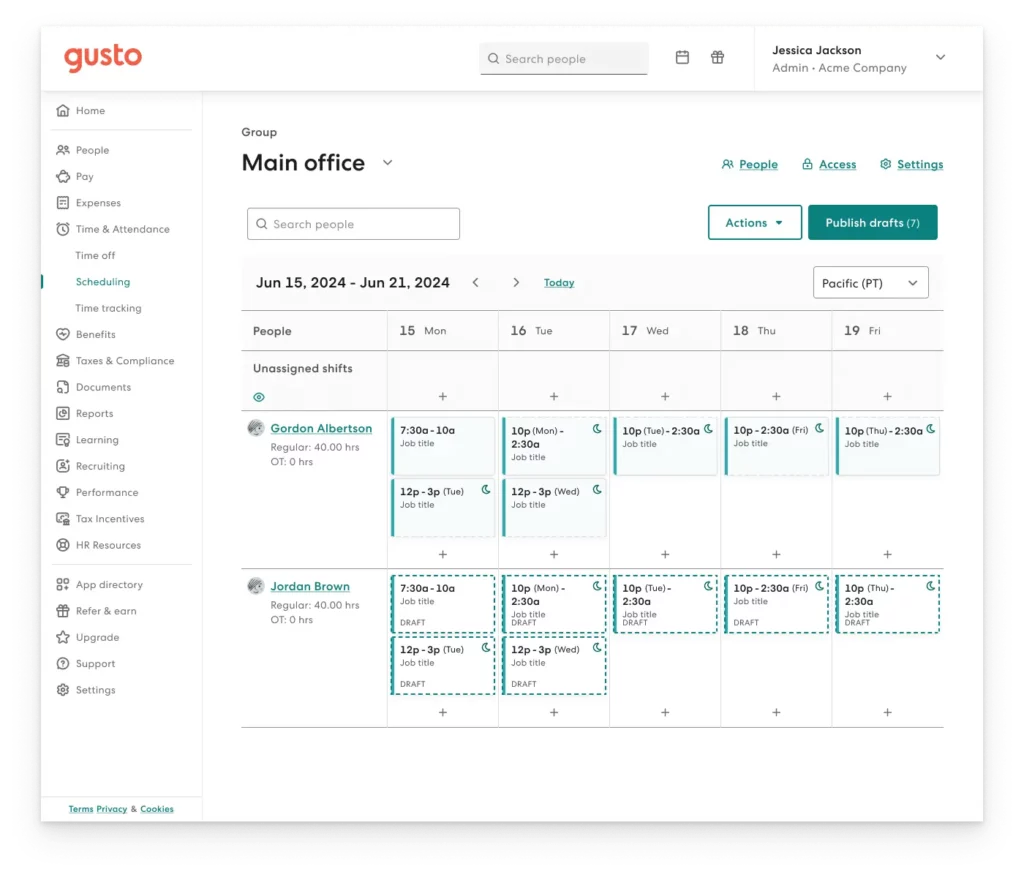
    Conclusion

    Remote work has changed how teams operate, and with that shift comes the need for clearer systems. What once relied on informal visibility now requires intentional structure.


    Vacation tracking isn’t just administrative. It affects planning, productivity, compliance, and employee wellbeing. Without a reliable system, small gaps in visibility can quickly turn into operational and cultural challenges.


    The right tool brings clarity. It centralizes information, reduces errors, and gives both managers and employees confidence around time off.


    In distributed teams, effective leave management isn’t a nice-to-have. It’s part of building a stable, healthy, and sustainable organization.