Category: Tips

  • PTO Software Comparison 2026: Day Off vs Top Alternatives

    PTO Software Comparison 2026: Day Off vs Top Alternatives

    Paid Time Off management has quietly become one of the most important operational systems inside modern organizations. In 2026, PTO software is no longer just an HR convenience; it is a critical layer that connects employee experience, workforce planning, payroll accuracy, and legal compliance.


    As companies become more distributed, more flexible, and more globally diverse, the cost of poor PTO tracking increases. Missed approvals lead to staffing gaps. Incorrect balances damage employee trust. Manual corrections create payroll risk. What once could be handled informally now requires a structured, reliable system.


    This article offers a deep, long-form comparison of Day Off and the leading PTO software alternatives in 2026, examining not only features but also philosophy, usability, scalability, and real world fit. The goal is not to declare a single “winner,” but to help organizations understand which tool aligns best with how they actually work.

    The Role of PTO Software in 2026

    PTO management sits at the intersection of multiple business concerns. Employees expect transparency and autonomy. Managers need visibility to plan coverage and deadlines. Finance teams depend on accurate data for payroll and accrual accounting. HR teams must ensure policies are applied consistently and in compliance with local regulations.


    The complexity has increased dramatically over the last decade. Remote and hybrid work have removed physical visibility into who is available. Global hiring has introduced different holiday calendars and statutory leave rules. Flexible schedules and contract-based work have blurred the line between hours and days. PTO software must now reconcile all of these realities while remaining simple enough that employees actually use it correctly.


    The best tools fade into the background, quietly enforcing rules and providing clarity. The worst tools create friction, confusion, and mistrust.

    Day Off: A Purpose-Built PTO Platform Focused on Simplicity

    Day Off is built around a simple but powerful principle: PTO should be easy to understand, easy to use, and reliable at every stage of company growth. Unlike many tools that are either “too simple” for larger teams or “too heavy” for smaller ones, Day Off is designed to scale naturally without changing how people work.


    What makes Day Off stand out is that it treats time off as a first-class system, not a secondary feature. Every design decision prioritizes clarity, speed, and adoption, which is why it works equally well for startups, mid-sized companies, and more established organizations.

    Ease of Adoption and Everyday Usability

    From an employee perspective, Day Off feels immediately familiar. Requesting time off is straightforward, balances are visible, and the approval status is always clear. There is little ambiguity about whether a request was submitted correctly or who needs to approve it.


    This ease of use has a significant downstream effect. Employees trust the system, which reduces off-platform conversations and “just checking” messages. PTO becomes transparent rather than negotiable.

    Visibility, Planning, and Team Awareness

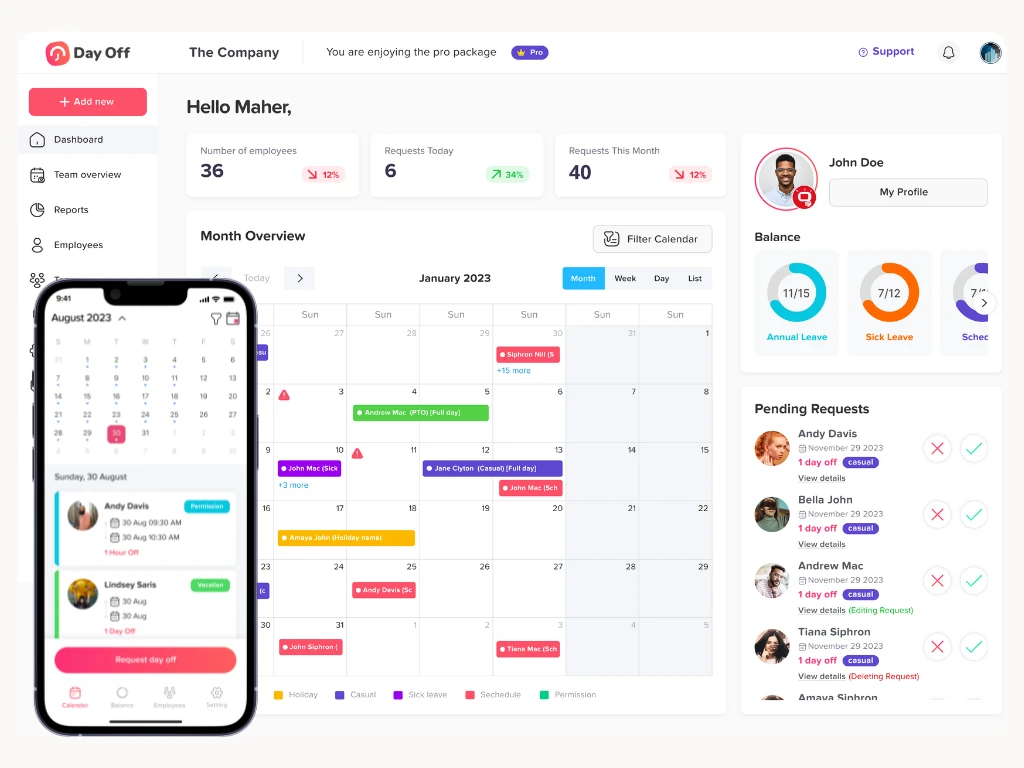
    For managers, Day Off’s value lies in visibility. The calendar-centric design allows leaders to see availability patterns quickly, identify overlaps, and plan coverage without guesswork. This is especially valuable for small and mid-sized teams where a single absence can materially affect output.


    Rather than reacting to PTO requests, managers can anticipate them.

    Pricing Transparency and Scope Control

    Day Off offers enough configuration to support multiple leave types and approval flows, but it avoids deep HR complexity. This makes it ideal for organizations that want consistency without dedicating a full HR role to PTO administration.

    Best-Fit Organizations for Day Off

    Day Off works best when PTO needs to be clear, reliable, and frictionless, not endlessly configurable. It is particularly strong for startups, distributed teams, and growing companies that already have payroll or HR systems but need a better PTO layer.

    Vacation Tracker: PTO Embedded in Collaboration Tools

    Vacation Tracker starts from a different assumption: PTO decisions happen through communication, not interfaces. Instead of pulling employees into a dedicated system, it embeds PTO directly into collaboration tools like Slack and Microsoft Teams.


    This fundamentally changes how PTO feels. Requests become part of daily conversation, approvals happen in real time, and time off becomes highly visible across teams.

    Workflow Efficiency in Fast-Moving Teams

    In organizations where Slack or Teams function as the primary workspace, Vacation Tracker reduces friction dramatically. Managers do not need to log into another system. Employees do not need to remember URLs. Everything happens where work already lives.


    This can significantly speed up approvals and reduce forgotten requests, particularly in asynchronous or remote environments.

    Automation and Long-Term Scalability

    Vacation Tracker places strong emphasis on automation. As organizations grow, PTO policies tend to evolve, and manual oversight becomes unsustainable. Vacation Tracker supports automated reminders, policy-based rules, and structured workflows that reduce human error.

    Where Friction Can Appear

    The same chat-based design that some teams love can frustrate others. High notification volume, reduced visual planning, and reliance on chat literacy can create fatigue. Teams that prefer quiet, calendar-based planning may find the experience less intuitive.

    Strategic Fit

    Vacation Tracker is best suited for collaboration-heavy, tech-forward organizations that value speed, automation, and conversational workflows over traditional planning interfaces.

    Calamari: Modular PTO and Workforce Management

    Calamari is not just a PTO tool, it is a modular workforce management platform. PTO exists alongside attendance tracking, time tracking, and basic HR features, all designed to work together.


    This philosophy appeals to organizations that view time off as one data point within a broader operational system.

    Strength in Structure and Consistency

    Calamari’s PTO management is highly structured. Policies are explicit, reporting is formalized, and workflows emphasize consistency. For organizations in regulated industries or environments where attendance data matters, this level of rigor is a major advantage.

    Operational Trade-Offs

    The trade-off for structure is complexity. Setup requires more time. Employees who only interact with PTO occasionally may find the interface heavier than necessary. The platform feels more “systematic” than “friendly.”

    Strategic Fit

    Calamari works best for organizations that need structure more than simplicity, particularly those combining PTO with attendance or compliance reporting.

    LeaveBoard: Cost-Conscious PTO with Basic HR Support

    LeaveBoard is positioned for small businesses that want to bring structure to PTO management without committing to expensive or complex software. It targets teams that have outgrown spreadsheets and email approvals but still need a solution that is easy to adopt and budget-friendly.

    Practical Strengths

    For organizations with straightforward leave policies, LeaveBoard covers the essentials well. Employees can submit time off requests through a centralized system, managers can review and approve them, and leave balances are tracked automatically. The inclusion of basic HR records adds convenience for very small teams that do not use a separate HR tool.

    Limitations as Organizations Grow

    As teams expand, PTO requirements often become more complex. Multiple policies, locations, or layered approval flows can be harder to manage in LeaveBoard. Reporting remains fairly basic, and customization options are limited, which may require manual workarounds over time.

    Strategic Fit

    LeaveBoard is best suited for small, budget-conscious organizations with simple PTO needs and limited plans for near-term complexity or rapid scaling.

    Zoho People: PTO as One Component of a Broad HR Ecosystem

    Zoho People is designed as a comprehensive HR platform, with PTO included as part of a wider set of HR tools. Rather than focusing solely on leave management, it aims to support end-to-end HR operations for growing organizations.

    Power Through Customization

    The platform offers strong customization capabilities. Approval workflows can be tailored, policies can be automated, and PTO can be connected to other HR processes such as onboarding and performance management. This flexibility allows organizations to model more complex rules accurately.

    Complexity and Ownership Requirements

    With this level of flexibility comes added complexity. Zoho People requires thoughtful setup and ongoing administration. PTO is not a plug-and-play feature, and teams without dedicated HR ownership may find the system heavier than necessary for basic leave tracking.

    Strategic Fit

    Zoho People is ideal for organizations that are intentionally building a full HR infrastructure, particularly those already using other Zoho products and planning for long-term HR scalability.

    BambooHR: Enterprise-Grade HRIS with Deep PTO Integration

    BambooHR treats PTO as an integrated part of the employee lifecycle. Time off balances are closely tied to hire dates, role changes, and employment status, which helps maintain accuracy and consistency across HR records.

    Strength in Governance and Reporting

    The platform is well-suited for organizations that require strong governance and documentation. PTO data feeds into robust reporting tools that support audits, compliance, and strategic workforce planning.

    Cost and Implementation Considerations

    BambooHR requires a higher financial and operational investment than standalone PTO tools. Implementation takes time, and ongoing administration is expected. For teams that only need basic PTO tracking, this level of complexity may feel unnecessary.

    Strategic Fit

    BambooHR is best for mid-sized and growing organizations that are formalizing HR processes and want a mature, enterprise-ready HRIS with PTO fully embedded.

    How to Choose the Right PTO Software in 2026

    Clarifying What Actually Matters

    Choosing PTO software starts with understanding your organization, not the tools themselves. Teams should assess how complex their leave policies truly are, how much administrative time they can realistically dedicate to PTO management, and how employees prefer to interact with internal systems. A solution that looks powerful on paper can quickly become a burden if it does not align with daily workflows or company culture.

    Matching the Tool to the Way You Work

    For organizations that want PTO to be clear, visible, and low friction, Day Off stands out as the most consistently effective option across company sizes. It offers the simplicity smaller teams need while remaining structured enough for growing and established organizations.


    Vacation Tracker is a strong fit for teams that operate primarily inside collaboration tools and value speed and conversational workflows. Calamari, Zoho People, and BambooHR are better suited to organizations where PTO is tightly tied to attendance tracking, compliance, or broader HR governance.

    Final Guidance

    The right PTO software is not the most complex or feature rich option. It is the one employees trust to be accurate, managers rely on for planning, and administrators can maintain without constant oversight. In 2026, tools that balance clarity, usability, and scalability, like Day Off, are the ones most likely to succeed long term.

    Common Mistakes When Choosing PTO Software

    Overestimating Complexity Needs

    A frequent mistake organizations make is choosing PTO software that is far more complex than their current reality requires. Teams often assume they will “grow into” advanced workflows, detailed compliance logic, or enterprise level reporting. In practice, this complexity slows adoption, increases configuration effort, and pushes employees back toward informal processes. Instead of creating structure, overly complex systems often introduce friction and confusion.

    Focusing Only on Price

    Cost is an important factor, but focusing solely on the lowest price can be misleading. Low cost tools may handle basic needs initially, yet struggle to adapt as policies evolve, teams expand, or visibility requirements increase. Replacing a PTO system later is disruptive, requiring data migration, retraining, and changes to established workflows. Choosing a solution that balances affordability with scalability is often more cost-effective in the long run.

    Underestimating Usability and Adoption

    Usability is not a “nice to have” in PTO software, it determines whether the system succeeds or fails. Even the most powerful tool provides little value if employees find it confusing or managers avoid using it. Poor usability leads to manual corrections, side conversations, and inconsistent records. Successful PTO systems feel intuitive and trustworthy, encouraging consistent use without constant reminders or explanations.

    Why Day Off Avoids These Pitfalls

    Day Off avoids these common mistakes by offering a system that scales naturally. It remains simple enough for small teams to adopt quickly, while providing enough structure for growing and established organizations. By prioritizing clarity and usability without limiting future needs, Day Off reduces friction rather than creating it.

    Startup

    Free
    • 10 Employees
    • Single Approver
    • Single Policy
    • SingleTeam
    • SingleLocation

    Startup

    $1 Lite Package
    • 25 Employees
    • Single Approver
    • Three Policies
    • Unlimited Team
    • Unlimited Locations

    Startup

    $2Pro
    • Unlimited
    • Multi Approvers
    • Multi Teams
    • +5 Integrations
    • 24/7 support

    Future Trends in PTO Software

    Smarter Automation and Employee Self-Service

    PTO software is increasingly moving toward intelligent automation. Modern systems are beginning to identify potential conflicts automatically, flag policy violations before they occur, and guide employees through self-service workflows. This reduces administrative workload, minimizes errors, and improves confidence in PTO data across the organization.


    Self-service is also expanding beyond simple requests. Employees increasingly expect to understand balances, policies, and approval status without relying on HR intervention.

    Greater Emphasis on Visibility and Planning

    Future PTO tools are placing more emphasis on proactive planning rather than reactive approval. Clear calendars, overlap awareness, and forecasting tools help managers plan workloads and reduce last-minute disruptions. Visibility is becoming just as important as policy enforcement.

    Clearer Market Segmentation

    Rather than converging into a single “all-in-one” solution, the PTO software market is becoming more segmented. On one side are focused, purpose built PTO tools designed for clarity and ease of use. On the other are comprehensive HR platforms where PTO is one component of a broader system.


    This segmentation makes alignment with organizational philosophy more important than ever. Teams must decide whether they want PTO to remain a focused, lightweight system or to be embedded within a larger HR framework.

    Why Day Off Continues to Stand Out

    Day Off continues to stand out by offering focus without limitation. It delivers the clarity and ease of use of a dedicated PTO tool while remaining flexible enough to support organizations as they grow. As PTO software evolves, tools that balance simplicity, visibility, and scalability, like Day Off, are well positioned for long-term success.

    Frequently Asked Questions (FAQ)

    Why is PTO software essential for organizations in 2026?

    PTO software is no longer just about tracking days off. In 2026, it plays a critical role in employee trust, workforce planning, payroll accuracy, and compliance. As teams become more distributed and policies more nuanced, manual or informal PTO tracking increases the risk of errors, misunderstandings, and operational disruption. A reliable PTO system ensures clarity, consistency, and confidence for everyone involved.

    Is PTO software necessary for small teams?

    Yes. Even small teams benefit from PTO software because it replaces spreadsheets and ad hoc processes with transparency and structure. Early adoption prevents confusion as teams grow and reduces the need to switch systems later. Tools like Day Off are particularly effective because they are easy to adopt for small teams while remaining suitable for larger organizations as needs evolve.

    What makes Day Off a strong choice across different company sizes?

    Day Off is designed to scale naturally. It is simple enough for small teams to use immediately, yet structured enough to support growing and established organizations. Its focus on visibility, usability, and consistency allows teams to mature their PTO processes without changing tools or increasing administrative burden.

    When should a company choose a full HR platform instead of a PTO focused tool?

    A full HR platform may be appropriate when PTO needs to be deeply integrated with onboarding, attendance tracking, performance management, or compliance reporting. However, many organizations prefer to keep PTO as a focused, standalone system to avoid unnecessary complexity. For those teams, Day Off offers a cleaner and more flexible alternative.

    What is the most common mistake organizations make when choosing PTO software?

    The most common mistake is choosing a tool that does not match how the organization actually works. This often means selecting software that is too complex too early, or too limited for long-term growth. Successful PTO systems balance simplicity, usability, and scalability, ensuring employees trust the system, managers rely on it, and administrators can maintain it with minimal effort.

    Can PTO software help improve manager planning and team coverage?

    Yes. Modern PTO software provides visibility into availability and overlapping absences, allowing managers to plan workloads more effectively. Tools like Day Off support proactive planning through clear calendars, helping managers anticipate coverage gaps rather than reacting to last-minute requests.

    How do organizations know when it’s time to upgrade their PTO system?

    Organizations typically need to upgrade when PTO tracking becomes a source of confusion, manual corrections increase, or managers lack visibility into availability. If employees are frequently asking about balances or approvals, or if payroll adjustments are common, it is a strong signal that the current system is no longer sufficient. Choosing a scalable tool early, such as Day Off, helps avoid disruptive migrations later.

    Conclusion

    Choosing the right PTO software in 2026 is less about feature lists and more about alignment. The most effective systems are the ones that fit naturally into how teams already work, supporting employee trust, managerial planning, and administrative accuracy without creating unnecessary complexity.


    As this comparison shows, each PTO tool serves a different purpose. Some prioritize collaboration speed, others emphasize structure or deep HR integration. What consistently sets Day Off apart is its ability to balance simplicity and scalability. It works just as effectively for small teams replacing spreadsheets as it does for growing and established organizations that need reliable visibility and consistency.


    In a workplace defined by flexibility, remote work, and evolving policies, PTO software should reduce friction, not add to it. Tools that remain clear, usable, and dependable over time, like Day Off, are the ones that deliver lasting value.

  • Best Leave Tracking Tool For Slack

    Best Leave Tracking Tool For Slack

    Managing employee leave shouldn’t require navigating between spreadsheets, emails, and outdated HR software. As modern teams especially hybrid and remote ones shift their daily communication into Slack, it’s natural that leave Tracking should live there too.

    A powerful leave tracking tool that works inside Slack eliminates friction, reduces confusion, and saves hours of administrative work.

    This guide provides a full, in depth look at the best leave tracking tools for Slack, how they work, key benefits, and why Day Off is the top performing solution for teams of all sizes.

    Why Leave Tracking Directly in Slack Matters

    Slack has become the operational command center for thousands of companies. Teams discuss projects, share updates, assign tasks, and make decisions all in real time.

    Integrating PTO requests and approvals into Slack boosts efficiency dramatically.

    Here’s why Slack native leave tracking is essential:

    It Removes Confusion From Daily Operations

    Without Slack integration, leave requests typically involve:

    • Email threads

    • Manual balance checks

    • Managers forgetting to approve

    • HR correcting mistakes

    • Updating a calendar by hand

    Slack centralizes the entire process into a few clicks no switching apps, no jumping between systems.

    Employees Take Control of Their Time Off

    With a Slack, employees can instantly check:

    • How many vacation days they have left

    • How many sick days remain

    • Whether a date is available

    • Who else is off the same day

    • Whether their request is pending approval

    Instead of HR answering the same questions repeatedly, Slack provides transparency automatically.

    Managers Make Faster, More Informed Decisions

    Within Slack, managers can:

    • Approve or reject requests immediately

    • Get context about overlapping team leave

    • Review employee balances instantly

    • Keep track of trends (e.g., repeated unplanned leave)

    Approvals happen in real time, which reduces delays and backlog.

    It Strengthens Team Communication & Planning

    Daily and weekly leave summaries keep everyone informed:

    • “Who is off today?”

    • “Which members are unavailable next week?”

    • “How many team members are off on Friday?”

    This is especially critical for:

    • Customer support teams

    • Engineering teams planning sprints

    • Marketing teams preparing launches

    • Operations teams with shift based roles

    Slack ensures everyone stays aligned.

    It Eliminates Manual Errors Forever

    When leave is tracked manually (emails, spreadsheets, paper forms), errors are inevitable:

    • Overlapping approvals

    • Incorrect balances

    • Missing records

    • Forgotten holidays

    • Wrong accrual calculations

    A Slack integrated tool automates everything and keeps records consistent across:

    • Slack

    • Web dashboard

    • Mobile apps

    • Calendars

    Steps Of Day Off Integration With Slack

    Step1: Import Employees

    You Have to Import your employees in Slack, by opening the integration icon from Day off, clicking on Connect with Slack, then select the employees you want to link them with Slack.

    Step 2: Simple Leave Requests:

    Employees can request time off directly within Slack by sending a message to the “Day Off” app bot.

    This could be as simple as typing (/dayoff),  which the bot then send autoreply of which request needed, ( Submit a request, Status, Pending requests), By choosing Submit a request, App Menu will be appearing to select the required request. 

    An image shows how can you submit a leave or time off request using Day Off platform

    Step 3: Instant Notifications:

    Managers receive instant notifications about leave requests in Slack, allowing them to quickly review and respond. They can approve or deny requests with a single click, and both the requester and the team are notified of the decision immediately.

    Step 4: Leave Balance Inquiries:

    Employees can check their remaining leave balances by querying the “Day Off” bot in Slack. This might involve a simple command like /dayoff, choose My status, which returns the user’s current leave balances.

    Step 5: Team Calendars and Availability:

    Integration can include a feature Sending Daily digest, showing who from the team members are off, This visibility helps with planning meetings, projects, and deadlines, ensuring that absences are accounted for in advance.

    Why Day Off Is the Best Leave Tracking Tool for Slack

    Streamlined Setup and Integration

    Setting up your company in Day Off takes just minutes. You can import employees in bulk, define custom workweeks, and automatically import public holidays from Google, ensuring regional accuracy. Day Off seamlessly integrates with your team’s favorite tools like Slack, Google Calendar, Outlook Calendar, and Microsoft Teams, allowing everyone to stay informed without switching between multiple apps.

    Smarter Approval Workflows and Real Time Notifications

    With customizable approval workflows, you can choose whether requests require approval from one or multiple managers. Notifications are sent instantly when a new leave request is submitted, approved, or denied, keeping everyone updated in real time.

    Requesting Leave Is Extremely Easy

    Employees can submit PTO in seconds by:

    • Clicking the Day Off Slack shortcut

    • Using simple slash commands

    • Selecting a leave type from a menu

    Day Off supports all leave types:

    • Paid vacation

    • Sick leave

    • Unpaid leave

    • Personal days

    • Work from home

    • Maternity / paternity leave

    • Custom leave types

    Each request automatically applies the correct leave policy and balance.

    Managers Approve With One Click

    Managers no longer need to:

    • Open separate dashboards

    • Review emails

    • Switch platforms

    They receive a Slack message containing:

    • Date(s) requested

    • Leave type

    • Reason (optional)

    • Current balance

    This context helps managers approve faster and avoid scheduling conflicts.

    Real Time Balance Tracking

    Employees can check:

    • Remaining vacation days

    • Accrued leave

    • Carryover balances

    • Sick leave totals

    • Special leave entitlements

    These updates are automatic and accurate based on company policy.

    Other leave tracker Tools in Slack

    Deel

    Ideal for International Teams

    Deel manages:

    • Global payroll

    • Legal compliance

    • Contractor onboarding

    • Employer of Record (EOR) services

    Companies hiring globally often choose Deel to avoid establishing legal entities in multiple countries. PTO tracking becomes an added convenience.

    Basic Slack Notifications

    Employees can request leave or send PTO updates that appear inside Slack. Managers receive notifications as well, though the approval workflow is simpler and less interactive compared to Day Off’s dedicated PTO workflow.

    Compliance Friendly PTO rules

    Because Deel handles HR compliance across many countries, its leave policies can reflect:

    • Local labor laws

    • Mandatory leave types

    • Statutory requirements

    This is useful for organizations that need legally accurate leave calculations.

    Pause

    100% Slack Native

    Pause operates almost entirely within Slack. There’s no separate dashboard or app to manage. This makes it appealing to small teams that want everything in one place.

    Extremely Easy to Set Up

    Setup takes only a few minutes:

    • Add the Pause app to Slack

    • Configure the leave types

    • Allow employees to submit requests

    It’s built for minimal configuration and convenience.

    Simple User Experience

    Employees can:

    • Request time off

    • View upcoming leave

    • Notify their team

    • Cancel requests

    The interface is uncluttered and straightforward.

    Good for Early Stage Startups

    Teams with fewer than 10-15 members often want something lightweight. Pause keeps workflows simple.

    Expanded Comparison Table

    Feature / Tool Day Off Deel Pause
    Core focus Leave management Payroll & HR Slack only PTO
    Slack requests ✔️ ✔️ ✔️
    Slack approvals ✔️ ✔️ ✔️
    Daily/weekly summaries ✔️
    Calendar integration Google & Outlook Limited
    Mobile apps iOS + Android ✔️
    Multi policy support ✔️ Limited
    Multi location support ✔️ ✔️
    Employee self service ✔️ ✔️
    Ease of setup Very easy Moderate Very easy
    Best for Teams of all sizes Global payroll teams Small teams

    FAQ

    What is leave tracking tool in Slack?

    A Slack leave tracking tool is an integration or app that allows employees to request time off, check their leave balances, and receive approvals directly inside Slack. It eliminates the need for spreadsheets, emails, or separate HR platforms by bringing all PTO workflows into your team’s existing communication hub.

    Why should companies track employee leave inside Slack?

    Tracking leave inside Slack speeds up approvals, reduces miscommunication, and increases transparency. Employees can submit requests instantly, while managers receive real time notifications. Daily and weekly absence summaries also help teams plan workloads more efficiently, making operations smoother.

    What features should the best leave tracker in Slack include?

    Key features include:

    • PTO requests & approvals inside Slack

    • Real time leave balances

    • Multiple leave types

    • Daily/weekly absence summaries

    • Calendar integration (Google & Outlook)

    • Multi location & multi policy support

    • Mobile app access
      Tools like Day Off offer all of these features and more.

    Does Slack have a built in leave management system?

    No, Slack does not include a native PTO tracking system. Companies must integrate a third party tool like Day Off, Deel, or Pause to manage employee leave, track balances, and automate workflows within Slack.

    What is the best leave tracking tool for Slack?and why?

    Day Off, As it stands out because it offers:

    • Fast leave requests directly in Slack

    • One click manager approvals

    • Automated Google & Outlook calendar syncing

    • Daily and weekly team absence summaries

    • Support for multiple policies and locations

    • iOS and Android mobile apps
      It’s easy to set up, scalable, and highly user friendly for teams of all sizes.

    Can employees check their leave balance from Slack?

    Yes using tools like Day Off, employees can instantly check their remaining vacation, sick days, and other leave balances directly inside Slack. This eliminates manual tracking and repetitive HR requests.

    Is a leave tracker in Slack suitable for small teams?

    Absolutely. Small teams benefit from quick setup, real time visibility, and simplified workflows. Day Off is especially popular among startups and small businesses because it removes admin work and keeps everyone aligned without needing a full HR system.

    Is leave tracking tool in slack secure?

    Yes. Trusted apps such as Day Off use secure API connections, encrypted data, and strict access controls to ensure leave data remains protected. Integrations also follow Slack’s security and privacy guidelines.

    Can leave tracking tool in Slack support multiple leave policies?

    Yes advanced tools like Day Off support:

    • Different leave quotas

    • Varying accrual rules

    • Region specific holidays

    • Department based policies
      This is essential for growing or global companies.

    Do leave tracking tool in Slack integrate with calendars?

    Most modern tools integrate with Google Calendar and Outlook. Day Off automatically updates calendars with approved leave to prevent scheduling conflicts and ensure accurate team visibility.

    How long does it take to implement a leave tracker in Slack?

    Implementation is usually very fast typically under 10 minutes. With Day Off, you just set up your policies, add your team, and connect Slack. Your employees can start using it immediately.

    Conclusion

    Among all the tools available today, Day Off stands out as the most complete, flexible, and user friendly leave tracking solution for Slack. It offers the perfect balance of simplicity and power: fast PTO requests, one click approvals, real time summaries, calendar sync, multi policy support, and mobile access. Whether you’re a small startup or a global organization, Day Off adapts to your needs and helps you manage time off in a clear, modern, and automated way.


    While alternatives like Deel and Pause serve specific use cases, Day Off delivers the best overall experience for organizations that want seamless Slack integration and a scalable system that grows with them.

  • The 5 Best Employee Absence Trackers for 2025

    The 5 Best Employee Absence Trackers for 2025

    Employee absence tracking has become a vital part of running a smooth and well organized workplace, especially as teams grow and schedules become more demanding. Many businesses used to rely on spreadsheets, emails, or even sticky notes to keep track of time off, but these outdated methods often lead to confusion, errors, and wasted time. Modern absence tracking tools solve these problems by automating requests, updating balances instantly, syncing with calendars, and helping managers avoid scheduling conflicts before they happen. In this article, we review the five best employee absence trackers for 2025 and break down what each one does well, with Day Off standing out as the top choice for its simplicity, powerful features, and user friendly design that perfectly fits the needs of today’s teams.


    Day Off: The Most User Friendly and Efficient Employee Absence Tracker

    Day Off has become one of the most popular absence tracking tools because it delivers exactly what teams need without unnecessary complexity. The platform is designed with clarity and user experience in mind, allowing managers and employees to get started immediately without training or complicated setup.

    Day Off Key Features

    Simple and intuitive user interface

    The interface is designed to be accessible for everyone, regardless of technical experience. Employees can request time off in seconds, while managers can review and approve requests without navigating through complicated menus. The entire workflow is intentionally streamlined to reduce administrative time and make daily operations more efficient.

    Real time leave balances

    Many teams struggle with outdated or inconsistent leave balances. Day Off automatically updates every employee’s balance the moment a request is approved or used. This eliminates confusion and ensures that employees always know exactly how many days they have available. Managers can confidently rely on the system without constantly cross checking information.

    Multi approvers

    Some companies need more than one person to approve time off requests. With Day Off, you can set multiple approvers for individual employees and teams. This ensures that requests follow the right approval steps and meet company policies.

    Detailed customization of leave types

    Not every company uses the same policies, and Day Off recognizes that. The platform allows businesses to create custom leave categories such as annual leave, sick leave, unpaid leave, work from home days, maternity and paternity leave, bereavement leave, or any other type of special absence. Each category can include its own rules, limits, and approval requirements, giving companies full flexibility over their policies.

    Clear and organized team calendar

    The team calendar provides a complete and organized overview of who is off on any given day. This helps prevent overlapping absences, ensures consistent staffing levels, and improves coordination across departments. The layout is well structured and easy to interpret, allowing managers to make scheduling decisions quickly and confidently.

    Calendar integrations

    Day Off integrates seamlessly with widely used calendars, including Google Calendar and Outlook Calendar. Once a time off request is approved, the absence is automatically added to the employee’s calendar. This eliminates the need for manual entry, reduces scheduling mistakes, and keeps everyone aligned, especially in fast moving teams.

    Automated notifications

    Employees and managers receive immediate alerts for submitted requests, approvals, rejections, and status updates. These notifications ensure that no request is overlooked and that communication remains clear at all times. 

    Comprehensive reporting tools

    Day Off provides detailed and actionable reporting features, including summaries of employee absences, individual history logs, sick leave patterns, and monthly or yearly overviews. These reports support HR audits, simplify payroll calculations, and help managers identify trends or potential staffing concerns. Having access to accurate data leads to better decision making and long term planning.

    Work schedules

    Day Off includes a work schedules feature that allows companies to define the specific working hours and days for each employee or team. This is particularly useful for businesses with part time staff, rotating shifts, or flexible work arrangements. The system calculates leave based on actual working schedules, ensuring fairness and accuracy. It also helps managers better understand availability and plan workloads according to real operational hours.

    Blockout dates

    Blockout dates give companies the ability to mark certain days or periods when time off requests are restricted or cannot be submitted. This is valuable during peak seasons, critical deadlines, major company events, or periods when full staffing is essential. By clearly designating blockout dates, Day Off prevents scheduling conflicts and ensures that teams maintain necessary staffing levels during important times.

    BambooHR is one of the most comprehensive HR systems available. While its primary focus is broader HR management rather than absence tracking alone, its PTO and leave management tools are highly capable and work smoothly for companies that prefer to manage everything in one platform. This makes BambooHR an especially strong option for organizations with growing HR teams, detailed internal processes, and multi step workflows that require more structure.

    Key Features

    Automated PTO policies

    BambooHR allows companies to build sophisticated PTO policies that match their exact needs. It supports advanced accrual systems, custom holiday rules, department specific policies, and region based requirements for global teams. This level of automation helps organizations maintain consistency and reduces manual HR work, especially in companies with complex or frequently changing policies.

    Employee self service

    Employees can easily check their leave balances, review upcoming holidays, and see who is off in their department without contacting HR. This self service approach reduces unnecessary questions and saves time for both employees and HR teams. It also gives staff more independence by providing immediate access to the information they rely on.

    Advanced HR reporting

    BambooHR includes a wide range of reporting tools that help HR departments analyze trends and make more informed decisions. Managers can review absence patterns, monitor overall employee engagement, and identify potential productivity challenges. These insights are especially valuable for long term workforce planning, budgeting, and policy improvements.

    Payroll integrations

    By integrating directly with payroll systems, BambooHR ensures that PTO payouts, deductions, and adjustments are calculated correctly. This reduces errors, avoids manual data entry, and helps maintain clear financial records. The integration also improves accuracy in payroll processing, which is critical for compliance and employee trust.

    When BambooHR Is the Right Option

    BambooHR is a great choice for companies that need a complete HR system rather than a dedicated absence tracker. It is ideal for organizations that want hiring, onboarding, performance management, time off tracking, and HR analytics all in one place. However, for teams that only need a simple, efficient, and user friendly leave management tool without the extra complexity or cost, Day Off remains the better and more practical option.


    LeaveBoard is designed to streamline HR tasks by automating many of the routine processes involved in managing employee time off. It works particularly well for teams that want a clean, modern tool that saves time and reduces manual effort, but do not need the extensive features that come with larger HR platforms. Its focus on simplicity and automation makes it a practical choice for growing businesses.

    Key Features

    Automated balance calculations

    LeaveBoard automatically updates each employee’s leave balance the moment a request is approved or used. This eliminates manual calculations and reduces the risk of errors. For busy teams, this automation saves significant administrative time and ensures that everyone always sees accurate and up to date information.

    Clear team calendars

    Managers can easily view team availability, department schedules, and company wide calendars in one place. This visibility helps reduce scheduling conflicts, ensures proper coverage, and makes planning much smoother. With this organized view, managers can make better decisions about staffing and workload distribution.

    Integrations with Google and Microsoft

    LeaveBoard integrates with Google Workspace and Microsoft 365, allowing approved absences to sync automatically with employee calendars. This keeps schedules consistent across the tools teams already use and prevents double booking or missed updates. It also helps employees stay aligned without needing to check multiple systems.

    Reporting tools

    The platform includes reporting features that give managers quick access to important data, such as absence summaries, employee leave histories, and department level trends. These insights help with planning, identify patterns, and support HR reviews or payroll checks. Having this information available in a structured format makes managing leave much easier.

    Limitations

    Although LeaveBoard offers strong automation and helpful features, its interface is not as smooth or intuitive as some other tools, such as Day Off. Some users may need time to get used to the layout and workflow. Teams looking for a more polished, beginner friendly experience may prefer a simpler and more straightforward platform.

    Timetastic stands out because of its colorful, wall chart style interface. It is designed to be approachable, clear, and easy for both employees and managers who prefer a visual representation of team schedules. The platform focuses on simplicity, making it a great fit for teams that want a straightforward way to track time off without dealing with complicated features.

    Key Features

    Visual calendar interface

    Timetastic displays team absences in a bright, color coded wall chart that is very easy to understand. Each employee’s leave appears clearly on the calendar, helping managers quickly spot who is unavailable and identify any staffing gaps. This visual approach makes planning smoother and reduces the chances of scheduling conflicts.

    Fast time off requests and approvals

    Submitting and approving requests in Timetastic is designed to be fast and effortless. Employees can send their time off requests directly through the app, and managers can approve them from email, mobile, or web. The simplicity of this process helps teams handle leave requests without delays or confusion.

    Integrations with communication tools

    Timetastic connects with popular tools such as Slack, Microsoft Teams, and major calendar apps. When a leave request is approved, the information automatically appears where teams already communicate and plan their work. This keeps everyone informed without requiring them to open an additional platform.

    Cost effective for small teams

    One of Timetastic’s biggest strengths is its affordability. It offers a pricing structure that works especially well for small businesses or teams that need basic leave tracking without paying for extra features. This makes it a practical choice for companies with tight budgets or simple needs.

    Limitations

    Although Timetastic is great for small teams, it does not offer the advanced customization or detailed reporting that larger or more complex organizations often require. Companies that need flexible leave rules, multi level approval systems, or detailed analytics may find Timetastic too limited for their needs.


    Absence.io is designed for organizations that need more than simple time off tracking. It brings together absence management, time tracking, employee documentation, and scheduling into one platform. This makes it a powerful option for companies with complex HR structures or strict workflow requirements. Its flexibility allows managers to set detailed rules, manage shifts, and maintain organized employee records, all in one place.

    Key Features Explained

    Highly customizable leave structures

    Absence.io gives companies the ability to create detailed and specialized leave policies. You can define different leave types, multiple approval levels, department-specific rules, and unique permissions. This flexibility is valuable for organizations with complex HR requirements or teams that need customized workflows across different departments or locations.

    Built-in time tracking

    In addition to tracking absences, Absence.io offers a built-in time-tracking system that records working hours, overtime, and attendance. This eliminates the need for a separate time tracking tool and helps companies maintain accurate work records. It also supports better payroll calculations and compliance with labor regulations.

    Employee scheduling

    The platform includes scheduling tools that allow managers to build, adjust, and oversee staff schedules with ease. This is especially useful for businesses that rely on rotating shifts or variable staffing, such as retail, hospitality, or healthcare. Clear scheduling helps managers avoid coverage gaps and ensures that each shift is properly staffed.

    Document management

    Absence.io provides a centralized place to store employee documents such as contracts, certificates, medical notes, and performance files. Keeping everything in one system makes it easier for HR teams to stay organized, maintain compliance, and quickly access important information when needed.

    Limitations

    Because Absence.io includes so many features, it can feel complex for smaller teams that only need basic absence tracking. The platform is best suited for larger organizations or companies with advanced HR requirements. Smaller businesses may find the interface overwhelming or more detailed than necessary for their day to day operations.

    Pricing Comparison of the Top 5 Employee Absence Tracking Tools

    Tool Free/Entry Option Typical Paid Price Notes
    Day Off
    Free plan for up to 10 employees, plus a 2-week free trial for paid plans
    Lite plan: $1 per employee/month; Pro plan: $2 per employee/month (minimum $20/month)
    Lite includes essential features; Pro includes multi-approvers, multiple teams, integrations.
    BambooHR
    No public free tier; pricing provided via custom quotes
    Small companies (<25 employees): flat rate $250/month; larger teams: $10–22 per employee/month
    Full HR suite; absence tracking is part of a broader system.
    Timetastic
    Free 1-month trial
    From about £1.20 per user/month ($1.30 USD)
    Simple, visual PTO planner designed for small teams.
    absence.io
    No fully featured free plan publicly available
    From €2.00 (~$2.20 USD) per user/month for absence tracking; complete suite up to €8/user/month
    Modular platform with add-ons such as time tracking and personnel files.
    LeaveBoard
    Free plan for up to 9 employees
    From $1.35 per user/month
    Affordable for small and medium businesses focused on leave tracking.

    Frequently Asked Questions (FAQ)

    What is an employee absence tracker?

    An employee absence tracker is a tool that helps businesses record, manage, and monitor employee time off. Instead of relying on spreadsheets or email threads, it automates requests, approvals, leave balances, and team calendars, making the whole process easier, more accurate, and more organized.

    Why do companies need absence tracking software?

    Manual tracking often leads to mistakes, duplicated work, and miscommunication. Absence tracking software keeps everything in one place, updates information in real time, and helps managers avoid scheduling conflicts. It also saves significant administrative time and gives employees full clarity over their leave balances.

    What features should I look for in a good absence tracker?

    Important features include real time leave balances, simple request and approval workflows, customizable leave types, team calendars, integrations with Outlook or Google Calendar, clear reporting tools, and support for different work schedules. Depending on your company size, you may also need multi approver workflows, blockout dates, and mobile access.

    Which absence tracker is best for small teams?

    Day Off and Timetastic are popular choices for small teams because they are easy to use, quick to set up, and affordable. Day Off is especially strong for small to medium businesses that want a clean, intuitive system without extra HR complexity.

    Which absence tracker is best for larger companies?

    Larger companies often prefer platforms like BambooHR or Absence.io because they include advanced HR features, deeper customization, and integrations with payroll and performance systems. These tools are built to support more complex policies and larger organizational structures.

    How much does absence tracking software typically cost?

    Prices vary widely depending on the tool and the features included. Some platforms start around $1 to $2 per employee per month, while full HR systems can cost hundreds of dollars monthly. Many tools, including Day Off, also offer free plans or free trials so companies can test them before committing.

    Is it easy to switch from spreadsheets to an absence tracking tool?

    Yes. Most modern tools make onboarding simple. You can import employees, set up leave types, define schedules, and start using the platform almost immediately. Many tools, such as Day Off, are designed to be easy for both managers and employees to adopt.

    Do these tools support different leave types?

    Yes. The best absence trackers allow you to define custom leave categories such as vacation, sick leave, unpaid leave, work from home days, maternity or paternity leave, and more. This flexibility ensures the system fits your company’s exact policies.

    Are mobile apps available?

    Most modern absence tracking platforms provide mobile apps so employees can request leave and managers can approve it from anywhere. Day Off, for example, offers a very user friendly mobile experience that makes managing leave on the go easy.

    How do absence trackers improve team communication?

    By keeping all information, requests, approvals, calendars, and balances in one place, these tools reduce back and forth communication and ensure everyone is looking at the same updated schedule. Automated notifications also make sure nothing gets missed.

    Can I set blockout dates or restricted periods?

    Many tools, including Day Off, allow you to set blockout dates where time off requests are limited or disabled. This is helpful during busy seasons, deadlines, or important company events.

    Do these tools support multiple approvers?

    Yes. Platforms like Day Off support multi approver workflows where requests can go through supervisors, managers, or HR staff in sequence. This is useful for companies with layered management structures.

    Can these systems integrate with our existing calendars?

    Most tools connect with Google Calendar, Outlook, Apple Calendar, and other scheduling apps. Once a request is approved, it is automatically added to the employee’s calendar to avoid conflicts or double booking.

    Conclusion

    Choosing the right employee absence tracker can make a significant difference in how smoothly a company operates. With the right tool, managers can plan more confidently, employees gain clarity and independence, and HR teams save countless hours of manual work. The five platforms highlighted in this article each offer valuable features, but the best choice depends on your team’s size, needs, and workflow. Day Off stands out as the most balanced and user friendly option for modern businesses, especially those looking for a simple, reliable, and affordable way to stay organized. Whether you’re a growing startup or an established company, investing in a strong absence management system is a smart step toward building a more efficient, transparent, and well coordinated workplace.


    Smarter time off tracking starts here.

  • Top Employee Holiday Planner Guide: Tools, Features & Best Practices

    Top Employee Holiday Planner Guide: Tools, Features & Best Practices

    Employee holiday planning is one of the pillars of an organized, productive, and healthy workplace. Without a clear system for handling time off requests, managing staffing levels, and communicating schedules, even well functioning teams can fall into confusion, miscommunication, and operational strain. The right holiday planning tools ensure that employees enjoy their rest while the business continues running smoothly.


    In this expanded guide, we will explore the best tools available for managing employee vacations, explain why they stand out, and provide thorough, in-depth insights into how each platform supports a more organized and harmonious workplace.

    Day Off: Employee Leave Tracker App

    Best for: Meduim to large-sized teams looking for simplicity and speed

    Why it stands out:

    Day Off is built for teams that want a clean, intuitive, and practical leave management solution without the heaviness of full HR platforms. Instead of complex modules and lengthy onboarding, Day Off focuses on what matters most: tracking leave accurately, handling employee requests quickly and keeping everyone aligned with a clear, easy to read leave calendar.

    Explanation:

    Day Off is especially appealing to organizations that want immediate value with minimal setup. Employees can submit time off requests directly from their phones, managers receive instant notifications, and leave balances update in real time. The system supports a wide range of leave types, annual leave, sick days, emergency leave, unpaid time off, and more, helping teams stay organized without relying on spreadsheets or manual tracking.


    Its visual interface is clean, fast and friendly, making it accessible to non-technical users who can confidently navigate the app within minutes. The combination of low cost, simplicity and practical functionality makes it an ideal option for growing teams or small companies that need structure without extra layers of complexity.


    Day Off also includes helpful features like bulk actions, team specific policies, flexible carryover settings, and exportable reports, giving teams the structure they need without overwhelming them. For organizations ready to move on from spreadsheets and adopt an efficient, streamlined system, Day Off delivers immediate value and a smoother, more transparent way to manage time off.

    Best for: Companies with complex leave rules or multi-location teams
    Key strength: Highly customizable workflows for different types of leave

    Explanation:

    Zoho People is a versatile and powerful HR platform designed for organizations that require detailed, highly adaptable leave structures. It’s especially valuable for companies operating across multiple departments, shifts, time zones or regions with differing labor regulations. With Zoho People, every aspect of leave can be tailored, including custom leave types, accrual formulas, carry-over rules, conditional eligibility, blackout periods and multi-level approval chains.


    Beyond leave management, Zoho People supports a wide range of HR functions such as attendance monitoring, shift and roster planning, time tracking, employee record management and onboarding. This makes it an excellent fit for businesses with dynamic or round-the-clock staffing needs, including retail, manufacturing, hospitality and healthcare, where precision and automation are essential.


    The platform’s dashboards and reports provide deep visibility into workforce patterns, helping HR teams identify trends like peak leave periods, potential understaffing and departments with high request volumes. This level of insight allows companies to make data-driven decisions, optimize scheduling, and maintain smooth daily operations, even in the most complex organizational environments.

    Best for: International or multi-country teams
    Key strength: Global holiday calendars and compliance support

    Explanation:

    Factorial HR is especially valuable for companies with distributed or international teams, where managing different labor laws, public holidays and regional regulations can quickly become overwhelming. The platform automatically adapts holiday calendars based on each country’s rules and observances, removing the manual workload from HR teams and reducing the risk of compliance errors.


    Its leave planner lets organizations create tailored policies for every location, track individual entitlements, manage multi-step approvals and generate detailed, exportable reports for audits or payroll. Because Factorial centralizes everything, teams can view who’s off across regions at a glance, simplifying coordination for global projects.


    Beyond leave management, Factorial offers a robust suite of core HR tools, including payroll integrations, performance reviews, document management, onboarding workflows and legally compliant digital signatures. This makes it a strong all-in-one platform for fast-growing companies that operate across borders and want a unified system to support their entire workforce.


    As international remote work becomes more common, solutions like Factorial help organizations maintain fairness, transparency and consistency while still adapting to the unique conditions of each region.

    Best for: Small to medium-sized businesses that need a simple, reliable, and user-friendly leave tracking system
    Key strength: A focused and streamlined tool built specifically to manage employee holidays, absences, and approvals without the complexity of a full HR suite

    Explanation:

    TimeOff Management is designed for companies that want to move away from spreadsheets and manual tracking and adopt a clear, automated system for managing employee leave. The platform provides a clean interface where employees can easily request time off, managers can review and approve requests, and HR can oversee all absence data from one centralized dashboard.


    The system offers a visual team calendar that shows who is off and when, making it easier to prevent overlapping vacations or unexpected understaffing. Managers can filter by team, department, role, or individual employee to get the exact visibility they need. Capacity limits ensure that too many people from the same team cannot book time off at the same time.


    One of TimeOff Management’s strengths is its flexibility in defining leave types. Companies can create customized categories such as annual leave, sick leave, unpaid leave, parental leave, emergency leave, or any other type relevant to their policy. Each leave type can include unique rules, such as whether approvals are required, if notice is needed, or whether documentation is mandatory.


    The tool also automates important workflows. Employees receive clear confirmations, managers get instant notifications, and administrators can set rules like blackout dates, minimum notice periods, or maximum days off allowed simultaneously. Real-time updates help prevent errors, miscommunication, or overlooked requests.


    Reporting features allow HR teams to generate overviews, identify patterns in absence trends, track seasonal peaks, and ensure compliance with company policies. This data is helpful for resource planning, budgeting, and understanding team wellness.


    TimeOff Management is an ideal solution for businesses that need structure and automation without committing to an expensive, overly complex HR platform. It’s easy to implement, simple for employees to use, and scalable enough to support growing teams.

    Best for: Small to mid-sized companies looking for a modern leave management and attendance solution
    Key strength: Offers both time off tracking and time clock features in a single, lightweight system

    Explanation:

    Calamari is a flexible and modern HR tool designed to simplify leave management while also offering strong attendance-tracking capabilities. It’s ideal for companies that want a sleek, easy to use digital solution but don’t need a full enterprise grade HR suite.


    The leave management module allows employees to request time off directly from the system or through integrated apps like Slack, Microsoft Teams, and Google Workspace. Managers receive instant notifications and can approve or decline requests in seconds. The system updates balances automatically and logs every action for clarity and transparency.


    Calamari offers a visually clear calendar view where teams can see who is off on specific days, which helps prevent scheduling conflicts and ensures adequate staffing. Filtering options allow managers to check absences by team, location, or role, supporting better resource planning.


    Another distinguishing feature is the platform’s time and attendance module. Employees can clock in and out using QR codes, mobile devices, or web browsers, making it useful for hybrid or on-site teams. This dual functionality, leave planning and attendance, gives companies a more complete view of employee availability and ensures smoother workforce management.


    Administrators can configure different leave types, set approval sequences, enforce rules such as notice periods, and control who can see what information. Reports and analytics help HR identify absence patterns, monitor unused holidays, and ensure compliance with internal policies.

    Calamari stands out for its clean interface, ease of onboarding, and strong integration options. It’s a solid choice for companies that want a reliable, modern tool that balances simplicity with advanced features.

    Comparison Table: Leave Management Tools

    Tool Best For Key Strength Ease of Use Why It Stands Out
    Day Off
    Medium, large teams
    Simple, fast, intuitive leave tracking
    Very easy
    Most balanced option: quick to set up, easy to use, and focused on what teams need without extra complexity.
    Zoho People
    Complex policies, multi-location teams
    Highly customizable workflows
    Moderate
    Great for companies needing deep rules and multi-step approvals
    Factorial HR
    International teams
    Global calendars & compliance
    Easy, moderate
    Ideal for managing regional rules and distributed teams
    TimeOff Management
    Small, medium teams
    Simple, clean leave tracker
    Very easy
    Perfect for teams moving away from spreadsheets
    Calamari
    Small, medium teams
    Leave + attendance tracking
    Easy
    Combines time off and time-clock features in one tool

    Why an Employee Holiday Planner Matters

    A well-designed employee holiday planner is more than just a scheduling tool, it is a foundational system that supports organizational structure, employee well-being, and overall productivity. Without a proper method to manage time off requests and staffing levels, companies risk miscommunication, decreased morale, and operational disruption. Below is an expanded explanation of why an employee holiday planner is essential.

    Ensures Fairness and Transparency

    Fairness is at the heart of any successful workplace. A structured holiday planner establishes clear rules and ensures that time-off decisions are based on documented policies, not personal preference or guesswork.


    By centralizing all requests in one place, businesses eliminate confusion about who asked for time off first, whether a manager denied a request fairly, or whether employees accidentally overlap their vacations. The planner provides complete visibility, helping workers trust the process and reducing friction between team members.


    Clear audit trails, balanced scheduling rules, and transparent decision-making help ensure that every employee feels valued and treated equally.

    Supports Business Continuity

    When too many people from the same team or department take time off at once, productivity can suffer dramatically. Projects may stall, customer service may slow down, and meeting deadlines becomes more difficult.


    A reliable holiday planner provides companies with the ability to plan staffing levels in advance. It helps managers visualize who will be away during specific periods, making it easier to redistribute responsibilities, adjust workloads, and prepare temporary coverage.


    This structured approach minimizes disruptions and protects the business from unexpected operational gaps, especially during peak seasons or critical project phases.

    Reduces Administrative Work

    Managing time off requests manually, through emails, messages, or spreadsheets, quickly becomes overwhelming. HR and managers may spend hours each week answering questions, checking calendars, calculating balances, and updating multiple documents.


    A modern holiday planner automates much of this process. Employees submit requests digitally, the system calculates leave balances automatically, and managers receive instant notifications. Approvals are logged and updated without extra work.


    This automation frees up HR teams and supervisors to focus on strategic work rather than administrative tasks.

    Improves Employee Satisfaction

    When employees understand their holiday entitlements, see their remaining balance, and feel confident in the request-and-approval process, they feel respected and supported.


    A streamlined system eliminates frustration from lost requests, delayed approvals, or unclear policies. It empowers employees to plan ahead, booking vacations, personal days, or family responsibilities with confidence.


    Happy employees are more engaged, more productive, and more likely to stay with the company long-term.

    Aids Compliance With Labor Laws

    Leave regulations differ dramatically between regions, industries, and contract types. Violating these rules can lead to penalties, legal disputes, or employee dissatisfaction.


    A centralized holiday planner helps businesses stay compliant by tracking legally required entitlements, preventing unauthorized leave deductions, and documenting all leave activity. For companies with employees across multiple regions, this is especially important.

    Core Components of a Strong Employee Holiday Planner

    A truly effective holiday planner combines structure, automation, visibility, and flexibility. Below are the essential components that make a planner powerful and reliable.

    Holiday Policies and Entitlements

    A strong system starts with clearly defined rules that employees can easily reference. These include:

    • Annual leave entitlement: Total days given per year, based on role or seniority.

    • Carry-over policies: How many unused days employees can transfer to the next year.

    • Public holidays: Predefined days the company recognizes as paid or unpaid holidays.

    • Unpaid leave eligibility: When and how employees can request unpaid days.

    • Sick leave guidelines: Requirements for reporting and documentation.

    • Special leave categories: Maternity/paternity leave, bereavement leave, jury duty, study leave, and other unique entitlements.

    These rules ensure consistency and protect both the business and employees.

    Employee Profiles

    A holiday planner should store key information for each employee to ensure accurate scheduling. Profiles typically include:

    • Employment type: Full-time, part-time, temporary, or contractor

    • Seniority: Length of service, which may affect leave entitlement

    • Department or team: Useful for managing coverage across roles

    • Leave balances: Automatically updated when time off is approved

    • Historical leave usage: Helps identify patterns, planning behavior, or compliance concerns

    This data helps managers make informed decisions while maintaining fairness across teams.

    Calendar View

    A visual calendar is essential for understanding staff availability. A comprehensive planner should:

    • Show who is off, and on which days

    • Allow users to filter by team, department, or role

    • Display capacity limits to avoid understaffing

    • Highlight national and company holidays

    • Distinguish between pending, approved, and declined requests

    This clarity reduces scheduling conflicts and helps managers maintain proper staffing levels.

    Automated Workflows

    Automation is the key to reducing manual work. Effective planning systems:

    • Allow employees to submit leave requests digitally

    • Notify managers instantly when approval is needed

    • Log approvals or declines with timestamps

    • Update leave balances automatically

    • Send reminders or alerts for upcoming absences

    This creates a smooth, efficient process that eliminates delays and miscommunication.

    Reporting and Analytics

    Reports provide valuable insights into workforce patterns. Analytics may include:

    • Absence trends: Which departments take the most time off

    • Seasonal spikes: Predictable peaks in holiday requests

    • Unused vacation days: To encourage healthy work-life balance

    • Burnout indicators: Employees who rarely take time off

    • Departmental staffing risks: Areas consistently short-staffed

    These insights help HR plan better, forecast staffing needs, and improve workplace well-being.

    Integration with Other Systems

    The best holiday planners work seamlessly with other business tools, such as:

    • Payroll systems: Ensuring accurate payment for paid/unpaid leave

    • HRIS platforms: Centralizing employee data

    • Scheduling or rota software: Aligning shifts with leave schedules

    • Communication apps: Sending notifications via email, Slack, or Teams

    Integrations eliminate the need for duplicate data entry and ensure consistency across systems.

    FAQ: Employee Holiday Planners

    Why should businesses use a holiday planner instead of spreadsheets?

    While spreadsheets work for very small teams, they quickly become messy, error-prone, and difficult to update as the company grows. A dedicated holiday planner automates calculations, prevents overlapping leave, offers real-time visibility, and provides clear workflows for requests and approvals. This saves time, reduces confusion, and ensures much better accuracy than manual methods.

    Can a holiday planner handle different types of leave?

    Yes. Modern holiday planners allow companies to create and customize multiple leave types, such as annual leave, sick leave, parental leave, unpaid leave, and emergency leave. Each leave type can include unique rules like approval requirements, documentation needs, or carry-over limits. This ensures the planner matches the organization’s exact policies.

    How does a holiday planner improve workplace productivity?

    Holiday planners ensure teams are always properly staffed by preventing too many employees from taking leave at the same time. Managers can see availability at a glance, adjust workloads, and plan resources in advance. With fewer scheduling conflicts and less administrative work, employees and managers can focus more on meaningful tasks.

    Are digital holiday planning tools suitable for remote or hybrid teams?

    Absolutely. Digital holiday planners are ideal for distributed teams because they offer real-time updates, mobile access, notifications, and visibility across locations and time zones. Employees can request leave from anywhere, and managers can approve it instantly, making coordination across remote or hybrid teams simple and efficient.

    Conclusion

    An employee holiday planner is one of the most valuable tools any organization can implement. It brings structure, clarity, and fairness to how time off is managed, ensuring that both employees and managers benefit from a transparent and efficient system. By adopting digital tools and best practices, companies can reduce administrative burdens, promote work-life balance, prevent staffing shortages, and create a more harmonious work environment.


    In an era where employee well-being and operational efficiency are more important than ever, a well-designed holiday planner is not just a convenience, it’s a strategic asset. Whether your team is small and growing or large and globally distributed, the right tool will help you stay organized, productive, and ready to meet the demands of a modern workplace.

    Smarter time off tracking starts here.

  • Smart Vacation Tracker | Employee Leave & Absence Management

    Smart Vacation Tracker | Employee Leave & Absence Management

    Managing employee leave, vacations, and absences is critical for any organization. Without proper systems, businesses risk facing payroll mistakes, project delays, and employee dissatisfaction. A smart vacation tracker solves these challenges by providing a modern, digital solution for employee leave and absence management.


    Instead of relying on outdated spreadsheets or manual updates, companies can use a vacation tracker to automate requests, approvals, and PTO balances, ensuring accuracy, fairness, and transparency.

    What Is a Smart Vacation Tracker?

    A vacation tracker is a tool that allows companies to record, monitor, and manage employee time off in one place. Unlike manual tracking methods, a smart vacation tracker uses automation and real time updates to handle all aspects of leave management. Employees know exactly how many vacation days they have left, managers can see who is off at any given time, and HR no longer has to deal with confusing spreadsheets or endless email threads.

    For example, if an employee requests two weeks off in July, the system automatically checks their balance, applies company rules, and updates the team calendar so managers can plan accordingly. This level of automation reduces confusion and ensures everyone stays on the same page.

    Key Features of a Smart Vacation Tracker

    Automated Leave Requests & Approvals

    With a smart vacation tracker, employees no longer need to send emails or chase down managers for approval. Instead, they can request time off through a web portal or mobile app. The request is instantly sent to the manager, who gets a notification and can approve or decline with just one click. This not only saves time but also creates a documented record of every request.


    For managers, automation means fewer interruptions and faster decision making. For employees, it eliminates the frustration of waiting days for a response. The entire process becomes smooth, professional, and transparent.

    Real Time PTO & Vacation Balances

    One of the most common sources of conflict in leave management is unclear PTO balances. Without proper systems, employees may not know how many days they have left, leading to disputes and payroll issues. A vacation tracker solves this by automatically updating balances after every approval.


    Employees can log in anytime to check their available days, while HR can generate accurate reports instantly. This transparency reduces misunderstandings and ensures everyone has equal access to their leave data. It also encourages employees to actually use their vacation time, supporting work life balance.

    Shared Absence Calendar

    Planning workloads becomes much easier with a centralized absence calendar. This feature shows exactly who is off on any given day, preventing scheduling conflicts. Managers can quickly see if too many people in the same department are taking time off simultaneously and adjust accordingly.

    The calendar can also integrate with tools like Google Calendar, Outlook, Microsoft Teams, or Slack, ensuring that absence information is visible across platforms the team already uses. For businesses with multiple teams or global offices, this centralized visibility is essential for smooth operations.

    Custom Leave Policies

    Not all companies follow the same leave rules, which is why customization is essential. A vacation tracker allows HR to set up unique leave policies tailored to the company’s structure and local labor laws. For example, some organizations may offer unlimited PTO, while others use accrual systems. Some may allow carryover days, while others enforce a “use it or lose it” policy.


    By setting these rules directly into the tracker, businesses ensure consistent application across all employees. This reduces human error and makes it clear for employees exactly what they are entitled to, helping avoid confusion or feelings of unfair treatment.

    Advanced Reporting & Insights

    Beyond day to day tracking, vacation trackers provide valuable analytics. Managers can identify trends, such as frequent absences before or after weekends, and address potential issues like disengagement or burnout. HR teams can monitor leave usage across departments to ensure workloads are balanced.

    For example, if one department consistently takes fewer vacation days, it might indicate overwork or a cultural issue discouraging time off. Reports can also be used for compliance audits, making it easy to demonstrate that the company is following labor laws.

    Mobile Accessibility & Remote Friendly

    In today’s workplace, flexibility is key. Employees expect to manage their leave just like they handle other tasks on their smartphones. A vacation tracker with a mobile app allows employees to request leave, check balances, and view the absence calendar anytime, anywhere.


    For managers, this means they can approve or decline requests even when traveling or working remotely. For global teams across different time zones, this level of accessibility ensures that leave management never gets delayed, keeping workflows smooth and responsive.

    Smarter time off tracking starts here.

    Benefits of Using a Vacation Tracker

    • Saves Time for HR & Managers:  Automation eliminates repetitive tasks like updating spreadsheets or answering balance inquiries, freeing HR to focus on strategic initiatives.

    • Reduces Errors: With automatic calculations and payroll integrations, mistakes in PTO balances or salary adjustments become a thing of the past.

    • Improves Employee Satisfaction:  Transparency builds trust. Employees appreciate knowing their requests are handled fairly and efficiently.

    • Boosts Productivity: With real time calendars and reporting, managers can allocate resources better and avoid being caught off guard by unexpected absences.

    • Supports Compliance:  Automated systems keep accurate records that comply with labor laws, reducing the risk of fines or disputes.

    • Encourages Work Life Balance: By making vacation tracking easy and transparent, companies encourage employees to actually take time off, reducing burnout.

    • Scales with Growth: Whether a company has 10 employees or 10,000, a vacation tracker adapts, making it a long term solution.

    Why Businesses Need Smart Absence Management

    Absences are a natural part of work life, but when poorly managed, they create serious disruptions. For example, if two key employees take the same week off, a project might miss its deadline. If HR miscalculates PTO, employees may feel cheated, harming morale and trust.

    A smart vacation tracker allows businesses to move from reactive to proactive absence management. Instead of scrambling when issues arise, managers can plan ahead with accurate data and forecasting. This keeps operations running smoothly while ensuring employees are supported.

    FAQs

    What is the best vacation tracker for medium to enterprise businesses?

    For medium to large organizations, the best vacation tracker is one that scales smoothly as teams grow. Look for a solution like Day Off that supports multiple departments, custom approval workflows, and region-specific policies while remaining easy to use. It should integrate with your HR and payroll systems, provide role-based access, and offer analytics that help you plan resources more effectively. A well-designed platform streamlines leave management across the company, reduces administrative load, and gives everyone, from HR to managers to employees, clarity and control.

    Can employees check their remaining vacation days?

    Yes. A good vacation tracker updates leave balances in real time. Employees can log in anytime, on desktop or mobile, to see how many days they have left, what’s pending approval, or what’s already been used. No more emailing HR just to confirm your balance.

    Does a vacation tracker also cover sick leave and public holidays?

    Absolutely. Most systems let you customize different leave types, so you can manage vacation, sick days, unpaid leave, maternity or paternity leave, and even public holidays all in one place. Everything is tracked consistently and automatically reflected on the calendar.

    How does a vacation tracker help HR managers?

    It takes a lot of repetitive work off HR’s plate. Instead of juggling spreadsheets, HR teams get automatic updates, ready-to-export reports, and built-in compliance features. It reduces human error, prevents scheduling conflicts, and keeps payroll accurate, freeing up time for more meaningful tasks.

    Is my team’s data safe in a vacation tracker?

    Yes. Trusted providers use encrypted cloud storage, secure servers, and follow data protection laws such as GDPR. Role-based access ensures only the right people can view sensitive information. Your team’s data is stored safely and backed up automatically.

    Can it support remote or global teams?

    Yes. The best trackers are designed for hybrid and international workforces. They handle multiple time zones, currencies, and region-specific holiday calendars, so everyone’s leave is calculated fairly and accurately, no matter where they’re based.

    Does it integrate with other tools we use?

    Many vacation trackers connect easily with payroll software, calendars like Google or Outlook, and chat tools such as Slack or Microsoft Teams. Once a leave request is approved, it automatically appears in your systems, no extra work required.

    What about part-time or hourly employees?

    Modern leave systems can prorate leave automatically based on contracted hours or work schedules. That means part-timers get fair, accurate leave balances without extra manual calculations.

    Can managers approve requests on mobile?

    Yes. Most tools send instant notifications to managers, who can approve or decline leave directly from their phone. It’s quick, easy, and keeps things moving even when people are on the go.

    Does a vacation tracker help with compliance?

    Definitely. It helps ensure the business follows labor laws and internal policies by automatically enforcing rules, like not exceeding balances or honoring mandatory public holidays. It also keeps an audit trail, which is useful during inspections or disputes.

    Can it remind employees to actually take their vacation days?

    Yes. Many platforms include gentle reminders for employees who haven’t used their time off in a while. Encouraging regular breaks helps prevent burnout and keeps productivity high.

    How long does setup take?

    Usually just a few minutes. Most vacation trackers are designed for self-setup, add your team, define policies, import existing balances, and you’re ready to go. Some tools even offer onboarding help if you prefer a guided start.

    Is it worth it for a small business?

    Definitely. Even for a small team, a vacation tracker pays for itself in time saved, fewer errors, and better transparency. It helps everyone stay organized, from HR to managers to employees.

    Final Thoughts

    A smart vacation tracker is more than a convenience it’s a necessity for modern businesses. By automating leave requests, ensuring accurate balances, and providing transparent reporting, it improves efficiency, compliance, and employee satisfaction.

    For businesses, it means fewer disruptions and better planning. For employees, it means fair and stress free leave management. Ultimately, a vacation tracker is not just about tracking days off it’s about building a healthier, more productive workplace.

  • Track Hours With Time Duration Calculator Free Online Tool

    Track Hours With Time Duration Calculator Free Online Tool

    Managing time properly is one of the biggest challenges in both personal and professional life. Whether you are an employee who needs to log daily hours, a freelancer billing clients, or a business manager responsible for payroll and leave balances, knowing the exact difference between two times is critical. Even a small miscalculation can lead to errors in pay, disputes, or lost productivity. That’s why using a Time Duration Calculator is essential it provides a simple, accurate, and reliable way to measure the time between two points without confusion.


    A time duration calculator is a free online tool that simplifies this process. Instead of doing mental math or using complicated formulas, the calculator instantly tells you the total hours and minutes between two points in time saving you effort and ensuring accuracy.

    What Is a Time Duration Calculator?

    A time duration calculator is a tool that measures the time elapsed between a start time and an end time. It can be used for something as simple as figuring out how many hours you’ve worked in a day, or as detailed as adding multiple shifts across different days.


    What makes it especially useful is its ability to handle tricky scenarios:

    • Calculating odd times like 8:12 AM to 3:47 PM.

    • Tracking overnight shifts that run past midnight.

    • Adding multiple work sessions into one total.

    • Subtracting breaks or pauses to get net working time.

    In short, it eliminates human error and gives you a reliable way to monitor time, whether for work, personal life, or legal compliance.

    Key Benefits of Using a Time Duration Calculator

    Accurate Work Hour Tracking

    For employees and freelancers, logging exact work hours is critical. A calculator removes guesswork, ensuring that every minute worked is accounted for. This is especially important for freelancers who bill clients hourly, as even small errors can affect income.


    Example: If you worked from 8:43 AM to 5:17 PM with a 45-minute lunch break, the calculator instantly gives you the precise total: 7 hours and 49 minutes worked. Imagine trying to do that math daily without errors it’s stressful and time consuming. With a calculator, you can focus on your work, not on arithmetic.

    Overtime and Extra Hours Calculation

    Overtime is a sensitive area in payroll management. Employees want fair compensation, and businesses need to ensure compliance with labor regulations. A duration calculator makes this transparent by clearly showing the difference between standard work hours and actual hours worked.


    Example: If an employee’s standard shift is 8 hours but they worked from 9:00 AM to 7:45 PM, the calculator instantly shows 10 hours 45 minutes total, which equals 2 hours 45 minutes overtime. This avoids disputes and ensures both parties trust the numbers.

    Partial Day Leave and PTO Tracking

    Not all absences are full day leaves. Sometimes employees leave early for an appointment or arrive late due to emergencies. A calculator ensures HR teams and managers can subtract only the exact hours taken, rather than rounding off to half days or full days.


    Example: If an employee normally works 8 hours but leaves 3 hours early, the calculator confirms they worked 5 hours that day. Instead of deducting a whole day from their PTO balance, only 3 hours are recorded as leave. This fairness builds trust and prevents employee dissatisfaction.

    Overnight Shifts Made Simple

    Night shifts are notoriously tricky to calculate because they cross midnight. Without a proper tool, mistakes are easy to make, leading to underpayment or overpayment. A duration calculator automatically adjusts for this, making it simple for industries like healthcare, transportation, hospitality, and security where overnight shifts are common.


    Example: A nurse works from 10:30 PM to 6:15 AM. Manually, this can get confusing. But the calculator clearly shows 7 hours 45 minutes worked, with no errors.

    Personal Productivity and Daily Routines

    Time duration calculators are not limited to workplaces. Individuals can use them to improve personal time management and productivity. From tracking study sessions to workout times, the calculator helps you stay disciplined and aware of how your time is spent.


    Examples of personal use:

    • A student studying from 4:15 PM to 7:05 PM knows they studied 2 hours 50 minutes.

    • Someone working out at the gym from 6:40 PM to 8:10 PM sees a 1 hour 30 minutes session logged.

    • People following the Pomodoro technique (25 minutes work + 5 minutes break) can add sessions up at the end of the day to see total focused time.

    This promotes accountability and helps people stick to their schedules.

    Project and Task Management

    For project managers and freelancers, tracking time spent on specific tasks is crucial for accurate billing, resource allocation, and productivity analysis. A duration calculator helps break down complex projects into clear, measurable time logs.


    Example: A graphic designer works 3 hours 20 minutes on logo design, 1 hour 15 minutes on client meetings, and 2 hours 40 minutes on editing. Instead of estimating, they can accurately log 7 hours 15 minutes total, which is critical for project costing and transparent client invoicing.

    Compliance with Labor Laws

    Many countries have strict labor regulations regarding maximum working hours, mandatory breaks, and overtime pay. Errors in calculating time can result in legal disputes, fines, or employee dissatisfaction. A calculator minimizes these risks by ensuring accuracy and transparency.


    Example: If local law requires overtime pay after 40 hours weekly, and the calculator shows an employee worked 43 hours 30 minutes, managers can confidently apply 3.5 hours of overtime pay without confusion.

    Business Advantages of Time Calculators

    For businesses, time duration calculators bring multiple benefits:

    • Payroll Accuracy: Prevents mistakes in payments.

    • Transparency: Builds trust between HR and employees.

    • Efficiency: Saves time by automating manual calculations.

    • Planning: Helps forecast staffing needs based on past shift durations.

    In industries like retail, healthcare, and customer service, where shifts vary daily, calculators reduce administrative stress and help managers make better staffing decisions.

    Accruals and Time Tracking

    One of the most common HR challenges is managing accruals the way employees earn paid time off (PTO), sick leave, or vacation days over time. A time duration calculator supports accrual systems by ensuring hours are tracked accurately.


    For example:

    • If an employee accrues 1 vacation hour for every 40 hours worked, accurate tracking ensures they receive the correct balance.

    • Companies using monthly or yearly accrual models can also benefit, as calculators help determine how many hours are eligible for leave conversion.

    By combining time duration calculations with accrual policies, businesses can maintain fairness, transparency, and compliance with local labor laws.

    Work Schedules and Shift Planning

    Work schedules are often complex, especially in industries with rotating shifts, part-time staff, or 24/7 operations. A time duration calculator makes managing these schedules easier by:

    • Calculating the total length of each shift.

    • Comparing scheduled hours vs. actual hours worked.

    • Tracking variations in flexible work arrangements (remote, hybrid, or split shifts).

    For managers, this means better resource allocation and fewer payroll disputes. For employees, it ensures clarity about how much time they’ve worked and what they’re owed.


    Example:

    • Scheduled: 8 hours

    • Actual: 7 hours 30 minutes (due to early clock-out)

    • Result: Payroll adjusts automatically without errors.

    When paired with scheduling software, calculators can help HR teams design balanced rosters that prevent burnout and ensure compliance with weekly maximum working hours.

    Time Duration Calculator vs. Leave Management Software

    While free calculators are excellent for quick use, businesses usually need a more advanced solution. Tools like Day Off combine the simplicity of a time calculator with powerful HR features such as:

    • Employee leave requests & approvals.

    • Automatic PTO balance updates.

    • Real-time absence tracking.

    • Analytics and reporting dashboards.

    This ensures both accuracy and efficiency for organizations of any size.

    Smarter time off tracking starts here.

    FAQ

    Can a time duration calculator handle overnight shifts?

    Yes. A well-designed calculator can handle shifts that cross midnight without confusion. For instance, if you start at 10:00 PM and finish at 6:00 AM the next day, it will correctly count 8 hours worked. Some even allow you to tag these as “night shifts” for payroll or reporting accuracy.

    Can I use a time duration calculator for personal activities?

    Absolutely. It’s not just for work. Many people use it to track study sessions, workouts, cooking times, travel durations, or even screen-free breaks. It’s a simple way to stay aware of how you spend your time and make small improvements every day.

    Do calculators account for breaks and lunch hours?

    Most advanced calculators let you subtract breaks automatically. You can input your total work hours and simply specify how long your lunch or rest breaks were, the calculator will show your net working time. This keeps your totals accurate without extra math.

    Can it calculate multiple time slots in one day?

    Yes. If your day includes several working or study periods, you can enter multiple start and end times. The calculator adds them up automatically, which is especially helpful for freelancers, students, or anyone with split shifts.

    Is a time duration calculator enough for businesses?

    For small teams or individuals, yes. It’s a great lightweight tool for tracking hours or calculating pay. But for larger teams, you’ll want an integrated system, like Day Off, that manages vacation, PTO, leave balances, approvals, and reporting alongside time tracking.

    Is it better than using spreadsheets?

    Yes. While spreadsheets can technically do the same math, they often require formulas and manual entry, which can lead to errors. A dedicated calculator is faster, more intuitive, and less prone to mistakes, no setup needed.

    Can I calculate total weekly or monthly hours?

    Yes. Many calculators let you add multiple days or sessions, then show total hours for a week or month. This is perfect for timesheets, project billing, or tracking personal productivity goals.

    Does it support different time formats or zones?

    Good calculators do. They recognize both 12-hour (AM/PM) and 24-hour time formats and can even handle time zones, handy if you’re logging hours across regions or comparing schedules in remote teams.

    Can I save or export my calculations?

    Yes, many modern calculators let you save sessions, export results as CSV or PDF, or sync with your preferred time-tracking tool. This makes it easier to share data with managers, clients, or HR.

    Is my information stored securely?

    If the calculator is online, check that it uses encryption and doesn’t store personal data unnecessarily. Reputable tools protect user information with secure connections and privacy-first design.

    Can a time duration calculator improve productivity?

    Definitely. When you can see exactly where your time goes, it’s easier to plan better, avoid overwork, and maintain a healthy balance. Even small insights, like realizing how long meetings or breaks really take, can make a big difference.

    Final Thoughts

    A time duration calculator is more than just a clock tool it’s a productivity partner. It helps employees log hours correctly, ensures companies pay fairly, and allows individuals to stay disciplined in personal routines. Whether you’re a student, freelancer, manager, or HR professional, this tool saves time, reduces errors, and improves trust.

    For individuals, a free calculator is often enough. For businesses, advanced leave and time management software like Day Off makes tracking hours seamless and reliable.

  • Vacation Tracking App: PTO& Leave Tracker

    Vacation Tracking App: PTO& Leave Tracker

    Keeping track of who’s off, and when, doesn’t have to be a maze of spreadsheets, email threads, and calendar chaos. A modern vacation tracking app centralizes requests, approvals, balances, holidays, and reporting so your team can plan confidently and managers can keep work humming along. This page breaks down what to look for in a vacation tracker and highlights how Day Off can streamline time‑off management for teams of any size.

    What is a vacation tracking app?

    A vacation tracking app (often called PTO or leave management software) is a dedicated system for submitting, approving, recording, and reporting employee time off. Instead of juggling multiple tools, everything lives in one place: employees see their balances, managers review requests with context, and administrators export accurate records for payroll and planning. The strongest apps also automate accruals, carryovers, and resets, enforce policy rules (like black out dates or minimum notice), and sync with calendars so visibility extends beyond HR to the rest of the organization.
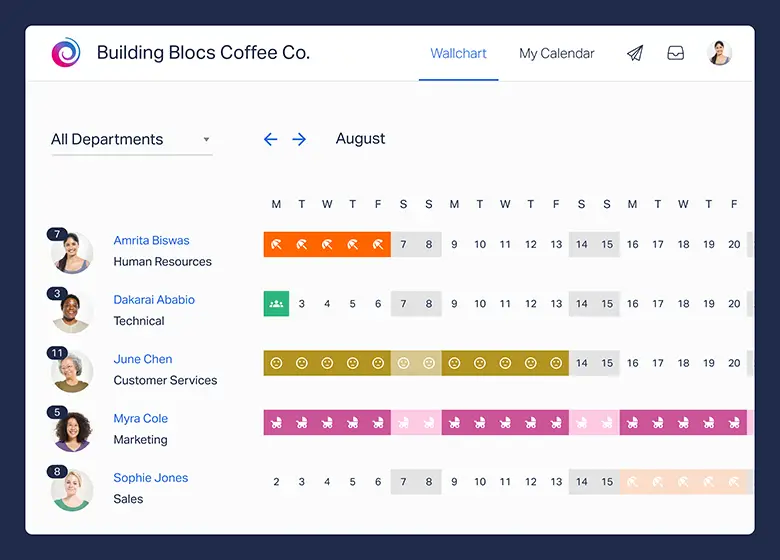
    Why it matters

    • Clarity for employees: Staff can check real time balances, understand how pending requests affect them, and preview future accruals. This transparency removes guesswork (“Do I still have PTO left?”) and reduces back and forth with managers or HR. Clear visibility also helps people plan responsibly around teams and deadlines.

    • Control for managers: Approvals happen with full context: who else is off, project deadlines, and coverage needs. Managers can set approval paths (e.g., direct manager, department head) and apply rules like maximum concurrent absences. The result is fewer conflicts and a more predictable workload.

    • Accuracy for HR/Finance: Properly configured rules eliminate manual math. The system logs who approved what and when, making audits easier and helping payroll reconcile paid vs. unpaid time. Consistent records also support compliance with local labor requirements.

    • Less overhead: Automated notifications, calendar sync, and one‑click exports replace manual updates. That means fewer interruptions, lower administrative burden, and more time for strategic work rather than chasing spreadsheets.

    Meet Day Off Vacation Tracker

    Day Off is a lightweight, cloud‑based vacation & PTO tracker built for real‑world teams. It focuses on the parts of leave management people touch every day, requesting time, approving it quickly, and seeing who’s out, without forcing you into a heavy HR suite. It supports multiple leave types (PTO, sick, parental, unpaid, custom) and lets you tailor policies, accruals, and approvals to match how your organization already works.

    At a glance:

    • Simple, fast setup, no heavy implementation: Create a workspace, add your policy, invite your team, and you’re live. No consultants, no months‑long rollout.

    • Clear employee self‑service and manager dashboards: Employees request from desktop or mobile, while managers get a clean queue with conflict indicators and notes.

    • Flexible policies per team or location: Define different allowances, accrual rates, and holidays for each team, country, or union group without maintaining separate tools.

    • Calendar views for who’s out and when: Team and company calendars make staffing gaps visible ahead of time so project plans stay realistic.

    • Integrations for the tools you already use: Connect to shared calendars and chat apps so requests, approvals, and visibility live where your team is already working.

    Core features you’ll actually use

    Employee self-service

    Employees can request time off in seconds from web or mobile, single day, multi-day, or even partial day to keep schedules precise. Each request includes notes and a chosen leave type, and the system shows real time entitlements: current balance, what’s already used, what’s pending, and a projected balance after the request. That clarity cuts back and forth (“How much do I have left?”) and gives people confidence before they press submit.

    Approvals & workflows

    Start with a simple one step approval for most teams, then layer in a second step for sensitive roles like finance or field operations. Approvers are assigned by person, team, or location so requests always land with the right decision maker, even as people move around the org. Email and chat notifications follow each request from submission to decision, and gentle reminders nudge overdue approvals so nothing stalls.

    Policies & accruals

    Track every kind of leave, PTO, sick time, volunteer days, study leave, or any custom category, with clean color coding and quick filters. Accruals mirror your policy exactly: annual grants, monthly or biweekly accruals, and tenure based tiers are all supported, with automatic balance calculations. Carryover rules keep liabilities in check through configurable caps, expirations. Balances can reset on the calendar year, fiscal year, or each employee’s work anniversary to match your HR calendar.

    Scheduling & visibility

    Team calendars make it effortless to see who’s out by day, week, or month. Filter by team, location, role, or leave type to plan coverage at a glance. Country specific public holidays are imported so you don’t overbook or deny legitimate time off, and conflict indicators flag overlapping absences before an approver hits “approve.”

    Reporting

    Generate date-bounded exports for payroll or leadership in a couple of clicks, by person, team, or leave type, so pay runs and quarterly reviews stay tight. Built in insights surface patterns like frequent Friday/Monday absences, under used entitlements, and teams operating near minimum staffing, helping managers take action rather than guess.

    Integrations

    Approved time flows automatically to Google Calendar and Outlook so meetings and deadlines reflect reality. Slack and Teams integrations let people submit, approve, and check status right where they already work, trimming inbox clutter and speeding up decisions.

    Pricing at a glance

    Startup

    Free
    • 10 Employees
    • Single Approver
    • Single Policy
    • SingleTeam
    • SingleLocation

    Startup

    $1 Lite Package
    • 25 Employees
    • Single Approver
    • Three Policies
    • Unlimited Team
    • Unlimited Locations

    Startup

    $2Pro
    • Unlimited
    • Multi Approvers
    • Multi Teams
    • +5 Integrations
    • 24/7 support

    Day Off keeps pricing straightforward so teams can start fast and scale without surprises. Basic (Free) is perfect for small teams piloting a structured PTO process: request and approve time off, run a single policy per team or location, view team calendars, and export what payroll needs. It’s everything you need to move off spreadsheets, without spending a cent.


    Pro (Paid) adds the muscle for growing organizations. You get multi step approvals for sensitive roles, support for multiple teams and locations, richer reporting that surfaces trends and exceptions, and deeper integrations that plug into your existing tools. The emphasis is governance and cross-team visibility while staying lightweight and affordable.


    Smart path to value: Start on Free to validate policy settings and drive adoption. When you’re ready for multi team policies, tighter auditability, or integrations that automate the busywork, upgrade to Pro in place, no data migrations, no reset for your users.

    Integrations & calendar sync

    A great vacation tracker meets people where they already work. Day Off pushes approved leave to shared calendars so project managers, recruiters, and stakeholders plan around real availability, not guesswork. Chat integrations bring the workflow into Slack and Microsoft Teams, so managers can review requests from a notification, approve in seconds, and keep queues moving. For distributed companies, spread across time zones and functions, this shared visibility turns potential surprise gaps into smooth, predictable coverage.

    Mobile access

    With iOS and Android apps, PTO becomes truly self service. Employees can submit requests in seconds, include context like travel dates or handoff notes, and check real time balances from anywhere. Managers get push notifications and can approve with a tap, handy in meetings, on-site visits, or while traveling. The result is a faster loop, fewer inbox pileups, and a time off process that keeps pace with how your team actually works.


    How to set up Day Off in under an hour

    Create your workspace

    Go to Day Off and spin up your workspace with the company name and default timezone/first day of week. Don’t stress over perfection here; you can refine later. The goal is to get a working shell so the rest of the setup has a place to live.

    Define leave types

    Add the few categories you’ll truly use (e.g., PTO, Sick, Unpaid). For each, decide whether it accrues over time or is a fixed grant. Keep names short and unambiguous, and set visibility so employees only see what applies to them.

    Set accrual rules

    Choose grant vs. accrual, then lock in frequency (annual, monthly, weekly, semi-monthly, or biweekly). Add carryover caps (how much can roll forward) and expiration windows (when rolled days expire). The system will handle the math; your job is to reflect your policy exactly as written.

    Import public holidays

    Select the countries/regions where your teams work so non-working days land on the calendar automatically. This prevents accidental denials on public holidays and gives managers realistic views of coverage.

    Create teams/locations & assign approvers

    Mirror your org: define teams and locations, then assign a primary approver to each. Add a backup approver for resilience, vacations and out-of-office shouldn’t stall decisions. If some roles need tighter control, you can layer in multi-step approvals later.

    Add employees

    Invite people by email or import an Excel sheet that includes start dates, locations, leave policies. This ensures everyone starts with accurate entitlements and prevents “My balance looks off” on day one.

    Connect integrations

    Turn on calendar sync (Google/Outlook) so approved leave appears where everyone already plans their week. Enable chat approvals (Slack/Teams) and set notification preferences so reminders go to the right channels, fewer emails, and faster responses.

    Test end to end, then launch

    Run a dry run: submit a request, approve it, confirm it appears on calendars, and verify it shows up in reports/exports. When everything checks out, announce the rollout with a simple one-pager that explains how to request, how approvals work, and who to contact for balance questions.

    Who benefits most

    Large companies & distributed enterprises

    Standardize policy without flattening local nuance. Use multi step approvals and clear audit trails to balance governance with speed, apply team/location specific rules to handle complexity, and rely on calendar/chat integrations to keep decisions moving across time zones. Reporting at scale surfaces coverage hotspots and entitlement trends so leaders can act before issues escalate, all while working alongside your existing HR and payroll systems, not replacing them.

    Small & midsize businesses

    Roll out structured PTO in minutes, not months. Day Off gives lean People teams a clean approval flow, accurate balances, and team calendars without buying a full HR suite or retraining the whole company. Managers get the signal they need; employees get self-service clarity.

    Agencies & consultancies

    Protect delivery timelines with real visibility. Conflict alerts and partial day requests help you staff around client deadlines, while calendar sync keeps project leads and account managers aligned. Reporting surfaces patterns early so you can rebalance before it hurts a milestone.

    Nonprofits & schools

    Support varied contracts and regional realities. Handle part time and seasonal schedules, respect local public holidays, and track unique categories like volunteer or study leave. Approvals can mirror campuses or programs, keeping governance tight without adding admin overhead.

    Retail, hospitality, & field teams

    Built for shift work and on the floor operations. Mobile requests and tap to approve keep lines moving, location specific policies prevent mistakes, and backup approvers keep coverage decisions from stalling when a manager is off duty.

    How Day Off compares to spreadsheets and heavy HR suites

    Versus spreadsheets

    Spreadsheets work, until they don’t. As headcount and policies grow, versions drift, formulas break, and no one is sure which tab is “the truth.” Day Off gives you a single, reliable source of data: accruals, carryovers, and balance resets calculate automatically; reminders keep approvals moving; and every action is time-stamped for auditability. Employees see real time balances before they submit, managers approve in context, and admins stop firefighting formula errors.

    Versus all-in-one HR suites

    Big suites do everything, which often makes simple PTO feel slow and complicated. Day Off focuses on time off, so setup is fast, training is minimal, and adoption sticks. You keep your current HR/payroll stack, pay only for what you use, and still get the flexibility enterprises need, policies by team or location, multi step approvals for sensitive roles, and native calendar/chat integrations, without a months-long implementation.

    Bottom line: Day Off replaces your spreadsheet without replacing your HR system, delivering speed, accuracy, and control where they matter most.

    FAQs

    Can employees submit partial-day requests from mobile?

    Yes, on iOS, Android, and web, employees can request single , multi , or partial day leave (by hours or start/end time), add notes, choose a leave type, and preview their balance impact before submitting. They receive status updates and notifications after submission, so they always know where the request stands.

    How do approvals work across different teams and locations?

    Requests can be routed by person, team, or location. Use one-step approvals for most cases, or enable multi step flows for sensitive roles or departments. Add delegate/backup approvers to prevent bottlenecks when someone is away.

    Will managers get notified automatically?

    Yes. Managers receive email and chat notifications for requests in their approval scope, plus automatic reminders for overdue items. To ensure the right people are notified, include the manager in the approval path; you can optionally add an admin as a second step for oversight and escalation.

    What leave types can we track?

    You can track PTO, Sick, Unpaid, Volunteer, Study, and any custom leave type you define. Color coding and filters keep calendars and reports easy to read. Each leave type can have its own accrual, carryover.

    Can we mirror our accrual policy exactly?

    Yes. Configure annual grants or monthly/biweekly accruals, add tenure-based tiers, and apply proration and rounding rules so balances calculate precisely. You can also allow or prevent negative balances and make the calculation visible to employees for full transparency.

    Do you support carryover limits and expirations?

    Yes, set carryover caps, define use by dates. The system enforces these rules automatically at reset, updates balances for you, and can warn employees when time is close to expiring to encourage timely use.

    When do balances reset?

    You can reset on the calendar year, fiscal year, or each employee’s work anniversary. First year employees can be prorated automatically, and midyear policy changes can be applied..

    Can we import public holidays?

    Yes. Import country or region specific public holidays per location so calendars reflect non working days automatically. You can also add company wide holidays and location specific custom days, helping teams avoid conflicts and plan staffing across time zones.

    Conclusion

    A well chosen vacation tracking app removes the friction from time off management by centralizing requests, approvals, balances, and reporting in one place. With automated accruals and carryover rules, calendar sync, and mobile access, teams get real time visibility while HR and finance gain clean, audit ready records. The result is fewer scheduling surprises, stronger compliance, and happier employees, without the spreadsheet chaos.

    Smarter time off tracking starts here.

  • Vacation Tracking for Remote and In-Office Employees: A Complete Guide

    Vacation Tracking for Remote and In-Office Employees: A Complete Guide

    Vacation tracking isn’t just about counting days off, it’s a vital part of how an organization protects employee well-being, ensures proper coverage, stays compliant with labor laws, and manages workloads fairly. In hybrid environments, the challenge grows: multiple time zones, varying public holidays, asynchronous approvals, and uneven visibility into who’s away can all create friction. This guide walks you through how to design a clear time-off policy, choose the right tools, implement efficient workflows, and track results for teams that blend remote and in-office work.

    Why vacation tracking matters

    • Well-being and retention: Time off isn’t optional, it prevents burnout. Teams where people actually take vacations tend to stay longer and perform better. Tracking makes it normal and easy to plan.

    • Smooth operations: When absences are visible and scheduled, there are no surprises. Customers are still supported, projects keep moving, and on‑call calendars don’t fall apart.

    • Fairness and trust: Clear, consistent rules reduce “Why did their request get approved and mine didn’t?” moments. Fairness builds trust, especially across locations and job types.

    • Legal compliance: Countries, states, and provinces have different minimums and rules. Accurate records help you meet them and avoid fines or disputes.

    • Accurate finances: Unused paid time off shows up as a liability. Clean tracking keeps payroll and finance numbers right.

    What’s different for remote vs. in‑office teams

    Visibility & comms

    • In‑office: An empty desk, overheard conversations, and quick hallway chats provide ambient context; if someone steps out, others notice and adjust in real time.

    • Remote: Since there are no visual cues, absence must be explicitly stated. Use shared calendars, clear Slack/Teams statuses, OOO email, and lightweight bot reminders; without these, tasks quietly queue up and dependencies break.

    Time zones

    • Hybrid teams span regions and daylight‑saving rules. Show request and approval timestamps in each participant’s local time, surface overlaps automatically, and state response‑time expectations (e.g., “next business day in requester’s timezone”) to avoid accidental delays.

    Public holidays & local laws

    • Statutory rights vary by country and sometimes by state/province. Your system should assign each person to the right jurisdiction, pull in the correct public‑holiday calendar, and respect local constraints (e.g., sick‑note thresholds, carryover rules) without manual workarounds.

    Capacity planning

    • In‑office: Plan desk/shift coverage, front‑desk presence, and visitor days so customers and teammates can find help on site.

    • Remote: Plan “follow‑the‑sun” handoffs, incident and release backups, and on‑call coverage with documented playbooks so no single time zone becomes a bottleneck.

    Cultural norms

    • Remote teammates may feel pressure to stay “always on.” Normalize announcing time off: set OOO, update status with return date and backup, and post a brief handover note. No personal details required, just impact and who to contact.

    Design principle

    • Make absence visible without oversharing. Automate the basics and default to kindness. People shouldn’t have to justify rest, and systems, not memory, should keep work moving.

    Policy pillars (how we make decisions)

    • Local law first, company clarity second. We comply everywhere and then standardize the employee experience with plain language and examples, so people don’t need to read statutes to know what to do.

    • Automation over memory. Calendar blocks, status sync, and reminder nudges happen automatically so approvals don’t depend on someone remembering a process or a manager being online.

    • Short policy, strong examples. Rules are minimal; examples cover edge cases (mid‑year hires, part‑time schedules, cross‑border teams) to remove guesswork.

    • Fairness across locations. Local holidays are honored; floating days help level differences so international teams can plan together without penalizing anyone’s region.

    • Take real rest. Managers model healthy PTO, nudges prevent over‑accrual, and we discourage work while OOO so people truly recover.

    Time‑off types (what they’re for)

    • Paid Vacation / PTO: Uninterrupted time for rest, travel, or personal matters. Only dates are needed; reasons are optional. Managers plan coverage; employees share a simple handover.

    • Sick Leave: For your own illness or to care for an immediate family member. Where law requires a separate bucket, we provide it. We may request a doctor’s note after a defined threshold (e.g., 3 consecutive days) but never ask for diagnosis details.

    • Parental & Family Leave: Maternity, paternity, adoption, and caregiver leave. We start with the legal entitlement in each location and publish any company top‑ups (duration, pay level, eligibility) in one place for transparency.

    • Bereavement, Jury Duty, Military Leave: Granted as required by law and applied with empathy. Approvals focus on dates and impact; documentation is minimal and stored privately.

    • Public Holidays: We follow the official local calendar for each employee. Where some locations have fewer holidays, we offer floating holidays employees can use for cultural/religious days or personal observances.

    Why this helps: Clear categories and examples speed up approvals, keep reporting accurate, and reduce back‑and‑forth.

    Day Off Vacation Tracker

    Day Off is a lightweight PTO/leave tracker that centralizes requests, approvals, balances, and team visibility. It’s built for remote and in-office teams that live in Slack or Microsoft Teams and want their calendars (Google/Outlook) to update automatically, so nobody has to copy/paste time-off dates again. There are mobile apps for iOS and Android, so people can request or approve from anywhere.

    Core features

    • Chat-first requests & approvals (Slack & Teams):
      Employees can request time off right inside Slack or Microsoft Teams, and managers get instant pings with one-click approve/deny. You also get a daily “Who’s off” digest so the team starts the day knowing coverage, plus simple import/linking of employees from your workspace to keep the roster tidy. 

    • Calendar sync (Google & Outlook):
      Approved leave can flow into Google Calendar or Outlook automatically, and you can choose the scope, just your calendar, you + subordinates, your whole team, or (on Outlook) even the whole company. This cuts down on meeting conflicts and makes coverage gaps obvious before they become problems. 

    • Policy engine (types, accruals, carryover):
      Create your own leave types (vacation, sick, unpaid, etc.), track balances in days or hours, and set rules for accrual and carryover so the system, not a spreadsheet, does the math. Handy if you run multiple policies for different roles or regions.

    • Approvals & controls (with guardrails):
      You can assign up to two approvers per employee for smoother coverage and faster decisions. Admins get bulk actions to update policies or balances for many people at once, and the dashboard calendar supports blockout dates so busy periods don’t get overbooked.

    • Multi-location & holidays:
      Day Off supports multiple locations and working patterns, and employees can see official holidays for their country right in the app, which is useful for distributed teams that don’t share the same calendar. 

    • Reporting & visibility:
      HR/finance can pull balance, accrual, and carryover views, while managers get at-a-glance team calendars and notifications. It’s enough to monitor usage and liability without needing a heavy HRIS.

    • Announcements (built-in broadcast):
      Need to tell everyone “Friday is a company day off” or “Q4 blackout starts next week”? Send announcements to all employees, or only a specific team or location, and they’ll receive them via mobile push and email.

    Mobile apps (on-the-go requests & approvals)

    Both Android and iOS apps let employees submit requests, check balances, and receive status updates; managers can review and approve quickly. This keeps the process moving even when people are away from their desks.

    Pricing

    • Basic Free forever: up to 10 employees with a single approver, policy, team, and location, ideal for very small teams or trials.

    • Pro $2 per employee/month (min $20/month): unlocks unlimited employees, multiple approvers, teams, and locations, plus integrations with Google, Outlook, Slack, and Teams.

    • Lite $1 per person/month: supports a limited number of employees, includes daily leave types, and allows up to 3 policies.

    Accrual models (pick one per country or company‑wide)

    Explain the model and include one concrete example so people can self‑serve.

    Front‑loaded annual grant

    • Everyone receives their yearly hours or days at the start of the year (or on their work anniversary). Simple to grasp and easy for planning long trips.

    • Watch mid‑year hires: grant a prorated amount so balances stay fair. Publish the exact formula (by months or by days) so there’s no mystery.

    Periodic accrual (monthly or per pay period)

    • Employees earn time bit by bit (e.g., 1/12 each month or a slice each payroll). Finance likes it because liabilities build steadily rather than in one lump.

    • Be clear about when hours become usable (immediately after each accrual run vs. the day after payroll closes).

    Unlimited PTO (UPTO) with guardrails

    • No set bank of days, but you still need boundaries or people take less time.

    • Set expectations (e.g., “Target at least 15 business days/year, excluding public holidays”), define approval rules, exclude legally separate buckets (sick, parental), and track time away for capacity planning even if you don’t track balances.

    Accrual math: step by step

    Suppose your policy is 15 days per year, and a day is 8 hours.

    • Annual hours: 15 × 8 = 120 hours/year.

    • Biweekly accrual (26 pay periods): 120 ÷ 26 = 4.615384615… hours, display 4.615 h per period (system rounds at payout or display).

    • Monthly accrual (12 months): 120 ÷ 12 = 10 hours/month.

    • Part‑time example (60% schedule): 120 × 0.60 = 72 hours/year, which ÷ 12 = 6 hours/month.

    • Cap example: Many companies cap balances at 1.5× the annual accrual to encourage rest. With 120 hours/year, the cap is 180 hours.

    Tip: Show the math in your handbook and in your HRIS so employees can verify their balances without opening a ticket.

    Eligibility and proration (who gets what, and when)

    Start‑date proration

    • If someone starts mid‑year, grant a portion of the annual PTO aligned to the remaining period. Choose a method and publish it:

      • By months: credit based on remaining full months (e.g., starting April 15, May–Dec = 8 months, 8/12 of annual grant; optionally add a half‑month for April).

      • By days: credit based on remaining calendar days in the policy year (remaining days ÷ total days × annual hours).

    • Note which method you use for transparency; don’t mix methods within the same country.

    Probationary periods

    • Some jurisdictions limit delays in access to PTO. If you set a waiting period (e.g., PTO usable after 30 days), keep it short and legal. Accrual may start on Day 1, but usage begins after probation; state this plainly.

    Contractors and interns

    • Spell out eligibility. If excluded, state that their agreements specify time off separately. If included, clarify which buckets apply (e.g., sick leave may be statutory even when PTO isn’t).

    Request windows and increments (how to ask, how far ahead)

    Notice requirement

    For 3+ consecutive days, submit requests ≥10 business days in advance so teams can plan. Emergencies and illness are exceptions.

    For 1–2 days or partial days, give as much notice as possible (aim for 2 business days), understanding that short‑notice shifts might be harder to cover.

    Minimum increments

    Allow small requests so hybrid schedules work: 1 hour minimum, with half‑day (4 hours on an 8‑hour day) as a common shortcut.

    Blackout periods

    Keep these rare and predictable (e.g., year‑end financial close, production freeze). Publish dates once per year, revisit quarterly, and list the exceptions process (e.g., weddings, graduations).

    Self‑service clarity

    Every approved request should auto‑create a calendar entry (Busy or OOO), update Slack/Teams status for the dates, and notify the backup contact.

    Carryover, cash‑out, and forfeiture (what happens to unused time)

    Carryover

    Permit some carryover to reduce year‑end rush (e.g., up to 5 days / 40 hours). Set a use‑by date (e.g., March 31) to encourage early‑year rest.

    Where law dictates more generous carryover, the local rule wins.

    Cash‑out

    In many places, unused earned PTO must be paid out at termination; where optional, state your stance (e.g., “we cash out unused accrued PTO at separation” or “we do not, except where required by law”).

    Use‑it‑or‑lose‑it

    This is restricted or illegal in several regions. Prefer balance caps with friendly reminders to schedule time off before hitting the cap.

    Nudges

    Automate reminders at 60/30 days before carryover deadlines and when balances reach 90% of the cap.

    Approval and escalation (who says yes, and what if they’re out)

    Approver

    Direct managers approve because they know the workload and dependencies. HR reviews only for policy or legal exceptions.

    Auto‑approval

    If a request sits >3 business days without action, auto‑approve (except during published blackout periods). The system pings the manager once per day before auto‑approval triggers.

    Escalation path

    When a manager is OOO, route to a backup approver (delegate or skip‑level). No one should wait because their approver is away. The system should re‑route automatically based on the approver’s OOO status.

    Conflict handling

    If overlapping requests exceed coverage limits, prioritize by submission time, then by critical coverage needs, and propose alternates (e.g., swap days, partial coverage, or backup on‑call).

    FAQs

    Can hourly employees use PTO without affecting overtime pay

    Yes, paid time off shows up as paid hours, but it usually doesn’t count toward overtime. Overtime is based on hours actually worked, not hours paid. So if someone takes a day off and still hits 40 paid hours, they may not qualify for overtime that week. Keep this clear in your handbook so paychecks match expectations.

    How should PTO work for variable-hour, part-time schedules

    Track balances in hours, not days, so you’re not guessing. Tie accrual to hours worked (a small percentage per paid hour) and use a recent average to define what “a day” means for that person. This keeps it fair when shifts change from week to week. Your tool should do the math so managers don’t have to.

    What’s the best way to handle negative PTO balances or “borrowing”

    Allow employees to go a little negative with manager approval, then automatically earn it back as they accrue more time. Set a clear lower limit so balances don’t spiral. If someone leaves while negative, explain upfront how repayment works on the final paycheck, where the law allows it. Transparency avoids awkward surprises.

    Can people take PTO during a probation or onboarding period

    Protected leave (like sick or parental leave) should always be available. For regular vacation, you can permit it, but keep longer trips limited until the ramp-up is done. If accrual hasn’t caught up yet, use the negative-balance option with a small cap. Make these rules visible in the offer letter and handbook.

    What about sabbaticals

    Treat sabbaticals as a separate program, not part of normal PTO. Define who’s eligible (often based on tenure), whether it’s paid or unpaid, and how long it lasts. Plan coverage early and require a handover so work doesn’t stall. Keeping it separate keeps regular PTO simple and easy to track.

    How do company shutdowns or collective holidays interact with PTO

    If the company officially closes, say, the last week of the year, decide whether those days are company-paid or taken from personal PTO. Announce the rule early so people don’t burn their own days by accident. If you mix approaches by country, write it down clearly in each regional annex. Consistency beats case-by-case exceptions.

    Can someone use PTO during their resignation notice period

    They can, but approvals should depend on coverage and handover needs. Some places require paying out unused PTO at termination; clarify whether taking the time or cashing it out changes anything. A simple rule and a short checklist keep the final weeks smooth for everyone. Document the decision in the system.

    What if someone gets sick while on vacation, can they switch to sick leave

    Allow the switch when the person meets your proof standard, where it’s legal, usually a brief note if the illness spans multiple days. People shouldn’t lose their vacation because they are ill. Keep the process lightweight: notify HR, attach the note after returning, and adjust the balance. Compassion plus clear rules goes a long way.

    Do public holidays inside a PTO period count against the person’s balance

    Pick one approach and stick with it: either exclude official holidays from the deduction or include them. Many teams choose to exclude them so people aren’t double-charged. Whatever you choose, apply it consistently within each country to avoid manual payroll fixes. Put examples in the policy so it’s easy to understand.

    How do weather emergencies or office closures affect PTO

    When operations officially close, don’t deduct PTO for the closure window. If someone was already on PTO, decide and publish whether those hours are restored for everyone equally. Simple, uniform treatment prevents one-off debates later. Communicate through the same channel you use for outages and critical updates.

    How do we handle religious observances not on the local holiday calendar

    Offer floating holidays or a small personal day bank that people can use for observances. Keep approvals simple and private; the reason doesn’t need to be shared beyond “floating holiday.” This respects different traditions without adding dozens of regional holidays to the master calendar. Managers get predictability; employees get flexibility.

    Can we offer volunteer time off (VTO)

    Yes, create a separate leave type with an annual cap and light documentation, like the nonprofit name or event. VTO is a strong culture signal and makes it easy to report participation for CSR goals. Keep the request flow the same as PTO so managers don’t learn a new process. Track it separately so it doesn’t eat into vacation.

    Conclusion

    Tracking vacation time shouldn’t feel like a hassle. With a clear policy, simple approval steps, and smart tools that connect with your calendar or chat system, managing time off can be quick and easy.


    The benefits go both ways: employees stay healthier and happier, operations run more smoothly, and there are fewer surprises when it’s time for payroll.

    No matter where your team works, fully remote, in the office, or somewhere in between, the approach is the same: set fair rules, automate the repetitive tasks, and encourage managers to lead by example. When you do that, everyone feels comfortable taking the breaks they’ve earned, and the business keeps running strong without missing a beat.


    Smarter time off tracking starts here.

  • What Is The FTO Meaning In Workplaces & Employee Benefits?

    What Is The FTO Meaning In Workplaces & Employee Benefits?

    Acronyms seem to pop up everywhere, PTO, LOA, FMLA, and now FTO. Most people know what PTO (Paid Time Off) means, but FTO often leaves employees and even managers guessing. Some think it means Flexible Time Off, while others associate it with Field Training Officer or Full Time Off programs.

    This mix-up can easily lead to misunderstandings, especially in HR conversations, job descriptions, and time-off policies. That’s why it’s important to know what FTO means in the context of your company. In this article, we’ll break down the different interpretations of FTO, explain how it compares to PTO, and explore how businesses can define and manage it clearly to avoid confusion and keep things fair for everyone.

    Different Interpretations of FTO Meaning in Workplaces

    The FTO meaning isn’t universal. It changes across industries, companies, and even departments. Here are the most recognized uses:

    Field Training Officer (FTO)

    In industries like law enforcement, emergency services, and some technical jobs, FTO refers to a Field Training Officer. This is not about time off it’s about structured, on the job training.

    • What It Means: A Field Training Officer is a senior employee or supervisor responsible for mentoring and training new recruits during their probationary period. Instead of learning in classrooms alone, recruits gain hands-on experience under real-world conditions.

    • Why It Matters: Without proper training, new hires may struggle with safety protocols, customer service, or technical processes. The FTO ensures they meet performance standards before being left on their own.

    • Employee Perspective: Being paired with a seasoned professional helps reduce the stress of starting a new role, builds confidence, and allows for continuous feedback.

    • Employer Perspective: Organizations benefit from consistency in performance, reduced errors, and a stronger workplace culture.

    • Example: In police departments, recruits spend weeks or months paired with a Field Training Officer who evaluates their decision-making, report writing, and ability to handle public interactions safely.

    Flexible Time Off (FTO)

    This is the most common meaning in HR discussions. Flexible Time Off (FTO) is a modern alternative to traditional PTO. Instead of being assigned a fixed number of days per year, employees can request time off whenever needed, provided their work is on track.

    • What It Means: Employees have the freedom to take personal days, vacations, or short breaks without worrying about running out of days on their balance.

    • Why It Matters: It empowers workers to maintain better work life balance, reduces burnout, and creates a culture of trust. Employees are not forced to “save” vacation days for emergencies they simply request leave as needed.

    • Employee Perspective: They feel respected and trusted by the company, which improves morale and loyalty. Employees no longer feel guilty for taking days off since flexibility is built into the policy.

    • Employer Perspective: Flexible time off policies are attractive to top talent, especially younger generations who value balance over rigid schedules. It also reduces HR’s burden of tracking accruals.

    • Challenges: Without clear guidelines, some employees may overuse the benefit, while others avoid taking time off altogether because they fear judgment. Strong leadership and clear communication are essential.

    • Example: Many tech companies, startups, and remote first organizations use flexible time off as a selling point during recruitment.

    Full Time Off (FTO)

    Some organizations interpret FTO as Full Time Off, which refers to extended leave programs. Unlike flexible short breaks, this type of leave is designed for longer personal or professional needs.

    • What It Means: Full Time Off allows an employee to completely step away from work for an extended period while retaining their position. This could be related to family responsibilities, medical recovery, education, or sabbaticals.

    • Why It Matters: Life doesn’t always fit into a neat schedule. Full Time Off policies recognize that employees may need months away without losing their career stability.

    • Employee Perspective: They gain peace of mind knowing their employer supports long term leave. This reduces stress during personal challenges and builds loyalty toward the company.

    • Employer Perspective: Though it may require temporary replacements, offering FTO strengthens the company’s reputation as a supportive employer and helps retain employees who might otherwise resign.

    • Example: Companies may provide six months of full time off for parental leave, or allow employees to take unpaid sabbaticals to pursue higher education or volunteer work.

    Floating Time Off (FTO)

    Though less common, some businesses define FTO as Floating Time Off days employees can use at their discretion for cultural, personal, or religious observances.

    • What It Means: Instead of following only nationally recognized holidays, employees get extra “floating days” they can allocate to occasions meaningful to them.

    • Why It Matters: This fosters inclusivity by acknowledging that employees celebrate different holidays and milestones.

    • Employee Perspective: Employees feel respected for their cultural or religious values and can better balance their personal lives.

    • Employer Perspective: Encourages diversity and inclusivity, which improves employee satisfaction and retention.

    • Example: An employee may use a floating day for Diwali, Eid, or a personal birthday instead of a default national holiday.

    Why Understanding FTO Meaning Is Important

    For Employees:

    • Clarity: Avoids confusion between PTO, FTO, and unpaid leave.

    • Planning: Helps balance work responsibilities with personal life.

    • Protection: Ensures employees know their rights to extended or flexible time off.

    For Employers & HR Teams:

    • Compliance: Reduces legal risks by clearly defining policies.

    • Engagement: Transparent FTO policies improve morale and trust.

    • Talent Retention: Flexible policies help companies stand out in competitive industries.

    FTO vs PTO: Key Differences

    Feature PTO (Paid Time Off) FTO (Flexible/Full-Time/Floating)

    Structure

    Fixed number of days per year, accrued or granted.
    Often unlimited or situational.

    Flexibility

    Limited by accrual and policy.
    High flexibility depending on employer’s rules.

    Usage

    Vacation, sick days, personal days.
    Training, extended leave, floating holidays, or flexible time off.

    Employee Impact 

    Clear tracking but restrictive.
    More freedom but sometimes unclear.

    Employer Impact 

    Easier to standardize.
    Requires strong policy communication.

    Real World Scenarios of FTO

    • Tech Companies: Use Flexible Time Off to attract talent and reduce burnout.

    • Police & EMS: Use Field Training Officers to ensure recruits meet professional standards.

    • Global Companies: Offer Floating Time Off to respect cultural diversity.

    • Healthcare & Education: Provide Full Time Off for long term personal or family care.

    How to Manage FTO Effectively

    For FTO policies to succeed, HR teams must:

    • Define Policies Clearly: Explain what FTO means in employee handbooks.

    • Use Digital Tools: Automate requests and approvals with leave management apps.

    • Train Managers: Ensure supervisors apply FTO rules consistently.

    • Promote Usage: Encourage employees to actually take time off to prevent burnout.

    • Track Trends: Monitor how employees use FTO to adjust policies.

    How the Day Off App Simplifies FTO Management

    Managing different leave types manually is challenging. That’s where Day Off helps.

    • Custom Leave Types: HR can define PTO, FTO, and other policies separately.

    • Simple Requests: Employees submit time off requests digitally.

    • Manager Approvals: Supervisors approve or decline with one click.

    • Transparency: Everyone sees balances, policies, and usage.

    • Accessibility: Available on iOS, Android, and web.

    With Day Off, companies eliminate the confusion around acronyms like FTO and ensure fair leave management.

    Smarter time off tracking starts here.

    FAQ: Understanding FTO Meaning in Workplaces

    Is FTO the same as PTO?

    No. While both relate to leave, they are not the same. PTO (Paid Time Off) refers to a specific number of paid days employees can use for vacation, sick time, or personal needs. FTO (Flexible, Full Time, or Floating Time Off, depending on company policy) usually offers more flexibility and may not always be limited to a set number of days.

    Is FTO always paid?

    Not always. If FTO means Flexible Time Off, it is usually paid, similar to PTO. If it refers to Full Time Off (like sabbaticals or extended leave), it may be unpaid or partially paid depending on company policy or local labor laws. For Floating Time Off, these are often paid days, but again, it varies by employer.

    Do all companies offer FTO?

    No, FTO is not a universal benefit. Many companies still rely on traditional PTO systems where employees accrue a fixed number of days per year. However, progressive companies especially in tech, creative, and global industries are increasingly offering flexible, floating, or extended FTO options to attract and retain talent.

    Is FTO better than PTO?

    It depends on the employee and the company culture. FTO offers more freedom and flexibility, which many employees prefer. However, without clear rules, some employees may underuse it because they feel guilty taking time off. PTO is more structured, which makes tracking and planning easier. The “better” option depends on what employees value most: flexibility or predictability.

    Can employees combine FTO and PTO?

    Yes, in some workplaces. For example, an employee may have a standard PTO allowance for vacations and sick days, plus additional Floating Time Off for personal holidays, or may request Full Time Off for longer absences. HR software like Day Off can track multiple leave types to avoid confusion.

    Does FTO apply to part time employees?

    That depends on company policy. Some employers extend FTO benefits (especially floating days) to part time workers, while others limit it to full time employees. Flexible Time Off policies are often easier to extend to all workers because they don’t rely on accrual systems.

    How should employees request FTO?

    Employees should always follow company policy. Typically, they submit requests through an HR system or directly to their manager. With apps like Day Off, employees can request FTO digitally, track their status, and view their balances without back and forth emails.

    What happens if employees abuse FTO?

    If Flexible Time Off is abused for example, an employee takes excessive time off without completing work it can create productivity issues. This is why employers need clear guidelines, manager oversight, and performance monitoring. Most companies handle this by linking FTO approval to performance standards.

    Why do some employees hesitate to use FTO?

    Ironically, unlimited or flexible FTO policies sometimes discourage usage. Employees fear being judged by colleagues or managers for taking “too much” leave. Employers must encourage a healthy balance and lead by example, showing that it’s okay to use FTO without penalty.

    How can HR simplify FTO tracking?

    The best way is to use digital leave management tools like Day Off App. These tools allow HR teams to:

    • Create custom FTO categories (Flexible, Full Time, Floating).

    • Automate requests and approvals.

    • Ensure transparency so employees know their entitlements.

    • Track patterns to prevent misuse and improve policies.

    Final Thoughts

    The FTO meaning in workplaces isn’t one size fits all. It may stand for Field Training Officer, Flexible Time Off, Full Time Off, or Floating Time Off, depending on context.

    For employees, understanding FTO helps them make the most of their benefits, plan better, and protect their rights. For employers, defining and managing FTO policies transparently builds trust, prevents disputes, and makes the company more attractive to top talent.

    In an era where employee well being and flexibility are critical, clear FTO policies combined with smart tools like Day Off App create a win win for both sides.

  • Free Online Time Duration Calculator | Work, Leave & Overtime

    Free Online Time Duration Calculator | Work, Leave & Overtime

    Time is one of the most valuable resources in any workplace. Managing it properly can be the difference between smooth operations and chaotic scheduling. Employees need clarity on their hours, and employers need accuracy for payroll, compliance, and leave tracking. A free online time duration calculator is the simplest tool to achieve this, offering quick and reliable results when calculating hours, minutes, and even breaks.

    In this article, we’ll cover what a time duration calculator is, how it works, why it’s essential, and how advanced solutions like Day Off take it to the next level with complete leave and PTO management.

    What is a Time Duration Calculator?

    A time duration calculator is an online tool that determines the exact difference between two time points. Instead of calculating manually which often leads to mistakes a calculator delivers instant and precise results.


    Here’s what it can do in detail:

    • Shift Hours: It calculates the total hours and minutes between start and end times of a shift. For instance, entering 9:15 AM to 5:45 PM gives 8 hours 30 minutes.

    • Break Subtraction: Many employees take unpaid breaks during work. The calculator allows you to input this duration, ensuring only productive work time is counted.

    • Overtime Tracking: If your workday is longer than the standard shift, the calculator identifies extra hours. For example, working 10 hours instead of 8 means 2 hours of overtime.

    • Partial Leave: Employees who take a few hours off instead of a full day can record the exact time away.

    • Cross Day Shifts: For employees working overnight shifts, such as 10:00 PM to 6:00 AM, the calculator can seamlessly handle multiple dates.

    Why Accuracy Matters in Time Tracking

    Time tracking isn’t just about counting hours it directly affects payroll, compliance, and employee satisfaction. Let’s break it down:

    • Payroll Integrity
      Payroll errors can lead to unhappy employees or financial losses for the company. Even small mistakes like forgetting to subtract a lunch break can accumulate over weeks and months. A calculator ensures employees are always paid fairly for the exact hours worked, no more and no less.

    • Legal Compliance
      Many countries have strict labor laws regulating maximum hours, mandatory breaks, and overtime pay. Businesses that fail to track time correctly risk penalties or lawsuits. An accurate duration calculator helps maintain proper records that comply with local regulations.

    • Leave Transparency
      Employees want to know their leave balances are managed fairly. If someone takes 3 hours off, they don’t want to see a full day deducted from their PTO. A time calculator ensures that every absence is logged precisely, creating trust between employers and staff.

    • Operational Planning
      Managers use time data to plan staffing levels. If they see employees regularly working long hours, they may need to hire additional staff. Accurate calculations make workforce planning more effective.

    • Trust & Employee Satisfaction
      Nothing frustrates employees more than disputes about time worked or overtime. Reliable, transparent tracking helps avoid misunderstandings, creating a healthier work environment where staff feel valued.

    Common Use Cases of a Time Duration Calculator

    Work Hours Calculation

    Instead of guessing, employees can instantly calculate their worked hours. For example, working from 8:45 AM to 5:15 PM equals 8 hours 30 minutes. This makes it easy for employees to double check their payroll and for freelancers to know how much time they’ve spent on a project.

    Overtime Tracking

    When employees work beyond their standard hours, overtime pay may apply. A calculator quickly identifies the extra time. For instance, if your standard workday is 8 hours but you worked 11, the calculator highlights those additional 3 hours. This ensures employees are compensated fairly and prevents employers from underestimating overtime costs.

    Break Time Deduction

    Lunch or rest breaks often aren’t included in paid hours. Instead of subtracting manually, the calculator can deduct this automatically. For example, if you worked from 9:00 AM to 6:00 PM but took a 1 hour lunch, the net result is 8 hours, not 9. This prevents payroll teams from overpaying or underpaying staff.

    Partial Leave Tracking

    Not all leave requests are full days. If an employee has a doctor’s appointment and takes only 2 hours off, the calculator ensures that exactly 2 hours are deducted from their PTO, not an entire day. This makes leave records more accurate and prevents unnecessary depletion of an employee’s balance.

    Cross Day Shifts

    Night shifts are tricky since they run past midnight. For example, a shift from 10:00 PM to 6:00 AM spans two different dates. A calculator handles this automatically, ensuring no confusion. This is especially useful in industries like healthcare, security, or customer service, where overnight shifts are common.

    Freelance & Project Billing

    Freelancers and consultants often bill clients by the hour. Using a calculator ensures they know exactly how many hours to invoice, making the process more professional and transparent. It also avoids underbilling, which means freelancers get paid fairly for their actual time.

    Benefits of a Free Online Time Duration Calculator

    • Speed & Convenience: Results are delivered instantly, saving hours of manual calculation.

    • Error Reduction: Eliminates human mistakes, which are common in manual tracking.

    • Fairness & Transparency: Both employers and employees get consistent and trustworthy results.

    • Improved Planning: Managers can make more accurate staffing and scheduling decisions.

    • Accessibility Anywhere: Most tools work online, so you can calculate hours from a phone, tablet, or desktop anytime.

    Smarter time off tracking starts here.

    How Day Off Makes Time & Leave Management Smarter

    While a free calculator is excellent for quick results, organizations often need a more complete system to manage leave and PTO across the entire workforce. That’s where Day Off becomes the perfect solution.

    Key Features of Day Off

    • Leave Requests & Approvals
      Employees can submit vacation, sick leave, or partial leave requests directly through the app. Managers can approve or reject with a click, removing the need for endless email threads. This makes the leave process smoother and faster.

    • Partial Day Leave Tracking
      Unlike many basic HR systems that only allow full day leave, Day Off supports half day or hourly leave requests. This ensures fairness when employees only need a few hours off.

    • Holiday & PTO Management
      The app automatically calculates remaining PTO balances, updates them when new leave is approved, and even handles carryovers from one year to the next. This prevents confusion and makes PTO management effortless.

    • Team Calendar
      Managers and employees get a clear, shared calendar view showing who’s on leave at any given time. This prevents scheduling conflicts and ensures teams are never understaffed during critical periods.

    • Mobile & Web Access
      Whether you’re at the office or on the go, you can use Day Off on iOS, Android, or any web browser. This flexibility ensures employees and managers can request or approve leave anytime, anywhere.

    • Notifications & Alerts
      Real time reminders ensure managers never miss approval requests, and employees always know the status of their leave. This reduces delays and keeps everyone in sync.

    • Reports & Analytics
      Managers can generate detailed reports showing leave patterns, absenteeism, and PTO usage. These insights help businesses make smarter HR decisions and plan workforce requirements better.

    FAQs

    Can a time duration calculator handle overnight shifts?

    Yes. Most modern calculators can handle shifts that cross midnight, so if you work from 10:00 PM to 6:00 AM, it correctly counts 8 hours. This makes them perfect for night shift workers or anyone who works flexible hours.

    Can I use it for personal tasks like studying or workouts?

    Definitely! You can use a time calculator for almost anything, studying for exams, tracking workouts, cooking, hobbies, or even timing screen breaks. It’s a simple way to stay organized and understand how you spend your time.

    Does it include breaks or lunch hours?

    Yes, many calculators let you subtract break times automatically. You can enter your total work hours and note how long your breaks were, the calculator will handle the math and give you your actual working hours.

    Can it calculate more than one shift in a day?

    Yes. If you have multiple work sessions or study periods in one day, you can enter several start and end times. The calculator adds them up automatically to show your total time.

    Is a calculator enough for company-wide leave tracking?

    Not really. While time calculators are great for quick, one-time calculations, larger teams need dedicated systems like Day Off. These tools handle leave requests, approvals, PTO balances, and reports, all in one place.

    Do calculators track multiple employees at once?

    Free calculators usually calculate one person’s time at a time. If you’re managing a team, apps like Day Off are better since they keep everyone’s records, schedules, and balances together in a shared dashboard.

    Can I use it to calculate total weekly or monthly hours?

    Yes. Many calculators let you add multiple days or sessions, so you can track total weekly or monthly hours, perfect for freelancers, contractors, or anyone who needs to report total working time.

    Is it better than using a spreadsheet?

    Yes. Spreadsheets can do the math, but they’re time-consuming and easy to mess up with formulas. A calculator is faster, easier, and doesn’t require setup, just enter your times and get an instant result.

    Can I save or download my results?

    Some online calculators let you save or export your results as a PDF or spreadsheet. This is useful if you need to share your working hours or study logs with a manager, teacher, or client.

    Does a time duration calculator work on mobile?

    Yes. Most modern calculators work smoothly on phones and tablets, so you can calculate hours on the go, from your desk, gym, or anywhere else.

    Is it free to use?

    Many time calculators are completely free online. Some advanced versions may offer extra features, like saving history or integrations, with a small subscription or business plan.

    How does a time calculator help with productivity?

    It helps you stay mindful of how you spend your time. Whether you’re managing a project or balancing study and rest, tracking time makes it easier to plan better, avoid overwork, and stay consistent.

    Final Thoughts

    A free online time duration calculator is a must have tool for employees, freelancers, and managers alike. It simplifies work hours calculation, ensures accurate overtime tracking, and handles partial leave with ease. By using such tools, businesses can maintain payroll accuracy, stay compliant with labor laws, and build trust with employees.

    However, for companies looking to go beyond basic time tracking, Day Off is the smarter choice. With features like leave requests, PTO management, team calendars, and real time notifications, it’s designed to make employee leave management seamless and stress free.

  • Simple Time Duration Calculator: Track Time Off Accurately

    Simple Time Duration Calculator: Track Time Off Accurately

    Time is one of the most valuable resources in the workplace, and tracking it correctly ensures smooth operations, fair compensation, and better planning. Employees want to know their hours are being tracked fairly, while managers and HR teams need clear Time Duration Calculator into work schedules and time off.


    A time duration calculator is a simple yet powerful tool that helps achieve this balance. By instantly calculating the difference between two time points, it removes errors and confusion from time tracking. Whether you’re measuring work shifts, calculating overtime, or tracking vacation days, a duration calculator makes the process effortless.
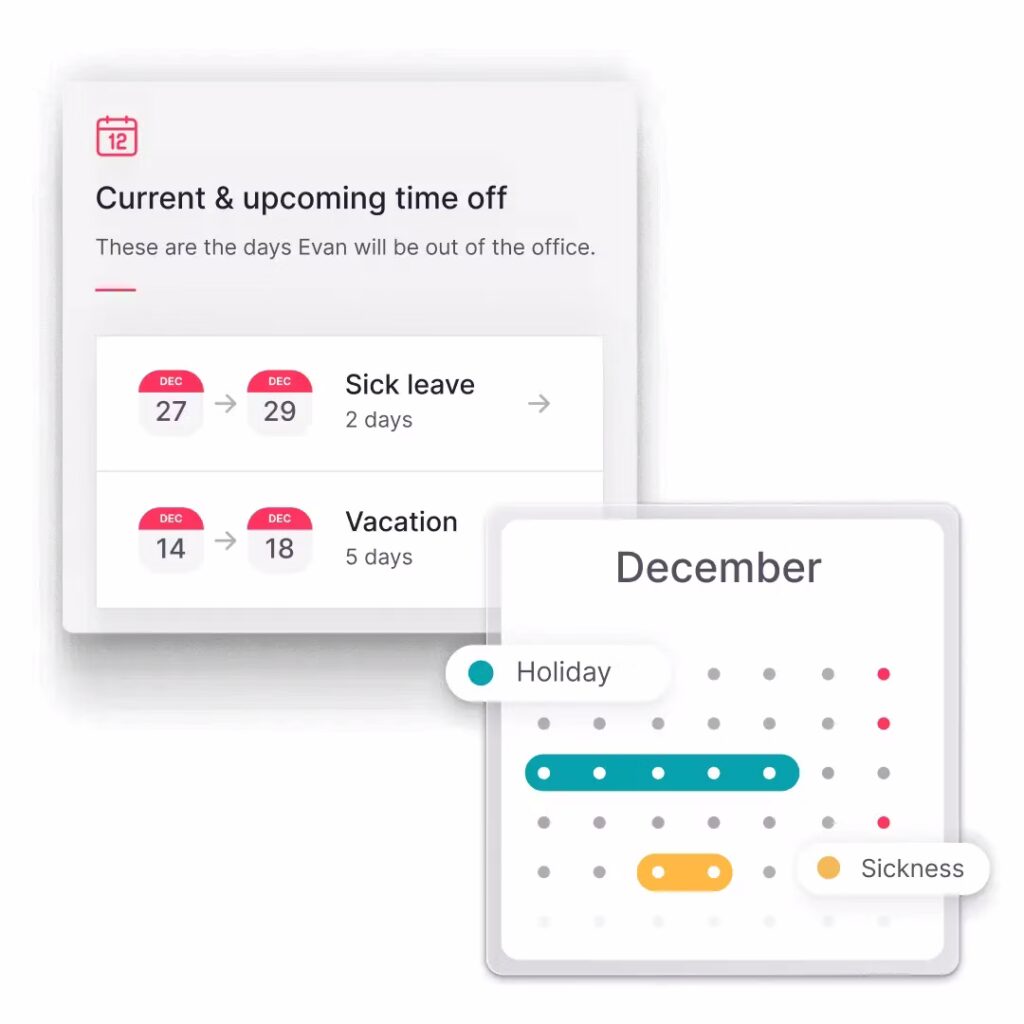
    What Is a Time Duration Calculator?

    A time duration calculator is a digital tool designed to calculate the exact difference between a start and an end time. Instead of relying on manual calculations which often lead to mistakes a calculator provides quick, error free results.


    It’s widely used for:

    • Work Shifts: Employees and managers can track how many hours are worked per day or week. This is particularly useful in industries with variable schedules where shifts differ daily.

    • Breaks: Many workplaces offer unpaid lunch or rest breaks. A calculator can automatically subtract these periods from total time, ensuring only active working hours are counted.

    • Overtime: For companies that must pay overtime, it’s important to know precisely when an employee has exceeded standard hours. Calculators instantly highlight these extra hours, helping with accurate payroll.

    • Leave Tracking: Employees sometimes request half days or a few hours off. A calculator ensures the deduction from their PTO balance is exact, leaving no room for disputes.

    • Project Management: Teams can use time calculators to measure how long tasks or projects take. This helps in evaluating productivity, budgeting time for future projects, and identifying areas for improvement.

    Example

    If an employee works from 8:30 AM to 5:00 PM with a 30 minutes unpaid break:

    • Total time = 8.5 hours.

    • Net work hours = 8.5 – 0.5 = 8 hours worked.

    Instead of manually subtracting, the calculator delivers instant results.

    Why Accurate Time Tracking Matters in Business

    Accurate time calculation isn’t just about logging work hours it directly influences payroll, compliance, and employee satisfaction.

    • Payroll Precision
      Mistakes in tracking work hours can lead to underpayment or overpayment. Both scenarios harm the business underpayment damages employee trust, while overpayment increases company expenses. With a time duration calculator, payroll departments have an accurate, reliable source of truth to ensure employees are compensated fairly, reducing errors and disputes.

    • Improved Productivity
      Time tracking allows managers to see how employees are using their hours. For example, if an employee regularly works overtime, it may indicate workload imbalance or inefficiencies. Calculators provide a clear picture of actual time spent, enabling smarter resource allocation and ensuring that tasks are completed within reasonable working hours.

    • Legal Compliance
      In many countries, labor laws require companies to maintain detailed records of employee working hours. Failure to comply can result in penalties, fines, or legal disputes. A time duration calculator supports compliance by ensuring that hours, overtime, and breaks are logged accurately, offering proof that labor requirements are being followed.

    • Employee Satisfaction
      Employees want to feel confident that their time whether work hours or time off is tracked correctly. If their records are inaccurate, it creates frustration and mistrust. A transparent system backed by accurate calculations gives employees peace of mind, knowing their time is respected and their paychecks are correct.

    • Operational Efficiency
      From a managerial standpoint, accurate time tracking prevents bottlenecks. For instance, if multiple employees request leave at the same time, managers can instantly see who is available and schedule accordingly. This minimizes disruptions to workflows, ensures adequate staffing, and keeps productivity high.

    How a Time Duration Calculator Supports Leave Management

    Managing leave is often more complex than just counting full days. Employees may need just a few hours off or multiple days that overlap with weekends or holidays. A time duration calculator simplifies these scenarios by providing exact calculations.

    Benefits for Employees

    • Fair Deductions: Employees don’t lose more leave than necessary. If they take a half day, only 4 hours are deducted instead of a full 8.

    • Clear Records: Employees can view exactly how much PTO has been used and how much remains, reducing uncertainty.

    • Reduced Disputes: When the system is precise, employees don’t need to argue over incorrect leave deductions.

    Benefits for Managers & HR

    • Streamlined Approvals: Managers can quickly verify how much leave is being requested, even if it’s partial days.

    • Conflict Prevention: HR can spot overlapping requests in advance and adjust schedules to avoid understaffing.
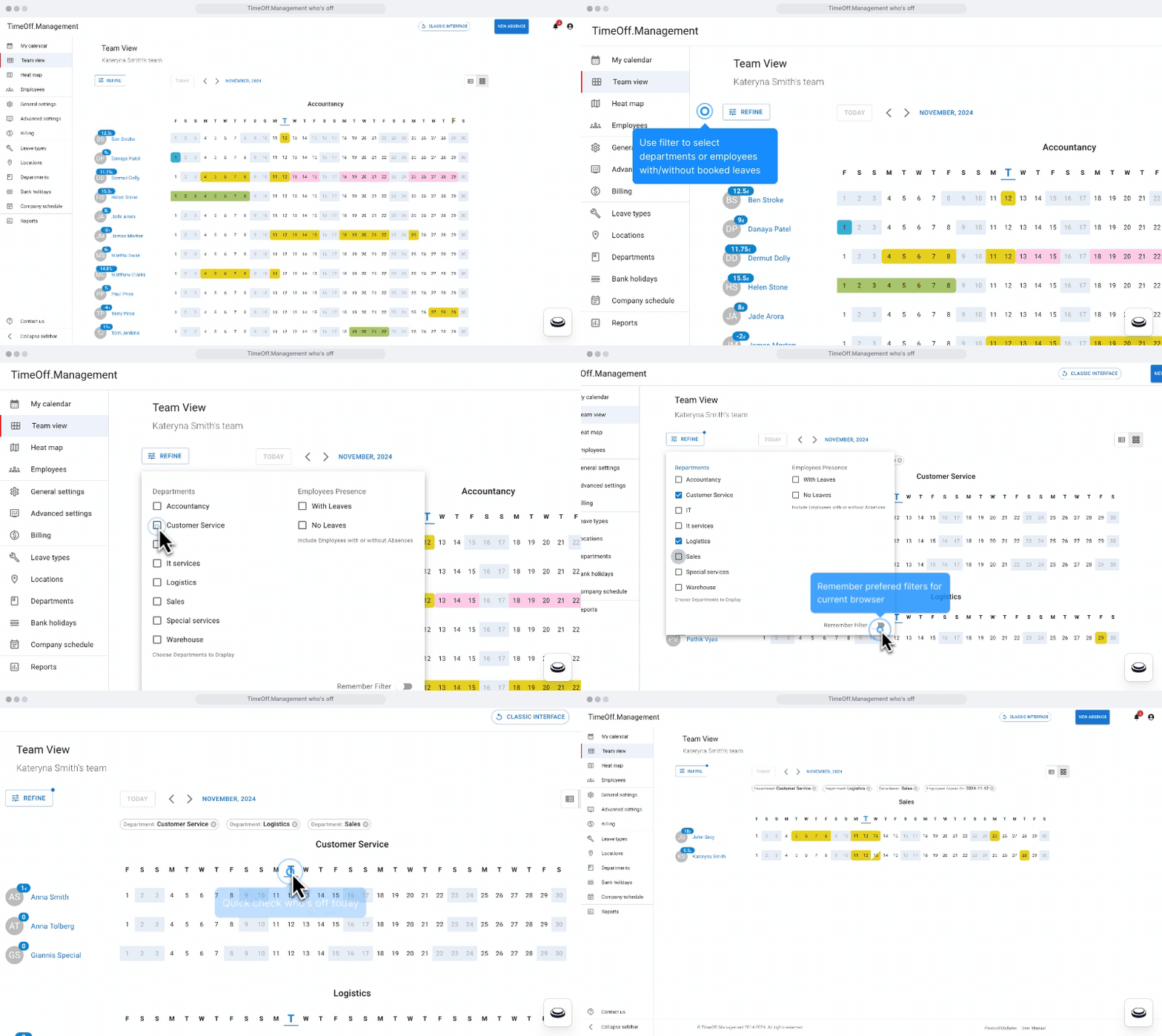
    • Accurate Balance Updates: PTO balances adjust automatically, eliminating manual entry errors.

    Real World Example

    Imagine an employee requests time off starting on Monday at 1:00 PM and ending on Wednesday at 5:00 PM. Without a calculator, HR might miscalculate the hours and deduct too much or too little.


    Here’s the breakdown:

    • Monday: 4 hours (afternoon)

    • Tuesday: 8 hours (full day)

    • Wednesday: 8 hours (full day)

    Total leave taken = 20 hours (equivalent to 2.5 workdays).

    A time duration calculator provides this instantly, ensuring payroll and PTO records remain accurate.

    Beyond Calculators: Why Businesses Need Smart Leave Management

    While a basic calculator is useful for quick results, modern businesses often need more. Manual systems don’t provide real time visibility, centralized records, or automation, which leads to inefficiency. That’s why advanced leave management tools are becoming the standard.

    Day Off App: More Than Just a Calculator

    Day Off App is a complete leave management and PTO tracking platform available on iOS, Android, and web. It goes far beyond the functions of a basic calculator by automating every step of the leave management process.

    Key Features

    • Automatic PTO Balances
      Each time a leave request is approved, the system automatically updates the employee’s PTO balance. This eliminates the need for manual tracking, ensuring balances are always up to date.

    • Custom Leave Types
      Not all leave is the same. Day Off supports multiple categories such as annual leave, sick leave, unpaid time off, maternity/paternity leave, and even custom leave types unique to a company’s policy. This flexibility ensures all employee needs are covered.

    • Shared Team Calendar
      A central calendar allows managers and team members to see who is on leave at any given time. This visibility helps prevent overlapping absences that could leave a team understaffed and ensures projects continue smoothly.

    • Easy Requests & Approvals
      Employees can request time off from their phone or web browser in just a few clicks. Managers receive notifications and can approve or deny requests instantly, saving time and reducing bottlenecks in communication.

    • Reports & Insights
      HR teams can generate detailed reports that highlight trends such as which months see the highest leave requests or which departments take the most time off. These insights help with workforce planning, budgeting, and productivity forecasting.
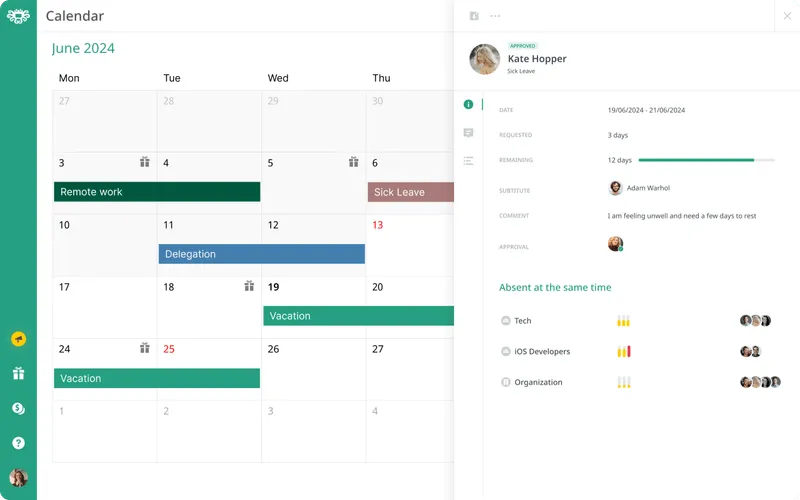
    • Scalability
      Day Off works for businesses of all sizes, from small startups with a few employees to large corporations with hundreds of staff. It adapts as the business grows, making it a long term solution for leave management.
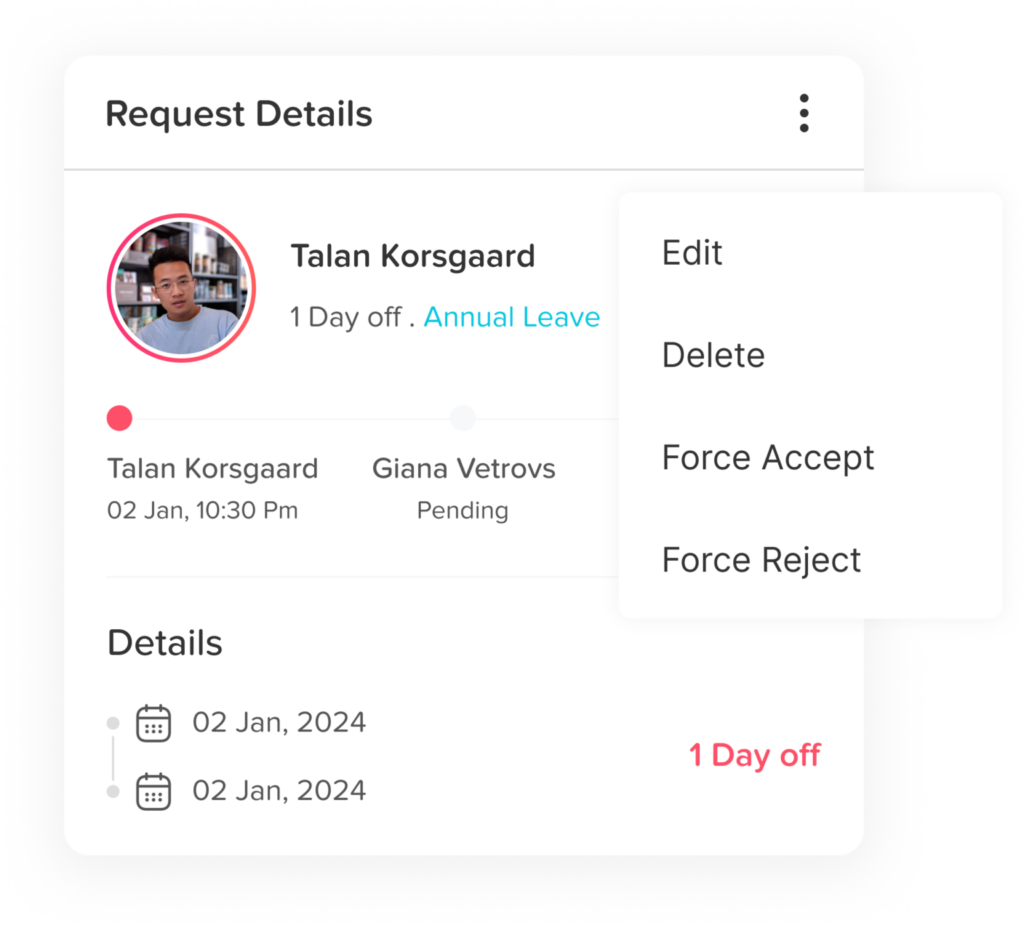
    Smarter time off tracking starts here.

    Benefits of Using Day Off Over a Basic Calculator

    • Accuracy: No risk of manual miscalculations; the system does the math.

    • Transparency: Employees always know their leave balances in real time.

    • Efficiency: HR teams save hours every week by automating repetitive tasks.

    • Flexibility: Works seamlessly for both office-based and remote teams.

    • Compliance: Ensures leave policies align with local labor laws and protects businesses from penalties.

    FAQ

    What is a time duration calculator used for?

    A time duration calculator is used to find the total time between two points, such as the start and end of a work shift. It’s especially useful for calculating working hours, subtracting break times, identifying overtime, and tracking employee time off. Businesses often use it for payroll, leave management, and compliance with labor laws.

    Can a time duration calculator help track partial leave?

    Yes. One of the biggest advantages of a time duration calculator is that it handles partial leave accurately. If an employee takes just a few hours off instead of a full day, the calculator ensures the exact number of hours is deducted from their PTO balance, keeping records fair and precise.

    Why is accurate time tracking important in the workplace?

    Accurate time tracking ensures employees are paid correctly, prevents disputes, supports compliance with labor regulations, and improves scheduling efficiency. For managers, it helps in workforce planning, while employees benefit from transparency and trust in the system.

    How does a time duration calculator differ from manual tracking?

    Manual tracking often involves guesswork and is prone to human errors, such as forgetting to subtract breaks or miscalculating overtime. A time duration calculator, on the other hand, provides instant, error-free results, ensuring accuracy and saving time for both employees and HR teams.

    Can a time duration calculator integrate with leave management systems?

    Basic calculators usually work as standalone tools, but modern leave management systems, such as Day Off App, integrate time calculations directly. This means when employees request leave, the system automatically calculates the duration, updates PTO balances, and syncs with the shared team calendar.

    Is a time duration calculator suitable for remote teams?

    Absolutely. Remote and hybrid teams often work across different schedules and time zones. A calculator ensures consistent tracking of hours regardless of location. When paired with a platform like Day Off, it allows managers to approve leave requests and track time off seamlessly, even with distributed teams.

    Can businesses customize how time is tracked?

    Yes. Modern tools like Day Off allow businesses to set custom rules for leave types, working hours, accrual policies, and breaks. This ensures that time tracking matches company policies and complies with local labor laws.

    What makes Day Off better than just using a calculator?

    While a calculator is helpful for quick math, Day Off App automates the entire leave management process. It tracks PTO balances in real time, prevents overlapping absences with a shared calendar, generates detailed reports, and makes it easy for employees and managers to handle requests from mobile or web. It’s essentially a time duration calculator plus a full HR leave management system in one.

    Conclusion

    A simple time duration calculator is a great tool for making sure work hours and time off are tracked correctly and fairly. It helps remove guesswork, keeps everyone on the same page, and makes everyday calculations quick and reliable. However, for businesses that want to go beyond basic time tracking, a calculator alone might not be enough.


    That’s where tools like the Day Off App come in. They take the accuracy of a calculator and combine it with automation, smart workflows, and team management features. Instead of manually entering hours or juggling spreadsheets, companies can automate leave requests, approvals, and balance updates, all in one place.


    Using an automated system also means fewer errors in payroll, better visibility into who’s working or off, and more consistent policy enforcement. It helps managers plan, prevents scheduling conflicts, and gives employees peace of mind knowing their time off is recorded properly.

  • Online Time Duration Calculator For Work Hours, Breaks & PTO

    Online Time Duration Calculator For Work Hours, Breaks & PTO

    Time is a valuable resource especially in the workplace. Whether you’re managing your own hours or overseeing a team, knowing exactly how much time has been spent working, resting, or on leave is essential. A Time Duration Calculator is a powerful online tool that helps you do just that.

    Gone are the days of manually counting hours on a timesheet or struggling with formulas in Excel. With a modern time calculator, you can effortlessly determine how long someone has worked, how much time off has been taken, or how much of the day was spent on breaks. And when integrated with a PTO and leave management system like Day Off, it becomes an all in one time management solution.

    What is a Time Duration Calculator?

    A Time Duration Calculator is an online utility that calculates the time difference between two points in time typically a start and end time or date. It’s especially useful for situations that require exact time tracking, such as employee work shifts, paid leave, or project billing. These calculators support various time formats, accommodate different time zones, and often provide additional options to deduct breaks or exclude non working days.

    Modern calculators also go beyond simple time difference computation. They allow users to:

    • Include or subtract breaks from total work hours

    • Calculate durations that span across days or weeks

    • Switch between 12 hour and 24 hour formats

    • Export data for payroll or recordkeeping purposes

    Why Use a Time Duration Calculator for Work, Breaks & PTO?

    Payroll Accuracy

    Ensuring that employees are paid accurately is one of the most critical responsibilities of any HR or payroll team. A small miscalculation in hours say even 15 minutes per day can add up to a significant discrepancy by the end of the month. A time duration calculator eliminates guesswork and manual errors by calculating down to the minute. This ensures that employees are compensated fairly and that payroll remains error free, reducing disputes and the need for manual corrections.

    HR & Labor Law Compliance

    Across many countries and regions, labor laws require employers to maintain detailed and accurate records of employee work hours, rest periods, and time off. Failure to comply can lead to audits, fines, or legal disputes. A time duration calculator helps HR departments stay compliant by offering precise records of when employees started and ended their shifts, how long they worked, and whether any mandatory breaks were taken. This is especially important in industries like healthcare, manufacturing, and logistics where shift work is common.

    PTO and Leave Management

    Tracking paid time off (PTO), sick leave, and vacation days can become a nightmare without the right tools especially in companies with flexible or part time schedules. A time duration calculator allows employees and HR managers to precisely calculate how much time off has been used, how much remains, and how it aligns with company policy. Whether it’s a 3 hour early departure or a week long vacation, this tool ensures every minute is accounted for. When integrated with an app like Day Off, it can automatically update PTO balances and sync with leave approvals in real time.

    Remote and Distributed Team Coordination

    Employees often operate in different time zones, making traditional time tracking methods inefficient. A time duration calculator makes it easier to calculate overlapping work hours, shift handoffs, or total availability across regions. This is especially helpful for remote teams that need to schedule meetings or hand off projects between team members in different countries. By using a shared calculator, everyone can stay aligned regardless of geography.

    Project Time Management & Freelance Billing

    For freelancers, consultants, or anyone billing by the hour, accurate time tracking is essential for proper invoicing. A time duration calculator helps you log and calculate the exact time spent on each client or task. It enables you to break down your day into billable blocks, subtract time for breaks, and generate accurate billing statements. This not only builds trust with clients but also ensures you’re compensated correctly for every minute worked.

    Top Features to Look For in a Time Duration Calculator

    Feature Extended Description
    Flexible Time Formats
    The tool should accept multiple formats such as 9:00 AM or 14:00 and automatically detect the correct time duration, minimizing the risk of formatting errors.
    Break Time Subtraction
    It should allow users to input break durations separately (e.g., 30-minute lunch), and then automatically deduct them from total work time. This is vital for calculating net productive hours.
    Multi Day Duration Support
    The calculator must handle spans across multiple days like from Friday 10 AM to Monday 10 AM and show the total duration in days and hours.
    Time Zone Adjustments
    For remote teams or traveling professionals, the tool should adjust for time zone differences to ensure correct tracking of global work hours.
    Mobile Compatibility
    A responsive design is essential for users who need to access the calculator on smartphones or tablets, especially field workers or managers on the go.
    Export & Save Functions
    The ability to download or export the calculated results (PDF, Excel, etc.) ensures accurate reporting.

    Real Life Use Cases

    Use Case 1: Workday with a Lunch Break

    • Start Time: 08:30 AM

    • End Time: 05:30 PM

    • Lunch Break: 1 hour

    • Calculated Time Worked: 8 hours

    This ensures employees are only paid for their actual work hours, and not for time spent on breaks.

    Use Case 2: PTO Half Day Request

    • PTO Start: 01:00 PM

    • PTO End: 05:00 PM

    • Total Time Off: 4 hours

    Perfect for tracking partial day leave and updating balances instantly in the Day Off app.

    Use Case 3: Freelancer Billing for Multi Day Project

    • Project Start: Monday, 9:00 AM

    • Project End: Wednesday, 4:00 PM

    • Total Time Logged: 55 hours

    • Billable Time (after subtracting breaks): 52.5 hours

    Provides clarity for invoices and avoids disputes over billing time.

    PTO Integration: The Day Off Advantage

    Day Off is a modern leave management solution available on iOS, Android, and web. It integrates seamlessly with time duration features to offer:

    • Smart PTO tracking and real-time balance updates

    • In app time calculations for hourly leave

    • Custom holiday calendar integration

    • Approvals via push notifications

    • Detailed history and reports for every user

    This integration ensures you don’t just calculate time you manage it, record it, and optimize it across your organization.

    Tips for Using Time Duration Calculator Effectively

    • Always double check your time inputs
      A wrong entry like mixing up AM and PM can throw off your calculations. Make it a habit to verify timestamps before hitting “calculate.”

    • Subtract breaks manually if the calculator doesn’t support it
      If your tool doesn’t allow break input, remember to subtract them from the final total to avoid over reporting time worked.

    • Use consistent formats for recordkeeping
      If you’re saving results for payroll or reports, stick with the same time format (e.g., 24-hour format) across all entries for clarity.

    • Pair with time tracking apps
      Use the time calculator as a verification tool alongside apps like Day Off or other time tracking platforms.

    • Update PTO records regularly
      Don’t wait until the end of the month. Input PTO usage into your leave tracker immediately after calculation to avoid discrepancies.

    Who Benefits from a Time Duration Calculator?

    • HR Professionals: Simplify payroll and ensure accurate employee time logs

    • Managers: Track team productivity and ensure coverage during shifts or absences

    • Remote Teams: Coordinate across time zones and maintain work hour integrity

    • Freelancers & Contractors: Log time for client work and ensure accurate billing

    • Employees: Monitor their own hours, breaks, and leave to avoid surprises at payday

    FAQ

    What is a time duration calculator used for in the workplace?

    A time duration calculator is used to calculate the difference between two time points such as the start and end of a work shift. It helps employers and employees accurately measure work hours, subtract unpaid breaks, and track PTO (Paid Time Off) usage. It’s an essential tool for timekeeping, payroll, and leave management.

    Can I use a time calculator to track overtime?

    Yes! A time duration calculator helps identify hours worked beyond regular working hours. For example, if a standard shift is 8 hours and someone worked 10, the tool will show the full 10 hours, making it easy to see that 2 hours qualify as overtime.

    How do I calculate breaks using a time duration calculator?

    Most advanced calculators allow you to input break times separately (e.g., 1-hour lunch). The calculator will then subtract the break duration from the total shift, showing the net worked time. If not, you can manually subtract break time from the final result.

    Can I calculate time between dates as well as times?

    Yes. Many time duration calculators can handle both time and date inputs. For example, you can calculate the time from August 1 at 10:00 AM to August 4 at 2:00 PM and get the total in hours, minutes, or days and hours.

    Is this tool useful for PTO and leave tracking?

    Absolutely. When an employee requests a few hours off, such as a half day or a doctor’s appointment, a time duration calculator helps determine how much PTO to deduct. When integrated with an app like Day Off, it updates PTO balances in real time.

    Can I use a time duration calculator on my mobile phone?

    Yes. Most modern time calculators are mobile friendly or come as part of apps like Day Off, which is available on iOS, Android, and the Web. This allows you to calculate time and manage leave from anywhere, at any time.

    How is this different from a time tracking app?

    A time duration calculator is a simple tool that calculates the gap between two time entries. A time tracking app, on the other hand, records your time automatically in real time. They can complement each other use the calculator to double check manual entries or for quick, one off calculations, and use time tracking software for continuous logging.

    Are time duration calculators free to use?

    Most online time duration calculators are free to use, including the one built into the Day Off app. Some may offer premium features or integrations, but basic calculation functions are usually accessible without cost.

    Can I export or save the results of my time calculations?

    Many calculators offer export features like saving the results to a PDF or spreadsheet, which is useful for HR documentation, invoicing, or reporting. If you’re using a tool like Day Off, the results are saved automatically as part of your PTO and leave history.

    Is it secure to use an online time calculator for employee data?

    It depends on the platform. Basic calculators that don’t store data pose no risk. However, if you’re using a tool like Day Off, which stores user data and PTO records, ensure it’s hosted on a secure platform with proper privacy policies and data encryption.

    Conclusion

    A reliable online time duration calculator is an indispensable tool for today’s workforce. It brings accuracy, transparency, and efficiency to every aspect of time management from shift tracking and break calculations to leave planning and payroll.

    Paired with a leave management app like Day Off, it becomes more than a calculator it becomes your timekeeping assistant. Whether you’re tracking a single shift or managing hundreds of employees across locations, these tools save time, reduce errors, and give everyone more control over their work life balance.

    Smarter time off tracking starts here.